
Give Your Button a Default State
The Story
Mission 03 showed the problem: an input pin with no clear connection can drift between HIGH and LOW. That was not a software bug. It was an unfinished circuit.
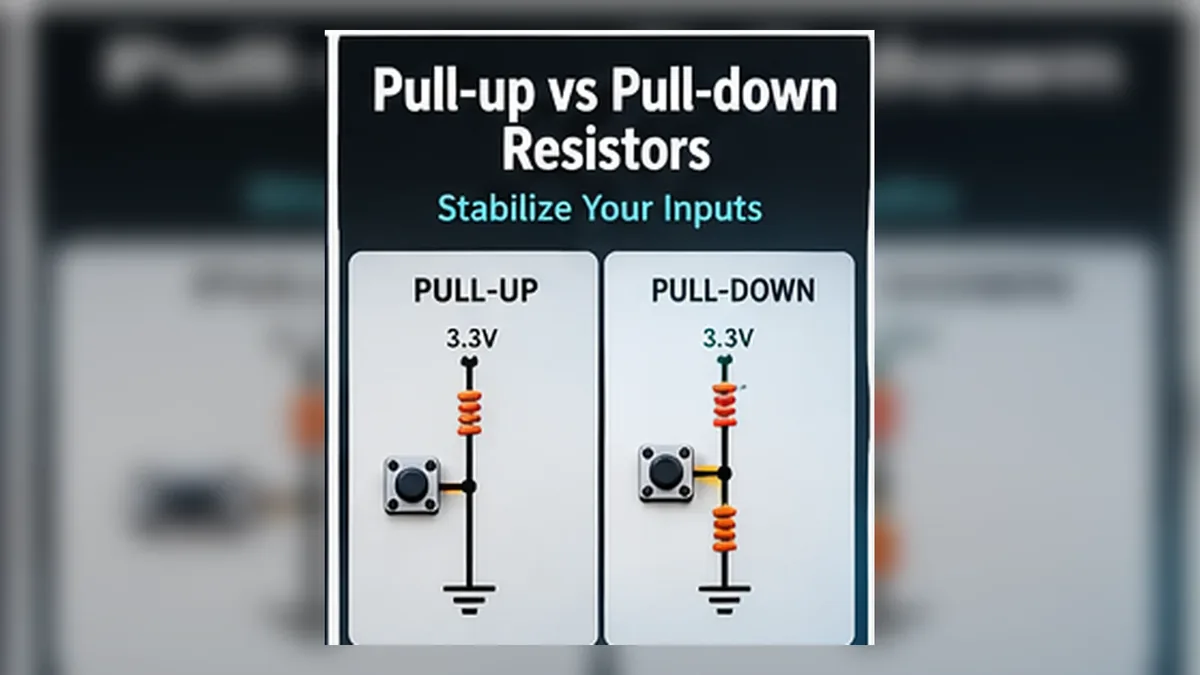
Mission 04 fixes that circuit. A pull-up resistor weakly connects the input to 3.3 V so the released/default state is HIGH. A pull-down resistor weakly connects the input to GND so the released/default state is LOW. Pressing the button then creates the intentional opposite state.
That default can come from an external pull-up or pull-down resistor, or from an internal pull mode such as INPUT_PULLUP or INPUT_PULLDOWN when the selected GPIO supports it.
Explain Like I'm 12
Imagine a classroom where the teacher asks one student to answer yes or no. If the student says nothing, the class has no official answer. That is a floating pin: the ESP32 is listening, but nobody is giving the pin a clear HIGH or LOW.
A pull-down resistor is like a quiet default vote for LOW. If nobody presses the button, the pin rests at LOW. When the button is pressed, the button gives a stronger vote for HIGH by connecting the pin to 3.3 V.
A pull-up resistor is the opposite default. It quietly votes HIGH when nobody presses the button. With INPUT_PULLUP, the ESP32 turns on that quiet internal HIGH vote for you. Then the button connects the pin to GND when pressed, so pressed reads LOW.
Remember This Forever: A floating pin is not broken. It is simply undecided. A pull-up or pull-down resistor gives the pin a default decision until the button intentionally changes it.
Mission Goal
You will build stable button inputs using both an external pull-down resistor and the ESP32 internal pull-up resistor.
Estimated Time
20-25 min
Difficulty
Beginner
Prerequisites
Skills You'll Learn
- Explain why floating pins are unreliable
- Wire a button with an external pull-down resistor
- Use the ESP32 internal pull-up resistor with INPUT_PULLUP
- Predict why a pull-up button reads LOW when pressed
- Choose between INPUT and INPUT_PULLUP for beginner button circuits
Components Required
- ESP32 DevKit boardThe GPIO input platform
- Push buttonMomentary tactile switch
- 10 kOhm resistorExternal pull-down resistor for the first circuit
- BreadboardKeeps the button and resistor stable
- Jumper wiresFor GPIO, 3.3 V, and GND connections
- USB data cableUpload code and read Serial Monitor
The Default State Problem
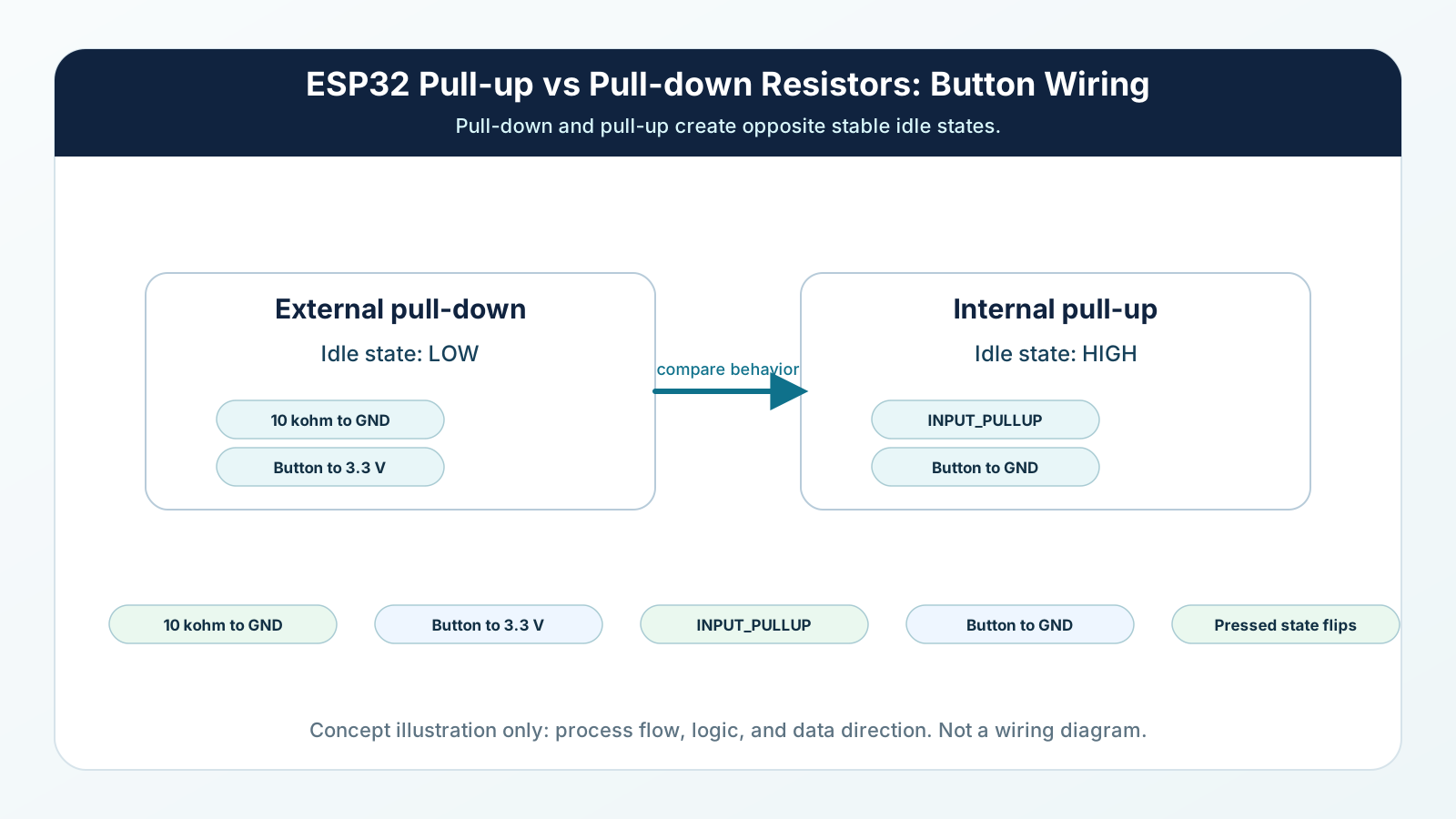
A button is not always connected. When it is open, it leaves one side of the circuit disconnected unless you add a default path.
A pull resistor gives the input a weak default. Pull-up means the default is HIGH. Pull-down means the default is LOW. Pressing the button creates a stronger path to the opposite state.
The resistor is important because it limits current. It is strong enough to guide the input, but weak enough that a button press can safely override it.
Engineering Explanation
An ESP32 digital input is high impedance. That means it listens without taking much current. This is useful, but it also means the pin cannot decide its own state.
Think about water flow. A floating input is like a pipe with no steady connection to a tank or drain, so tiny disturbances can move it around. A pull-down resistor is a narrow drain to GND. It gently drains the pin toward LOW when the button is open. Pressing the button connects the pin to 3.3 V, which is a much stronger source, so the pin becomes HIGH.
A pull-up resistor is a narrow feed from 3.3 V. It gently fills the pin toward HIGH when the button is open. Pressing the button connects the pin to GND, which is a stronger path than the weak resistor, so the pin becomes LOW. This is why INPUT_PULLUP button logic looks inverted but works perfectly: released reads HIGH, pressed reads LOW, and your code simply treats LOW as the pressed condition.
Real-World Analogy
Think of the GPIO input like a scale with two labeled sides: LOW on one side and HIGH on the other. A pull-down resistor places a tiny weight on the LOW side so the scale rests there by default. A button press places a much heavier weight on the HIGH side, so HIGH wins.
A pull-up resistor places the tiny default weight on the HIGH side instead. When the button is pressed to GND, the heavier LOW side wins. The resistor is not fighting the button; it only chooses the default when the button is not doing anything.
The classroom version is the same idea: the resistor gives the pin a quiet default answer, and the button is the student raising a hand to intentionally change that answer.
Floating Pin Recap
In Mission 03, GPIO27 changed because the loose wire had no path to 3.3 V or GND. It picked up tiny noise from your hand, USB cable, nearby wiring, and the room.
A floating pin is not broken. It is simply undecided. The ESP32 input circuit is still working; it is just measuring a point that nobody has forced to HIGH or LOW.
A pull-up or pull-down resistor fixes that undecided state. It gives the pin a default decision while the button is open, and then the button intentionally changes that decision when pressed.
ESP32 Internal Pull-up and Pull-down Resistors
Arduino ESP32 provides INPUT_PULLUP and INPUT_PULLDOWN on supported GPIOs. These modes enable weak internal resistors so an input has a default logic state instead of floating.
INPUT_PULLUP holds the released input HIGH until a button or switch connects the pin to GND. INPUT_PULLDOWN does the opposite on GPIOs that support it: the pin rests LOW until the circuit drives it HIGH.
Treat internal pulls as convenient defaults, not strong loads. Arduino-ESP32 documentation describes the internal pull resistance as roughly 45 kOhm, so it is much weaker than a common 10 kOhm external resistor.
GPIO capabilities vary by ESP32 family and by board. On the original classic ESP32, GPIO34-GPIO39 are input-only and do not provide integrated pull-up or pull-down resistors, so use an external pull resistor if one of those pins needs a defined default state.
External Pull-Up and Pull-Down Resistors
An external resistor is a physical resistor you place on the breadboard. External pull-down wiring is excellent for learning because the logic feels natural: released is LOW, pressed is HIGH.
External pull-up wiring works the other way: the resistor connects the GPIO weakly to 3.3 V, and the button or active circuit pulls the pin to GND. That is the same logic pattern you get from INPUT_PULLUP, but with a resistor value you choose yourself.
External resistors are useful when you need a specific resistor value, when a pin does not support an internal pull, when a sensor output requires a pull resistor, or when you want the circuit behavior to be obvious even before reading the code.
What Value Pull-up Resistor Should I Use with ESP32?
For most ESP32 button experiments, 10 kOhm is a practical starting point for an external pull-up or pull-down resistor. It defines the input clearly without wasting much current.
A lower resistance makes a stronger pull, but it increases current when something drives the pin against that resistor. A higher resistance saves a little current, but the default state becomes weaker and more sensitive to noise, leakage, or long wires.
ESP32 internal pull resistors are convenient but weaker. Arduino-ESP32 documentation describes them as roughly 45 kOhm, so use an external resistor when you need a firmer default state or when the selected GPIO does not provide an internal pull.
Pull-up vs Pull-down Comparison
| Setup | Default State | Active/Button State | Typical Use |
|---|---|---|---|
| External pull-up | HIGH when the button/input is open | LOW when the button or active circuit connects the GPIO to GND | Common for buttons to GND, open-drain outputs, and circuits where active LOW logic is acceptable. |
| External pull-down | LOW when the button/input is open | HIGH when the button or active circuit connects the GPIO to 3.3 V | Good for learning natural pressed-equals-HIGH button logic or when a pin needs a physical resistor. |
| INPUT_PULLUP | HIGH when released/open | LOW when pressed to GND | Best for simple ESP32 buttons with fewer parts, on GPIOs that support the internal pull-up. |
| INPUT_PULLDOWN | LOW when released/open | HIGH when pressed or driven to 3.3 V | Useful when supported by the selected GPIO and you want pressed or active to read HIGH without an external resistor. |
Wiring Diagram
Follow these steps in order. Unplug USB before you change any wires.
-
1
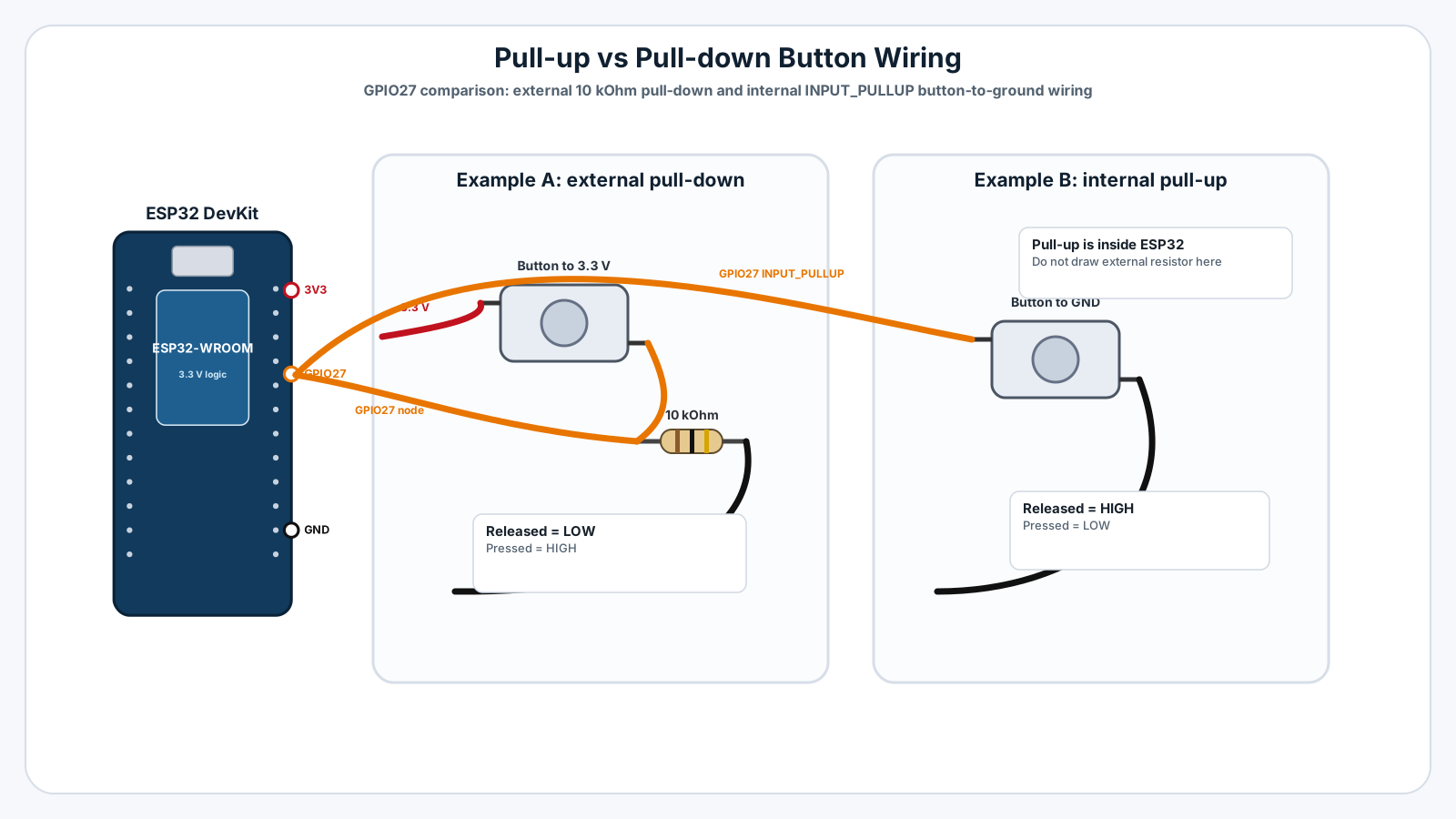
External pull-down test: place the push button across the breadboard center gap.
-
2
Connect one side of the button to ESP32 3.3 V.
-
3
Connect the other side of the button to ESP32 GPIO27.
-
4
Place a 10 kOhm resistor from the GPIO27 side of the button to GND.
-
5
Upload the INPUT example and open Serial Monitor at 115200 baud.
-
6
Internal pull-up test: remove the external resistor and 3.3 V button wire.
-
7
Connect one side of the button to GPIO27 and the other side to GND.
-
8
Upload the INPUT_PULLUP example and compare the released and pressed readings.
GPIO Table
| Signal | ESP32 Pin | Mode | Notes |
|---|---|---|---|
| Button input | GPIO27 | INPUT or INPUT_PULLUP | Reads the button state in both examples. |
| External pull-down default | GND through 10 kOhm | Pull-down | Keeps GPIO27 LOW until the button connects it to 3.3 V. |
| Button HIGH source | 3.3 V | Power | Used only in the external pull-down version. |
| Internal pull-up default | GPIO27 internal resistor | INPUT_PULLUP | Keeps GPIO27 HIGH until the button connects it to GND. |
| Serial debug | USB | Serial | Shows released and pressed states at 115200 baud. |
Arduino Code
Copy this into Arduino IDE, then click Upload.
// Mission 04 - Example A: external pull-down resistor
// Wiring: GPIO27 -> button -> 3.3V, and GPIO27 -> 10k resistor -> GND

const int BUTTON_PIN = 27;

void setup() {
  Serial.begin(115200);
  pinMode(BUTTON_PIN, INPUT);
  Serial.println("Example A: INPUT with external pull-down");
}

void loop() {
  int reading = digitalRead(BUTTON_PIN);

  if (reading == HIGH) {
    Serial.println("Button is PRESSED");
  } else {
    Serial.println("Button is RELEASED");
  }

  delay(250);
}

/*
Mission 04 - Example B: internal pull-up resistor
Rewire first: GPIO27 -> button -> GND. No external resistor needed.
Then replace setup() and loop() with the code below.

const int BUTTON_PIN = 27;

void setup() {
  Serial.begin(115200);
  pinMode(BUTTON_PIN, INPUT_PULLUP);
  Serial.println("Example B: INPUT_PULLUP internal pull-up");
}

void loop() {
  int reading = digitalRead(BUTTON_PIN);

  if (reading == LOW) {
    Serial.println("Button is PRESSED");
  } else {
    Serial.println("Button is RELEASED");
  }

  delay(250);
}
*/This file includes two examples. Upload Example A for the external pull-down circuit. Then rewire the button and upload Example B for INPUT_PULLUP. Do not use both setups on the breadboard at the same time.
Line-by-line Explanation
- const int BUTTON_PIN = 27; gives the button input a clear name.
- pinMode(BUTTON_PIN, INPUT); is used only when the external pull-down resistor already gives the pin a default LOW state.
- In Example A, digitalRead() returns HIGH when the button connects GPIO27 to 3.3 V.
- pinMode(BUTTON_PIN, INPUT_PULLUP); turns on the ESP32 internal pull-up resistor.
- In Example B, the released button reads HIGH because the internal pull-up holds the pin near 3.3 V.
- In Example B, the pressed button reads LOW because the button connects GPIO27 directly to GND.
- The delay(250); line slows the output so the Serial Monitor is readable. It is not button debouncing yet.
Expected Behaviour
Example A, external pull-down:
Button is RELEASED Button is RELEASED Button is PRESSED
Example B, INPUT_PULLUP:
Button is RELEASED Button is RELEASED Button is PRESSED
The printed words are the same because the code handles the different logic. The raw GPIO value is different: Example A uses HIGH for pressed, while Example B uses LOW for pressed.
Experiment: Leave the Input Floating
Try removing the 10 kOhm pull-down resistor from Example A while leaving the button open. The input may become random again, just like Mission 03. Put the resistor back and the reading should become stable.
Then try the INPUT_PULLUP circuit. Notice that there is no external resistor, but the reading stays stable because the ESP32 enabled one internally.
This is the main lesson: stable button inputs need a default state. That default can come from an external resistor or from an internal pull resistor enabled in software.
Common Mistakes
The button always reads pressed
The GPIO may be permanently connected to 3.3 V or GND because the button legs are in the wrong breadboard rows.
The reading is still random
The pull-down resistor is missing, in the wrong row, or not connected to GND.
INPUT_PULLUP prints pressed when I release the button
The code may be treating HIGH as pressed even though pull-up logic is inverted.
The ESP32 resets when I press the button
The button may be shorting 3.3 V directly to GND.
Serial Monitor shows old text from Example A
Example B is inside a comment until you copy it into the active sketch area.
The button works but prints many lines per press
The loop prints every 250 ms while the button is held.
Troubleshooting
Most ESP32 problems are wiring, power, library, or timing issues. Check these first.
The button always reads pressed
Likely cause: The GPIO may be permanently connected to 3.3 V or GND because the button legs are in the wrong breadboard rows.
Fix: Rotate the button 90 degrees or move it across the breadboard center gap, then test again.
The reading is still random
Likely cause: The pull-down resistor is missing, in the wrong row, or not connected to GND.
Fix: Trace GPIO27 to the resistor and make sure the other resistor leg reaches a real GND pin.
INPUT_PULLUP prints pressed when I release the button
Likely cause: The code may be treating HIGH as pressed even though pull-up logic is inverted.
Fix: For INPUT_PULLUP, use digitalRead(pin) == LOW to detect a pressed button.
The ESP32 resets when I press the button
Likely cause: The button may be shorting 3.3 V directly to GND.
Fix: Unplug USB and rebuild the circuit slowly. The resistor should define the GPIO, not sit as a direct short bypass.
Serial Monitor shows old text from Example A
Likely cause: Example B is inside a comment until you copy it into the active sketch area.
Fix: Replace the active setup() and loop() with Example B, then upload again.
The button works but prints many lines per press
Likely cause: The loop prints every 250 ms while the button is held.
Fix: That is expected in this mission. Mission 05 will teach detecting one clean press and debouncing.
Engineer Tip
When debugging a button, first ask one question: what should this pin read when nobody is pressing anything? If you cannot answer HIGH or LOW immediately, the circuit probably needs a pull-up, pull-down, or a sensor output that actively drives the pin.
Remember This Forever
A floating pin is not broken.
It is simply undecided.
A pull-up or pull-down resistor gives the pin a default decision until the button intentionally changes it.
Mini Challenge
No wrong answers — experiment and have fun!
- Modify the code so the variable buttonPressed is true when the button is pressed, even in the INPUT_PULLUP example.
- Write one sentence explaining why INPUT_PULLUP reads LOW when the button is pressed.
- Predict what happens if the pull-up or pull-down resistor is removed while the button is released.
- Compare which wiring style feels easier to understand and which style uses fewer parts.
FAQs
What is a pull-up resistor?
A pull-up resistor connects an input pin weakly to 3.3 V so the pin reads HIGH when nothing else is pressing it LOW.
What is a pull-down resistor?
A pull-down resistor connects an input pin weakly to GND so the pin reads LOW when nothing else is pressing it HIGH.
Why do buttons need pull-up or pull-down resistors?
A button is open most of the time. Without a default path to 3.3 V or GND, the input can float and produce random readings.
Why does INPUT_PULLUP read LOW when the button is pressed?
With INPUT_PULLUP the pin normally rests HIGH through the internal resistor. Pressing the button connects the pin to GND, so the pressed state becomes LOW.
Is LOW a problem in INPUT_PULLUP button logic?
No. LOW simply means pressed in that wiring style. Your code can name it clearly, for example bool buttonPressed = digitalRead(pin) == LOW.
When should I use INPUT?
Use INPUT when an external circuit already drives the pin HIGH or LOW, such as a sensor output, or when you add your own external pull-up or pull-down resistor.
When should I use INPUT_PULLUP?
Use INPUT_PULLUP for simple buttons or switches where one side of the button connects to GND and you want the ESP32 to provide the default HIGH state.
Does ESP32 have INPUT_PULLDOWN?
Arduino ESP32 supports INPUT_PULLDOWN on GPIOs that provide an internal pull-down resistor. Pin capabilities vary by ESP32 family and board, and classic ESP32 GPIO34-GPIO39 do not have integrated pull-up or pull-down resistors.
What resistor value should I use for an external pull-up or pull-down?
10 kOhm is a common beginner-friendly value. It is strong enough to define the input but weak enough that only a tiny current flows when the button is pressed.
Can I connect a button directly without a resistor?
Only if you use an internal pull-up or pull-down mode. A plain INPUT button without a resistor will usually float when the button is open.
Can a pull resistor damage the ESP32?
A normal pull resistor such as 10 kOhm connected between a GPIO input and 3.3 V or GND is safe. The dangerous mistake is shorting 3.3 V directly to GND.
Can I use 5 V with an ESP32 button input?
No. ESP32 GPIO pins are 3.3 V logic and are not 5 V tolerant. Use 3.3 V for button circuits connected to GPIO.
Why do many ESP32 tutorials use INPUT_PULLUP?
It reduces parts, avoids an external resistor, and gives a stable default state with only a button wired between the GPIO and GND.
Which is better, pull-up or pull-down?
Neither is universally better. Pull-up is very common for buttons because internal pull-ups are available and wiring to GND is convenient. Pull-down is easier for beginners to read because pressed often equals HIGH.
What happens if I remove the pull-up resistor?
The input loses its default HIGH state. When the button is open, the pin can float and random HIGH/LOW readings can return.
Why not use a very small resistor like 100 ohms?
A small resistor wastes more current when the button is pressed. Pull resistors should be weak defaults, not strong loads.
Do pull-up resistors debounce a button?
No. Pull resistors stop floating. Debouncing handles the tiny rapid on/off transitions caused by the mechanical contacts inside a real button.
Can one resistor serve multiple buttons?
Usually each independent button input should have its own pull-up or pull-down path so every GPIO has a clear default state.
Does a PIR sensor need INPUT_PULLUP?
Usually no. Most PIR modules actively drive their output HIGH or LOW, so the ESP32 can read them as INPUT. Check the module documentation if the output is open-drain.
What should I learn after pull-up and pull-down resistors?
Learn button debouncing. Once the input has a stable default state, debouncing helps your code ignore the brief mechanical chatter of a real button press.