
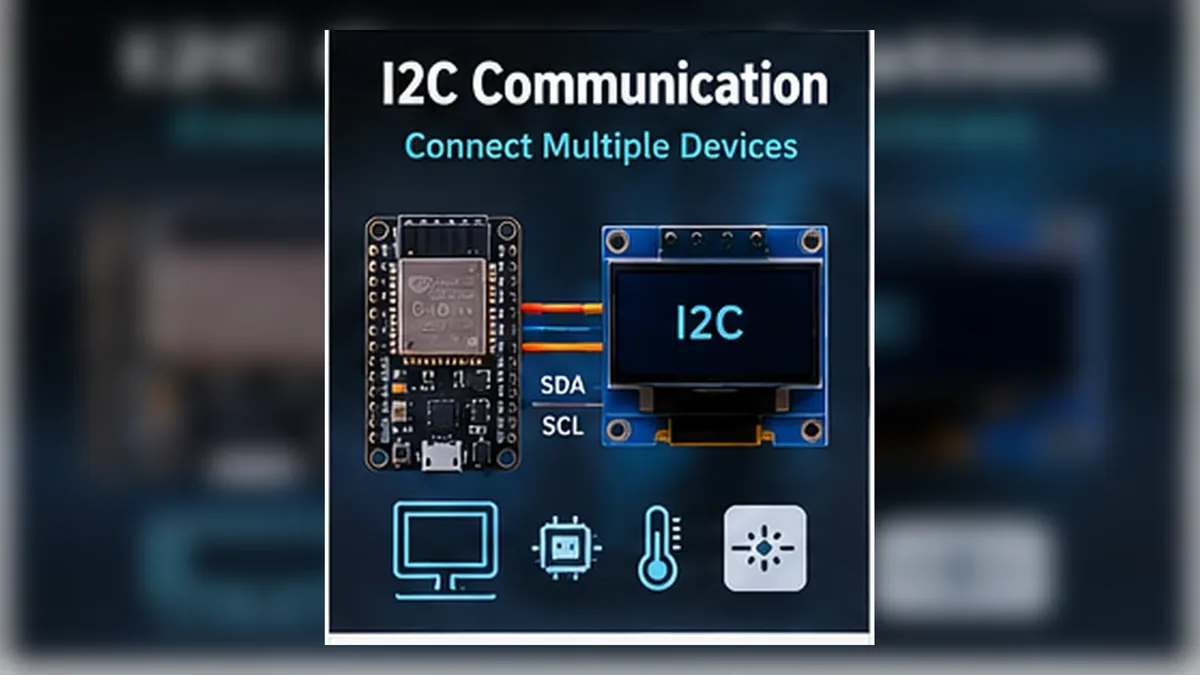
Make ESP32 Talk to Smart Modules
The Story
In Mission 09, the OLED worked because the ESP32 knew how to send instructions over two wires. That was I2C at work.
Now you will slow down and learn the rule system behind that connection. Once I2C makes sense, displays, environmental sensors, clocks, expanders, and many other modules stop feeling mysterious.
Explain Like I'm 12
Imagine one teacher and several students sitting in the same classroom. The teacher calls a student's name before asking a question. Everyone hears the question, but only the student with that name answers.
I2C works like that. The ESP32 speaks on shared wires, says an address, and the device with that address responds.
Mission Goal
Understand how I2C communication works and use an I2C scanner to find an OLED and BME280 connected to the same ESP32 bus.
Estimated Time
45-50 min
Difficulty
Beginner
Prerequisites
Skills You'll Learn
- Explain what a communication protocol is
- Describe I2C in beginner-friendly language
- Identify SDA, SCL, device address, controller, and peripheral roles
- Wire an OLED and BME280 to the same ESP32 I2C bus
- Run an I2C scanner sketch and interpret detected addresses
Components Required
- ESP32 DevKit boardActs as the I2C controller
- SSD1306 0.96 inch I2C OLED displayCommon I2C display, usually address 0x3C
- BME280 sensor moduleI2C environmental sensor, usually address 0x76 or 0x77
- Breadboard and jumper wiresConnect shared power, ground, SDA, and SCL
- USB data cableUpload the scanner and read Serial Monitor
I2C Is a Shared Conversation Bus
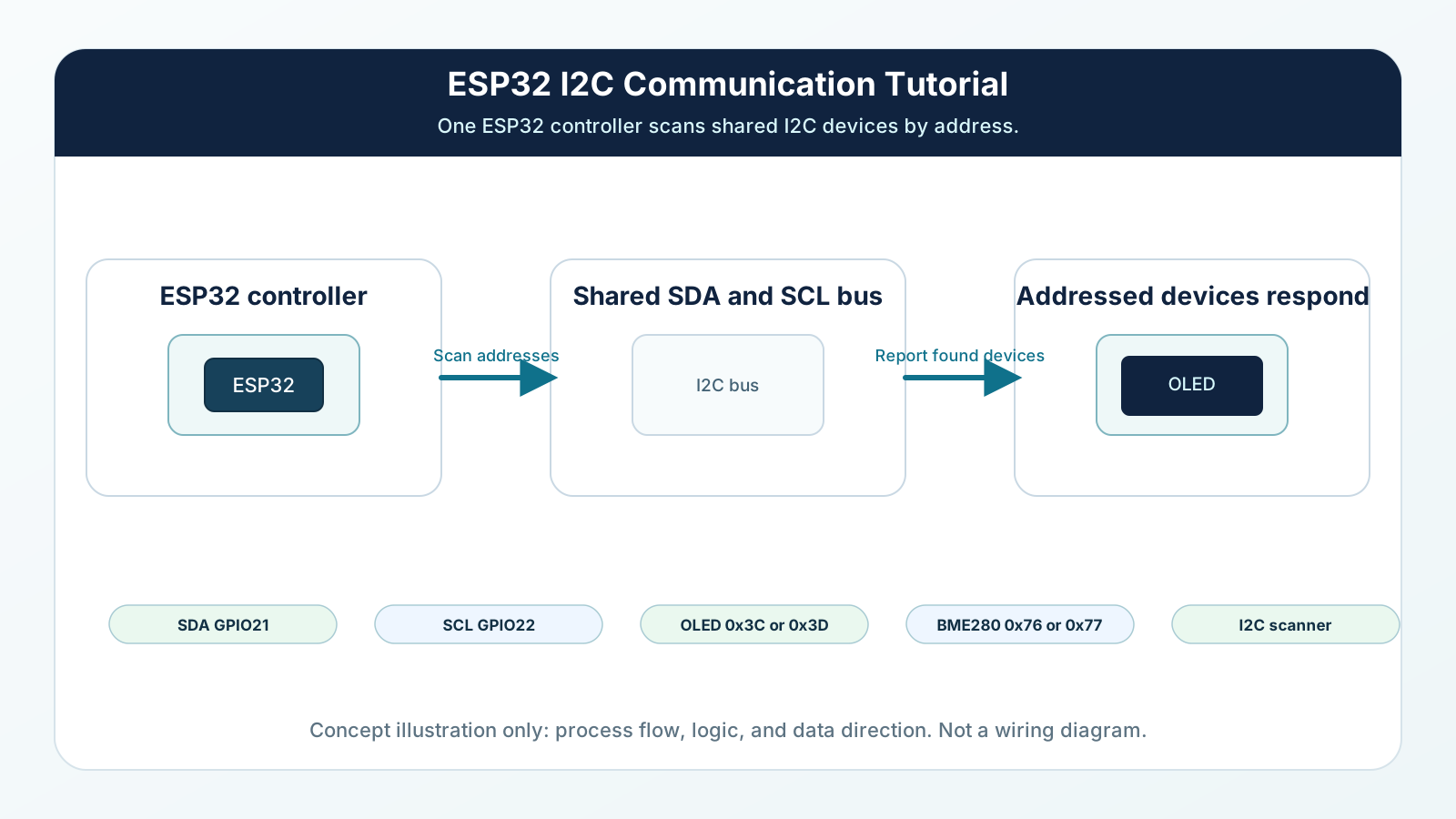
A protocol is a rulebook for communication. It defines who talks, when they talk, how bits are timed, and how the receiver knows the message is meant for it.
I2C uses two signal wires. SDA carries data. SCL carries the clock. The ESP32 usually controls the conversation, and the connected modules respond when their address is called.
Older tutorials often say master and slave. You will still see those words in datasheets and library code. A clearer modern way to say the same idea is controller and peripheral. In this mission, the ESP32 is the controller. The OLED and BME280 are peripherals.
Engineering Explanation
The ESP32 needs protocols because raw wires are not enough. A GPIO can be HIGH or LOW, but a display or sensor needs structured information: start here, send this address, write this command, read these bytes, stop now.
I2C solves that with a bus. The bus is shared by all connected I2C devices. The controller pulls the clock line to create timing. The data line changes in sync with that clock. At the start of a transaction, the controller sends a device address. Only the peripheral with that address should respond.
This is why the OLED and BME280 can both use GPIO21 and GPIO22 in this mission. GPIO21 and GPIO22 are the common Arduino ESP32 example pins used across this site, but ESP32 I2C pins are configurable in code when Wire.begin(SDA, SCL) matches the wires.
They are not connected to private signal wires. They share the same bus, but they use different addresses. The OLED might answer at 0x3C or 0x3D, while the BME280 might answer at 0x76 or 0x77. If two devices have the same fixed address on one bus, the ESP32 cannot reliably choose between them without changing an address or adding extra hardware such as an I2C multiplexer.
I2C lines normally rest HIGH because of pull-up resistors. Devices communicate by pulling the lines LOW at the right times. Many breakout modules already include pull-up resistors, which is why beginner circuits often work without adding extra resistors. But if the wires are long, the modules are many, or the pull-ups are missing or too strong together, the bus can become unreliable.
I2C is excellent for short, low-pin-count communication inside a project. It is not the best choice for long cables, very high speed, or devices that all have the same fixed address.
Real-World Analogy
Think of I2C like an apartment building intercom. Everyone is connected to the same intercom system, but the visitor presses one apartment number. Only that apartment should answer.
SDA is the spoken message. SCL is the rhythm that keeps the message understandable, like a metronome.
The address is the apartment number. Without the address, every device would hear noise and nobody would know who should respond.
Wiring Diagram
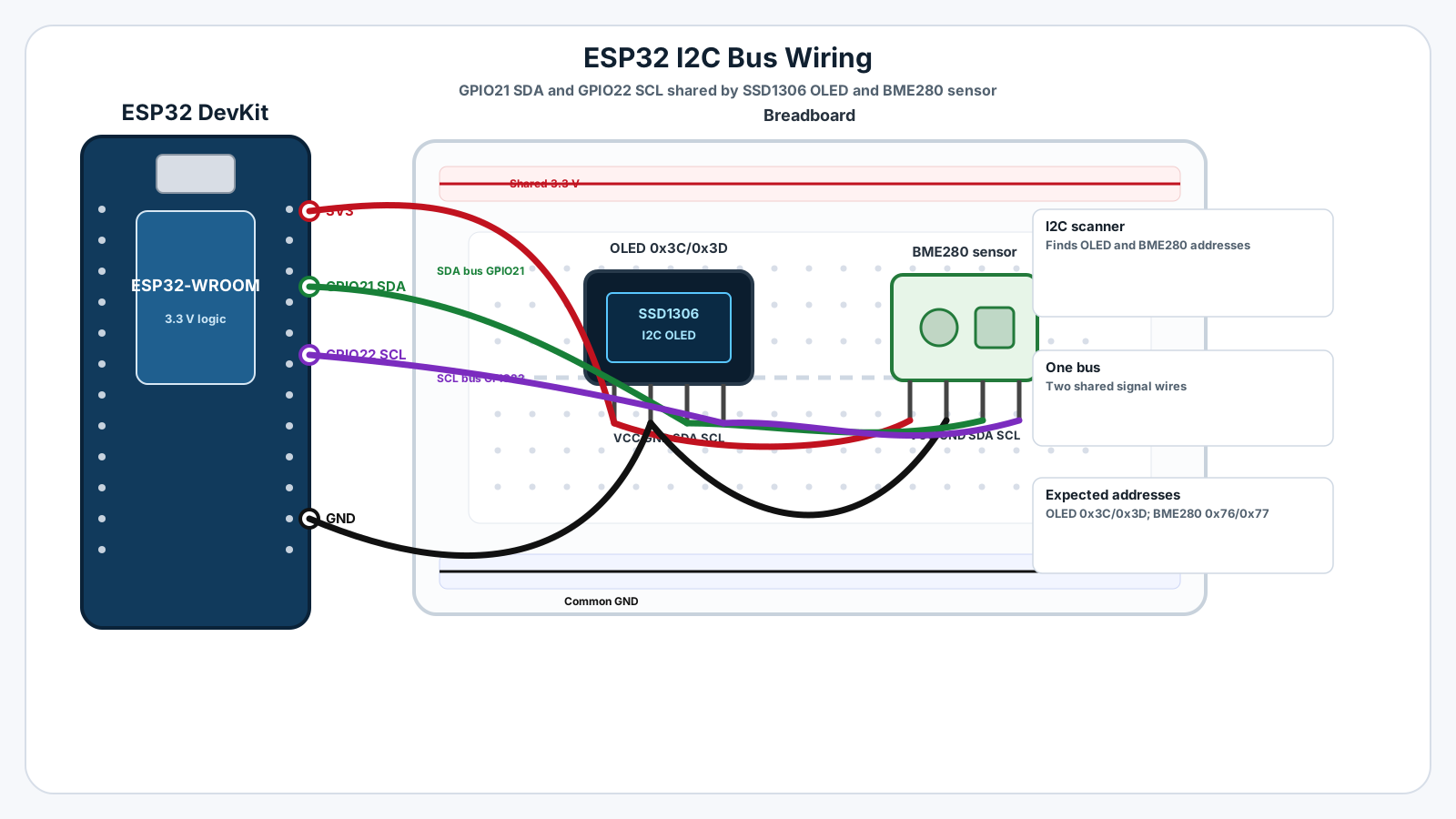
Follow these steps in order. Unplug USB before you change any wires.
-
1
Unplug the ESP32 USB cable before wiring.
-
2
Connect OLED VCC to ESP32 3.3 V.
-
3
Connect OLED GND to ESP32 GND.
-
4
Connect OLED SDA to ESP32 GPIO21.
-
5
Connect OLED SCL to ESP32 GPIO22.
-
6
Connect BME280 VIN or VCC to ESP32 3.3 V.
-
7
Connect BME280 GND to ESP32 GND.
-
8
Connect BME280 SDA to the same GPIO21 SDA row used by the OLED.
-
9
Connect BME280 SCL to the same GPIO22 SCL row used by the OLED.
-
10
Plug USB back in, upload the scanner sketch, and open Serial Monitor at 115200 baud.
GPIO Table
| Signal | ESP32 Pin | Mode | Notes |
|---|---|---|---|
| I2C SDA | GPIO21 | I2C data | Data line shared by OLED SDA and BME280 SDA. GPIO21 is the common example pin here, not a universal fixed requirement. |
| I2C SCL | GPIO22 | I2C clock | Clock line shared by OLED SCL and BME280 SCL. GPIO22 is the common example pin here, not a universal fixed requirement. |
| OLED power | 3V3 and GND | Power | Powers the SSD1306 OLED module. |
| BME280 power | 3V3 and GND | Power | Powers the BME280 sensor module. |
| Serial debug | USB | Serial | Prints detected I2C addresses in Serial Monitor. |
Arduino Code
Copy this into Arduino IDE, then click Upload.
#include <Wire.h>

const int I2C_SDA = 21;
const int I2C_SCL = 22;

void setup() {
  Serial.begin(115200);
  delay(1000);

  Wire.begin(I2C_SDA, I2C_SCL);

  Serial.println("Mission 10: ESP32 I2C scanner");
  Serial.println("Scanning GPIO21 SDA and GPIO22 SCL...");
}

void loop() {
  byte foundDevices = 0;

  for (byte address = 1; address < 127; address++) {
    Wire.beginTransmission(address);
    byte error = Wire.endTransmission();

    if (error == 0) {
      Serial.print("I2C device found at address 0x");

      if (address < 16) {
        Serial.print("0");
      }

      Serial.print(address, HEX);

      if (address == 0x3C || address == 0x3D) {
        Serial.print("  likely SSD1306 OLED");
      } else if (address == 0x76 || address == 0x77) {
        Serial.print("  likely BME280");
      }

      Serial.println();
      foundDevices++;
    }
  }

  if (foundDevices == 0) {
    Serial.println("No I2C devices found. Check power, ground, SDA, and SCL.");
  } else {
    Serial.print("Scan complete. Devices found: ");
    Serial.println(foundDevices);
  }

  Serial.println();
  delay(5000);
}- This is the complete Mission 10 scanner sketch.
- It uses only the built-in Wire library.
- GPIO21 is SDA and GPIO22 is SCL.
- Run this before larger OLED or BME280 programs to prove the bus is wired correctly.
Line-by-line Explanation
- Wire.h gives the ESP32 Arduino core its I2C functions.
- I2C_SDA is set to GPIO21, the common ESP32 SDA example pin used in this mission.
- I2C_SCL is set to GPIO22, the common ESP32 SCL example pin used in this mission.
- Serial.begin(115200) starts Serial Monitor so you can see the scan results.
- Wire.begin(I2C_SDA, I2C_SCL) starts the I2C bus on the selected ESP32 pins.
- The for loop tests every normal 7-bit I2C address from 1 to 126.
- Wire.beginTransmission(address) prepares a message to one possible address.
- Wire.endTransmission() sends the address and returns an error code.
- If the error code is 0, a device answered at that address.
- The sketch labels common OLED addresses, 0x3C and 0x3D, and common BME280 addresses, 0x76 and 0x77.
Expected Behaviour
With an SSD1306 OLED and BME280 connected correctly, Serial Monitor may show:
Mission 10: ESP32 I2C scanner Scanning GPIO21 SDA and GPIO22 SCL... I2C device found at address 0x3C likely SSD1306 OLED I2C device found at address 0x76 likely BME280 Scan complete. Devices found: 2
Your exact addresses may differ. Some OLED modules use 0x3D. Some BME280 modules use 0x77.
If only one address appears, one device is probably wired correctly and the other needs checking. If no addresses appear, start with power, ground, SDA, and SCL.
Common Mistakes
Swapping SDA and SCL
The clock and data lines have different jobs.
Forgetting common ground
The ESP32 and modules need the same voltage reference.
Using a non-I2C OLED
Some displays use SPI and have more pins.
Expecting all BME280 modules to use the same address
Module boards can configure the address pin differently.
Two devices share the same fixed address
I2C addresses must be unique on one bus.
Using long jumper wires
I2C is sensitive to wiring length, capacitance, and weak pull-ups.
Thinking the scanner reads sensor data
The scanner only checks whether a device answers at an address.
Ignoring address output
Copying a tutorial address without checking the real module can cause blank screens or failed sensors.
Troubleshooting
Most ESP32 problems are wiring, power, library, or timing issues. Check these first.
Scanner prints no devices
Likely cause: Power, ground, SDA, SCL, or pin selection is wrong.
Fix: Check 3.3 V, GND, GPIO21, GPIO22, and make sure Wire.begin(21, 22) is used.
Only OLED address appears
Likely cause: The BME280 may be unpowered, wired incorrectly, or not really a BME280.
Fix: Check the BME280 VIN/VCC, GND, SDA, SCL, and module label.
Only BME280 address appears
Likely cause: The OLED may have swapped SDA/SCL, wrong power, or a damaged connection.
Fix: Check OLED VCC, GND, SDA to GPIO21, and SCL to GPIO22.
Addresses appear sometimes but disappear later
Likely cause: Loose breadboard wires, long wires, or weak pull-ups can make the bus unstable.
Fix: Shorten wires, reseat jumpers, and test one module at a time.
Code uploads but Serial Monitor shows unreadable text
Likely cause: Serial Monitor baud rate does not match the sketch.
Fix: Set Serial Monitor to 115200 baud.
Engineer Tip
Before debugging a complex display or sensor program, run an I2C scanner. It separates wiring problems from code problems. If the scanner cannot see the device, a bigger library example will not fix the hardware connection.
Remember This Forever
I2C is not many private conversations.
It is one shared conversation where each device answers only when its address is called.
Mini Challenge
No wrong answers — experiment and have fun!
- Run the scanner with only the OLED connected and write down the address.
- Add the BME280 to the same SDA and SCL wires, then confirm the scanner finds two addresses.
- With USB unplugged, intentionally swap SDA and SCL on one module, then predict what the scanner will show before testing.
- Find whether your BME280 reports 0x76 or 0x77 and save that value for the next mission.
- Explain why two devices can share GPIO21 and GPIO22 but cannot share the same fixed address.
FAQs
What is a communication protocol?
A communication protocol is an agreed set of rules for how devices send and receive information. Without a protocol, the ESP32 and a sensor would not know how to understand each other.
What does I2C mean?
I2C means Inter-Integrated Circuit. It is a two-wire communication bus used by many displays, sensors, clocks, memory chips, and small modules.
Which pins does ESP32 use for I2C?
This site's ESP32 DevKit examples use GPIO21 as SDA and GPIO22 as SCL. ESP32 I2C pins can be changed in code, but the wiring and Wire.begin(SDA, SCL) call must match.
What is SDA?
SDA is the data line. It carries the bits that represent addresses, commands, and data.
What is SCL?
SCL is the clock line. It provides timing so devices know when each data bit should be read.
What is an I2C address?
An I2C address is a small number that identifies one device on the bus. The ESP32 sends the address first so only the selected device responds.
Why can multiple devices share SDA and SCL?
They can share the wires because each device listens for its own address. The ESP32 talks to one addressed device at a time.
What address does an SSD1306 OLED usually use?
Most SSD1306 0.96 inch OLED modules use 0x3C. Some use 0x3D.
What address does a BME280 usually use?
Many BME280 modules use 0x76 or 0x77 depending on the module wiring.
What is an I2C scanner?
An I2C scanner is a small sketch that tests addresses and prints the devices that answer. It is one of the best first debugging tools for I2C wiring.
Do I need pull-up resistors for I2C?
Yes, I2C needs pull-up resistors on SDA and SCL. Many breakout modules already include them, but long wires or many modules can still cause problems.
Can I use 5 V I2C modules with ESP32?
Be careful. ESP32 GPIO pins are 3.3 V pins. Use 3.3 V-compatible modules or a proper level shifter when needed.
Why does the scanner show no devices?
The most common causes are missing power, missing ground, swapped SDA/SCL, wrong pins, or a module that is not I2C.
Can two I2C devices have the same address?
Not on the same bus unless you use extra hardware such as an I2C multiplexer or can change one device address.
Is I2C good for long cables?
I2C is best for short connections on the same board or inside the same small device. Long wires can make the signals unreliable.