
What You Will Build
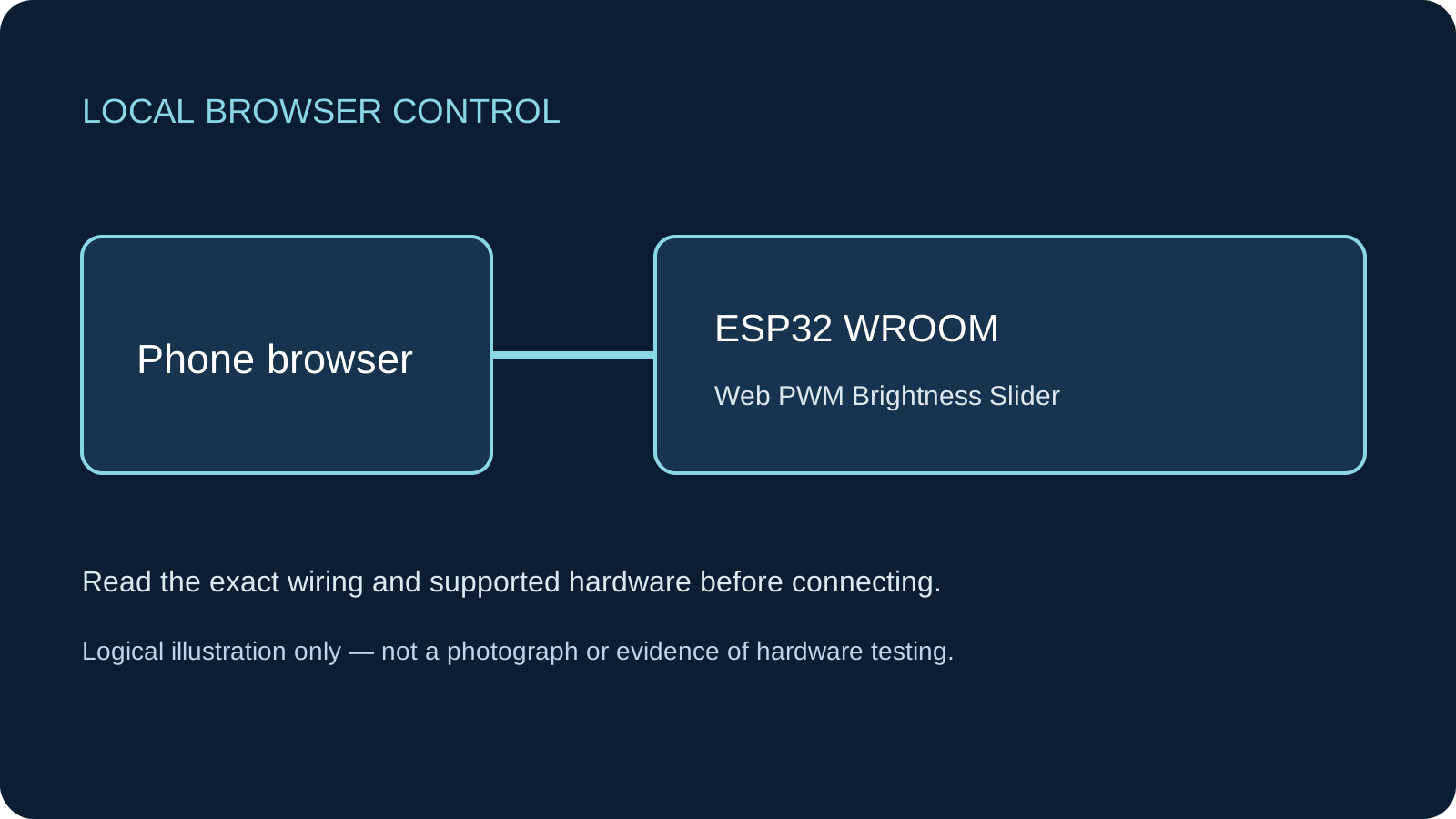
A browser slider that sets the duty of one resistor-limited LED. Dragging selects a value; Apply brightness sends it. This adds HTTP-to-PWM control to the existing local PWM lessons without duplicating their general theory.
Before You Start
Classic ESP32-WROOM DevKit, Arduino IDE 2.x and Arduino-ESP32 3.3.2 as the API review baseline, not the latest-release claim. Select ESP32 Dev Module only for the stated generic WROOM board. Other ESP32 families need their own GPIO and LEDC review. Complete the Serial-only IDE upload first. Documentation/code-structure and local browser checks do not establish compilation or physical operation; these sketches have not been compiled or hardware-tested. The same documented low-current red LED and 470 Ω series circuit as the browser On/Off project. This is a 3.3 V GPIO indicator, not a power dimmer or servo signal.
Parts
- Classic ESP32-WROOM DevKitGPIO25 exposed and unused; USB data cable.
- One low-current red indicator LEDKingbright WP7113ID is the documented example; identify the actual anode/cathode.
- 470 Ω 0.25 W resistorOne series resistor for this LED; no direct LED-to-GPIO connection.
- Breadboard and short jumpersDisconnect USB before changing wires.
Wiring
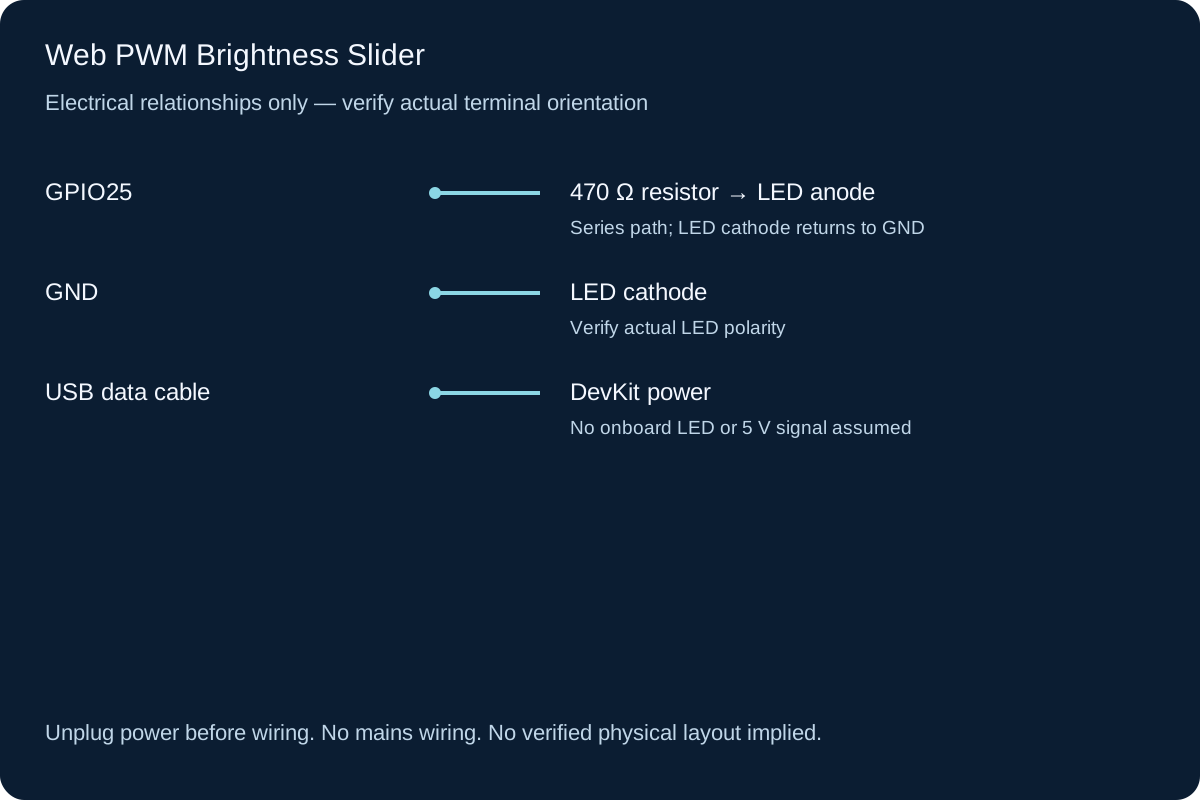
GPIO25 → 470 Ω → LED anode, LED cathode → GND. The resistor is required even at low duty, because pulse current is determined by the instantaneous circuit voltage and resistance. Verify actual polarity; the overview is not an LED package drawing.
-
1
Unplug USB and wire the external LED/resistor exactly as the On/Off build.
-
2
Keep GPIO25 free of other devices; these are independent sketches, not one combined pin assignment.
-
3
Reconnect USB and select the stated classic ESP32 board.
-
4
Upload, check Serial and use the printed local AP address.
Wiring Reference
| Signal | ESP32 Pin | Direction | Notes |
|---|---|---|---|
| 470 Ω resistor → LED anode | GPIO25 | Output | Series path; LED cathode returns to GND |
| LED cathode | GND | Ground | Verify actual LED polarity |
| DevKit power | USB data cable | Power | No onboard LED or 5 V signal assumed |
Libraries and Setup
- Built-in WiFi and WebServer from Arduino-ESP32 3.3.2; LEDC is also built into core 3.3.2; no ESP32Servo or external PWM library.
Configure the Example
Change CHANGE_ME_1234 to your own 8–63 character AP password. Upload and open Serial at 115200. Join the printed ESP32 network, stay connected if your phone reports no internet, and open the printed http:// address directly. The classic board uses a 2.4 GHz AP on channel 6, allows one connected station and does not join your router. No internet, external JavaScript, cloud account or third-party Arduino library is required. The example requests 5 kHz and 8-bit PWM. The slider range is 0–255 and starts at 0. Press Apply brightness after moving it. Only accepted POST requests renew the 30-second command window. This version intentionally does not send a request on every drag event.
Control and Recovery Behavior
| Condition | Result |
|---|---|
| LEDC setup | Checks ledcAttach(GPIO25, 5000, 8) and initial zero-duty write. An initialization error latches an unavailable state. |
| Valid POST /brightness | Requires one integer duty in 0–255. Write success updates the displayed command; a failed write produces 503 and attempts to return the pin LOW. |
| Bad input | Empty, negative, fractional, nonnumeric, excessive-length or out-of-range values return 400 rather than being silently coerced. |
| Command expires | A nonzero duty is returned to zero after a best-effort 30-second idle interval. |
Code
Install the libraries above and match the configuration and wiring before uploading.
web-pwm.ino
#include <Arduino.h>
#include <WiFi.h>
#include <WebServer.h>

WebServer server(80);
const char* AP_PASSWORD = "CHANGE_ME_1234"; // Replace with your own 8-63 character password.
bool httpReady = false;

void redirectHome() {
  server.sendHeader("Location", "/");
  server.send(303, "text/plain", "Open the control page\n");
}
String pageStart(const char* title) {
  String page = "<!doctype html><html lang='en'><head>";
  page += "<meta name='viewport' content='width=device-width,initial-scale=1'>";
  page += "<style>body{font:1.1rem system-ui;max-width:40rem;margin:2rem auto;padding:1rem}button,input{font:inherit;margin:.5rem 0}input[type=range]{width:100%}</style>";
  page += "<title>"; page += title; page += "</title></head><body><h1>";
  page += title; page += "</h1>";
  return page;
}
void sendPage(const String& page) {
  server.sendHeader("Cache-Control", "no-store");
  server.send(200, "text/html; charset=utf-8", page + "</body></html>");
}
bool parseUnsigned(const String& text, uint16_t minimum, uint16_t maximum, uint16_t& value) {
  if (text.length() == 0 || text.length() > 4) return false;
  uint32_t n = 0;
  for (size_t i = 0; i < text.length(); ++i) {
    char c = text[i];
    if (c < '0' || c > '9') return false;
    n = n * 10 + (c - '0');
  }
  if (n < minimum || n > maximum) return false;
  value = uint16_t(n); return true;
}
void startHTTP(const char* name) {
  server.onNotFound([]() { server.send(404, "text/plain", "No such route\n"); });
  if (!WiFi.mode(WIFI_AP) || !WiFi.softAP(name, AP_PASSWORD, 6, false, 1)) {
    Serial.println("AP failed; output stays off. Check board and password length.");
    return;
  }
  server.begin(); httpReady = true;
  Serial.print("Join "); Serial.println(name);
  Serial.print("Open http://"); Serial.println(WiFi.softAPIP());
}

constexpr uint8_t LED_PIN = 25, RESOLUTION = 8;
constexpr uint32_t FREQUENCY_HZ = 5000, COMMAND_LIFETIME_MS = 30000;
bool pwmReady = false;
uint16_t duty = 0;
uint32_t lastCommand = 0;

void stopOnFault() {
  if (pwmReady) { ledcWrite(LED_PIN, 0); ledcDetach(LED_PIN); }
  pwmReady = false; duty = 0;
  pinMode(LED_PIN, OUTPUT); digitalWrite(LED_PIN, LOW);
  Serial.println("PWM failure; reset after diagnosis");
}
bool applyDuty(uint16_t next) {
  if (!pwmReady || !ledcWrite(LED_PIN, next)) { stopOnFault(); return false; }
  duty = next; return true;
}
void showPage() {
  String page = pageStart("ESP32 PWM slider");
  page += String("<p>Last accepted duty: ") + duty + " / 255. Driver: ";
  page += pwmReady ? "ready.</p>" : "fault; check Serial and reset.</p>";
  page += "<form method='post' action='/brightness'><label for='duty'>LED duty 0 to 255</label>";
  page += "<input id='duty' name='duty' type='range' min='0' max='255' step='1' value='";
  page += String(duty) + "'><button type='submit'>Apply brightness</button></form>";
  page += "<p>Moving the slider alone sends nothing. Press Apply; nonzero duty expires after 30 seconds. Refresh to read software state.</p>";
  sendPage(page);
}
void setup() {
  Serial.begin(115200);
  pinMode(LED_PIN, OUTPUT); digitalWrite(LED_PIN, LOW);
  pwmReady = ledcAttach(LED_PIN, FREQUENCY_HZ, RESOLUTION);
  if (!pwmReady || !ledcWrite(LED_PIN, 0)) stopOnFault();
  server.on("/", HTTP_GET, showPage);
  server.on("/brightness", HTTP_POST, []() {
    uint16_t next = 0;
    if (server.args() != 1 || !server.hasArg("duty") ||
        !parseUnsigned(server.arg("duty"), 0, 255, next)) {
      server.send(400, "text/plain", "Exactly one integer duty, 0 through 255, is required\n"); return;
    }
    if (!pwmReady || !applyDuty(next)) {
      server.send(503, "text/plain", "PWM unavailable; diagnose and reset\n"); return;
    }
    lastCommand = millis();
    Serial.printf("Accepted duty %u / 255\n", unsigned(duty));
    redirectHome();
  });
  startHTTP("ESP32-WebPWM");
}
void loop() {
  if (httpReady) server.handleClient();
  if (pwmReady && duty != 0 && millis() - lastCommand >= COMMAND_LIFETIME_MS) {
    if (applyDuty(0)) Serial.println("Command expired: duty 0");
  }
  delay(1);
}How the Code Works
In the reviewed 3.x API, ledcAttach chooses a channel and ledcWrite takes the GPIO pin, not a legacy channel number. Eight bits gives 256 command levels; 0 requests OFF and 255 full duty. The 5 kHz/8-bit pair is modest for this classic ESP32 example. Frequency and resolution share finite timer resources: do not assume every larger pair can be attached. The numeric parser checks length, every digit and the range before any write.
Expected Output
The page should initially report duty 0 and driver ready. After Apply, a supported LED should change brightness and the page should report the accepted integer. Try 0, a middle value and 255. Perceived brightness is not linear with duty, and no luminance measurement is provided. A fault page describes a driver error, not proof of a failed LED.
Troubleshooting
- Cannot open the page Confirm the phone is still on the ESP32 AP, use the Serial-printed http:// address and check mobile-data/VPN routing. The AP deliberately provides no internet.
- HTTP 400 from a command Use the provided form. Exact argument counts and allowed values are checked; blank, negative, decimal or nonnumeric values are not converted silently.
- Page shows an old value Refresh the page. It reports the last accepted software command, not measured light output or shaft position. GET/refresh does not renew the command lifetime.
- PWM unavailable / HTTP 503 Inspect Serial, GPIO25 availability and the core version. Reset after fixing the cause. Do not replace pin-based calls with old ledcSetup/ledcAttachPin.
- Slider moves but nothing changes This UI requires Apply brightness. Also confirm LED polarity, the series resistor and that the accepted duty is not zero.
- Two duty steps look identical Eight-bit command resolution does not guarantee visually distinguishable or equal-brightness increments. Gamma correction and photometry are outside this build.
Checks to Perform on Your Build
- Verify the circuit with Blink or the On/Off build first.
- Apply 0, a middle value and 255; compare the returned software duty with expected visible changes.
- Attempt invalid values on your own bench and check HTTP 400, without a changed duty.
- Leave a nonzero command idle and check expiry, then reset and confirm startup zero.
Practical Design Notes
PWM changes the fraction of time the LED path is driven, not the high-state voltage. It is not a calibrated analog voltage source. A servo needs a separately specified pulse width/frame and external power; this LED slider is not a servo example. Channel/timer conflicts matter when combining sketches, so these examples must first be run independently. This is plain HTTP on a trusted local demonstration AP. The Wi-Fi password is network admission, not per-user HTTP authentication. Anyone admitted can issue commands; POST alone does not prevent CSRF, and the sketch has no TLS, CSRF token, rate limiting or user roles. Do not expose the port through a router or adapt this example to locks, heaters, mains equipment or safety-critical mechanisms. The synchronous WebServer can wait on slow clients; the loop timeout is best-effort cleanup, not a hard real-time or certified safety stop.
Review, Testing, and References
Author: Abdul Mubeen and the ESP32 Engine editorial team. Last updated: 2026-10-24. Reviewed: wiring logic, Arduino code structure, beginner safety, and learning sequence.
Educational level: Intermediate. Estimated completion time: Varies by build. This project is for learning and prototyping; production or unattended hardware needs additional engineering review.
- Author & Editorial Team
- Editorial Policy
- Testing Methodology
- Espressif ESP32 Documentation
- Arduino ESP32 Core
- WebServer API at Arduino-ESP32 3.3.2
- Wi-Fi AP API at Arduino-ESP32 3.3.2
- Classic ESP32 datasheet
- Kingbright WP7113ID example LED datasheet
- LEDC API at Arduino-ESP32 3.3.2
- LEDC implementation at Arduino-ESP32 3.3.2