
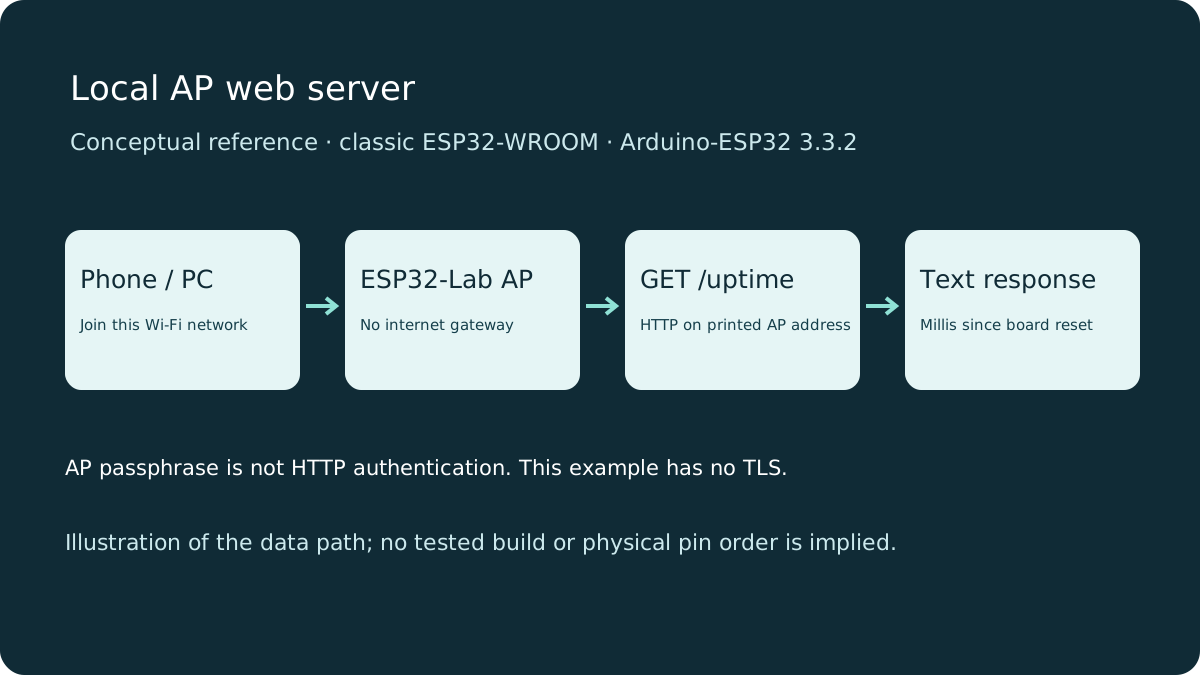
Before you start
- Hardware
- Classic ESP32-WROOM DevKit, USB data cable and Wi-Fi-capable phone/computer. No LED or router required.
- Software
- Arduino-ESP32 3.3.2 is the explicit API review baseline, not a latest-release claim. Built-in WiFi and WebServer; no async-server library.
- Prerequisite
- Complete the Arduino IDE Serial-only first upload; select ESP32 Dev Module for the stated classic WROOM board.
- Expected result
- A browser connected to ESP32-Lab displays a page; /uptime returns milliseconds and unknown paths return 404.
- Review limits
- Documentation/API review and local content/browser checks only. Sketch compilation, physical hardware and playback testing were not performed.
Choose AP deliberately
This example uses WIFI_AP: the ESP32 creates its own small Wi-Fi network. It does not join your home router or provide internet access. Classic WROOM uses 2.4 GHz; consult the actual chip documentation for other boards. Change the placeholder passphrase before use.
STA mode instead joins an existing router and uses WiFi.localIP(). AP mode uses WiFi.softAPIP(). These addresses belong to different interfaces; do not mix them. Learn STA diagnostics in the Wi-Fi troubleshooting guide before combining modes.
Upload and connect locally
Upload the complete sketch, open Serial at 115200 and read the printed network name/address. Join ESP32-Lab from your phone or computer. Accept staying on a network without internet if the operating system asks; otherwise it may switch away. Type the printed address with http://, not https://, into the browser address bar. Do not use a search result or guess an old DHCP address.
Wiring and matching Arduino code
Complete AP-only HTTP example
Power the stated DevKit from USB. No GPIO wiring or onboard LED is required.
local-web-server.ino
#include <WiFi.h>
#include <WebServer.h>

const char* AP_SSID = "ESP32-Lab";
const char* AP_PASSWORD = "CHANGE_ME_1234"; // Replace with your own 8-63 character passphrase.
WebServer server(80);
bool ready = false;

void setup() {
  Serial.begin(115200);
  if (!WiFi.mode(WIFI_AP) || !WiFi.softAP(AP_SSID, AP_PASSWORD, 6)) {
    Serial.println("AP start failed; check board and passphrase length, then reset.");
    return;
  }
  server.on("/", HTTP_GET, []() {
    server.send(200, "text/html; charset=utf-8",
      "<!DOCTYPE html><html lang='en'><meta name='viewport' content='width=device-width,initial-scale=1'>"
      "<title>ESP32 Lab</title><h1>ESP32 local server</h1>"
      "<p>This page came from the board.</p><p><a href='/uptime'>Read uptime</a></p></html>");
  });
  server.on("/uptime", HTTP_GET, []() {
    server.send(200, "text/plain", String(millis()) + " ms since reset\n");
  });
  server.onNotFound([]() { server.send(404, "text/plain", "No such route\n"); });
  server.begin(); ready = true;
  Serial.print("Join "); Serial.println(AP_SSID);
  Serial.print("Open http://"); Serial.println(WiFi.softAPIP());
}
void loop() {
  if (ready) server.handleClient();
  delay(2);
}
Understand each route
| Request | Response | Purpose |
|---|---|---|
| GET / | 200, HTML | Small page with a link; no remote dependencies. |
| GET /uptime | 200, text/plain | Milliseconds since this board reset; millis wraps after about 49.7 days. |
| Unknown route | 404, text/plain | An HTTP result, distinct from a radio connection failure. |
server.on registers handlers; server.begin starts the listener. handleClient must run regularly in loop. This synchronous WebServer is suitable for a small bench demonstration, not high concurrency. Long delays or lengthy sensor work in a handler make other requests wait.
Verify without extra hardware
Open /uptime twice a few seconds apart; its value should increase unless the board reset. Open /missing and expect No such route. No readings or successful uploads are claimed here. The page does not control actuators, so a browser refresh cannot unexpectedly start a motor.
If the browser cannot connect, first confirm it is still on ESP32-Lab. Temporarily disconnect a VPN or route-changing mobile connection for this local test. Use the actual printed AP IP. If only the page stalls, check that loop calls handleClient and has no endless wait.
Security boundary
The passphrase limits entry to the Wi-Fi network; it is not HTTP login or application authorization. The example has no TLS, user authentication, rate limiting or safe remote-control design. Anyone admitted to that network can request the routes. Do not expose this port through a router, send secrets in URLs or reuse this design for locks/heaters. An access point is not automatically an internet gateway. Secure deployments require a reviewed authentication and transport design beyond this example.
Next steps
Keep the first server local and read-only. Prove network access and routes before adding documented sensors or authenticated control.
Technical references
- WebServer HelloServer at 3.3.2 — Built-in request registration, responses and loop servicing.
- WiFi AP API at 3.3.2 — AP startup and interface address.
- ESP-IDF 5.5 Wi-Fi modes — AP versus station behavior.
- Classic ESP32 datasheet — 2.4 GHz radio assumption.