
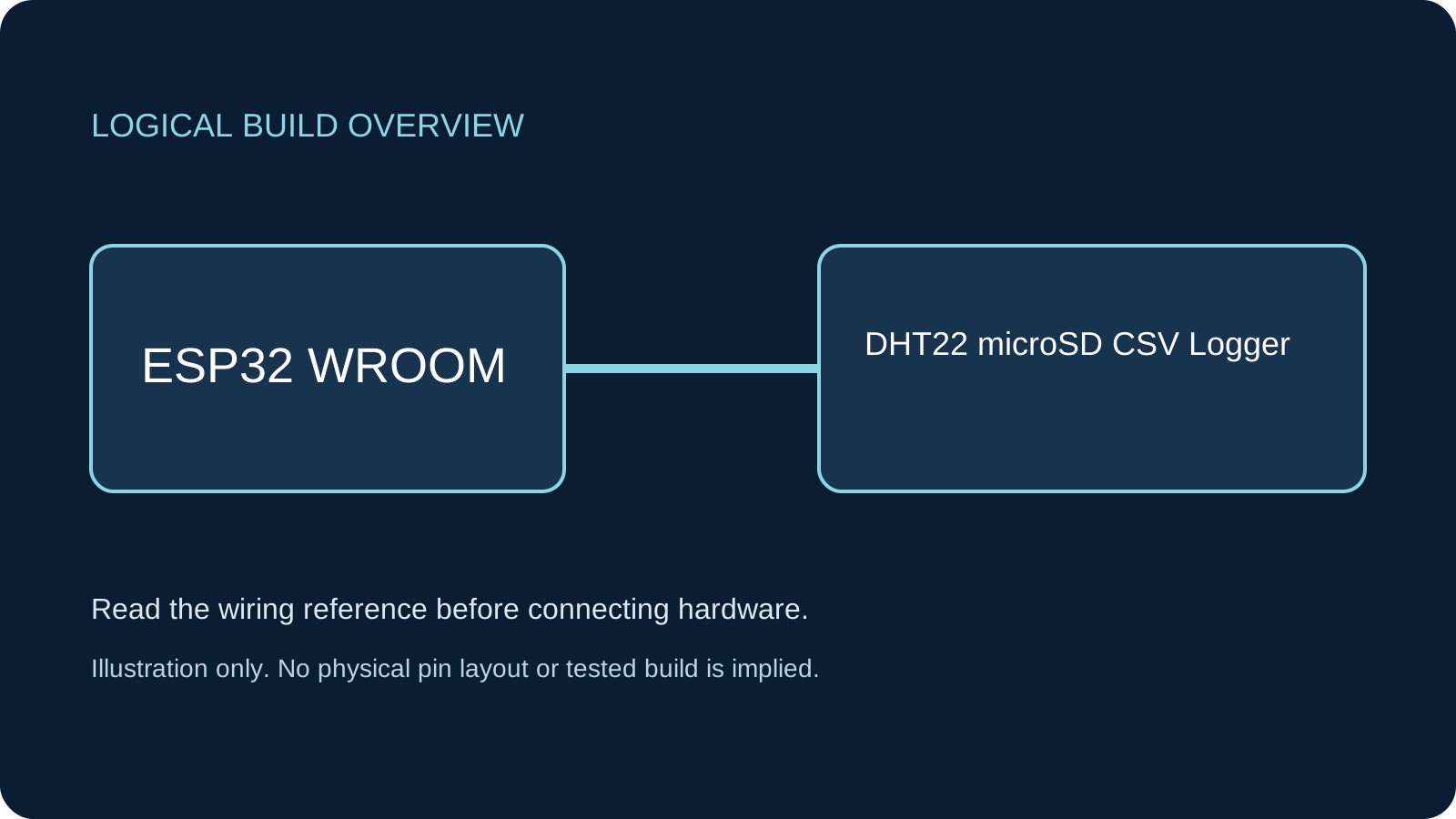
What You Will Build
A climate logger that appends one CSV row every ten seconds, including failed sensor samples. It works without a browser or broker. Wi-Fi is used only to obtain UTC from NTP; before the clock is set, rows retain uptime but leave UTC empty. No DHT11 page is replaced.
Before You Start
Classic ESP32-WROOM DevKit, Arduino-ESP32 3.3.2 review baseline and a documented 3.3 V-compatible DHT22. Use a short-wire SPI adapter explicitly rated for 3.3 V supply with 3.3 V signals. A common adapter with a regulator intended for 5 V input is not automatically equivalent. Start with a backed-up FAT32 card; this tutorial does not format it. A 2.4 GHz network with internet/NTP access is optional for calendar timestamps. Documentation and code-structure review only; compilation and physical hardware testing have not been performed.
Parts
- Classic ESP32-WROOM DevKitArduino-ESP32 3.3.2 baseline.
- DHT22 or AM2302Documented 3.3 V-compatible sensor; not DHT11.
- microSD SPI adapter and cardVerified 3.3 V supply AND 3.3 V logic; FAT32 test card with backed-up contents.
- 10 kΩ resistor, breadboard, jumpers, USB data cableBare DHT22 DATA pull-up to 3V3; verify module pull-ups.
Wiring
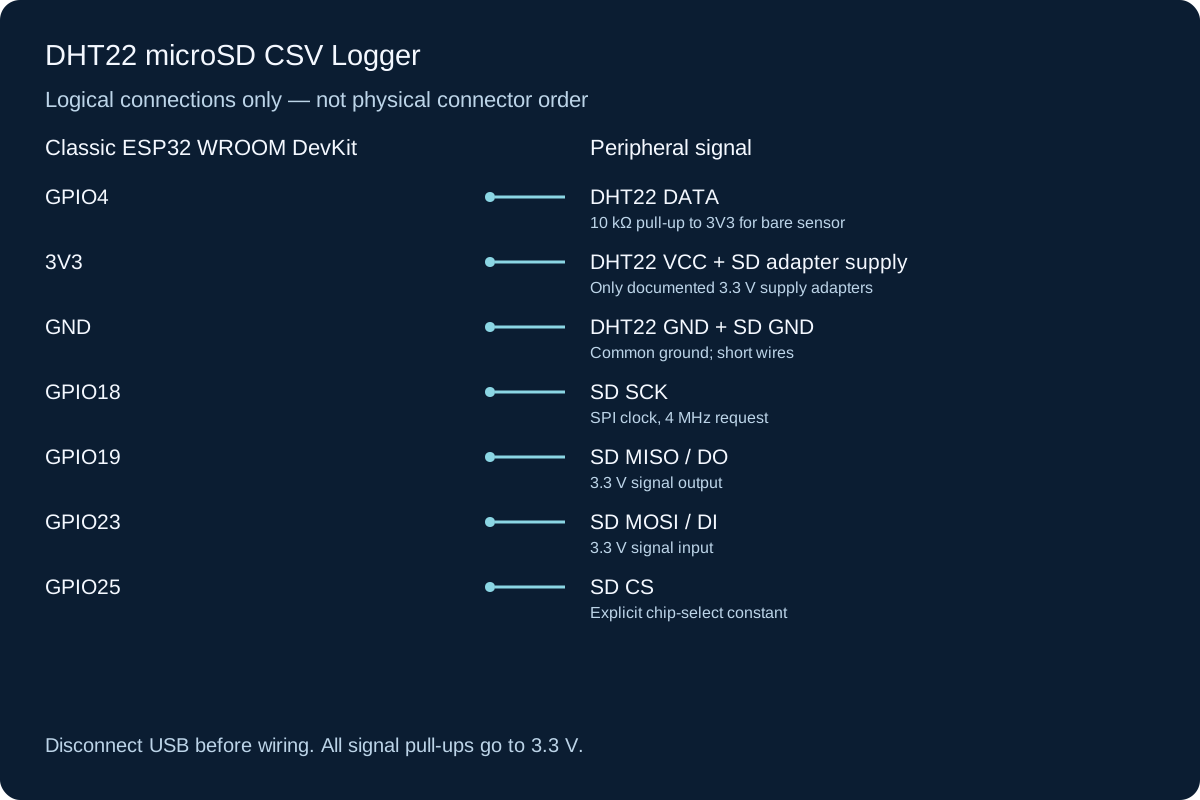
The card and DHT22 share GND and the specified 3.3 V supply, but their signals are separate. A bare card and an adapter have different pin layouts: use labels on a verified adapter, not physical positions in this logical illustration. SD write-current peaks require a suitable supply and module decoupling. No adapter signal may pull an ESP32 input above 3.3 V. For a bare DHT22 leave NC unconnected and add DATA pull-up to 3V3.
-
1
Back up the card on a computer; use a supported FAT32 filesystem and safely eject it.
-
2
With USB unplugged, connect the adapter SPI signals to GPIO18/19/23/25 and its verified 3.3 V supply.
-
3
Wire DHT22 DATA to GPIO4 with the required 10 kΩ pull-up; connect its VCC/GND.
-
4
Check actual module labels and supply capacity, then reconnect USB. Never remove the card during a write.
Wiring Reference
| Signal | ESP32 Pin | Direction | Notes |
|---|---|---|---|
| DHT22 DATA | GPIO4 | Bidirectional | 10 kΩ pull-up to 3V3 for bare sensor |
| DHT22 VCC + SD adapter supply | 3V3 | Power | Only documented 3.3 V supply adapters |
| DHT22 GND + SD GND | GND | Ground | Common ground; short wires |
| SD SCK | GPIO18 | Output | SPI clock, 4 MHz request |
| SD MISO / DO | GPIO19 | Input | 3.3 V signal output |
| SD MOSI / DI | GPIO23 | Output | 3.3 V signal input |
| SD CS | GPIO25 | Output | Explicit chip-select constant |
Libraries and Setup
- Built-in SPI, SD, WiFi and time/SNTP APIs from Arduino-ESP32 3.3.2. No external SD library is required.
- Install Adafruit DHT sensor library 1.4.6 and Adafruit Unified Sensor 1.1.15 dependency through Library Manager. Select DHT22 in the constructor; the historical DHT11 quick-build uses another type.
Configure the Example
Replace YOUR_WIFI_SSID and YOUR_WIFI_PASSWORD with local credentials; never publish them in screenshots. Open Serial at 115200. The code appends /climate.csv and writes a header only when the file is empty. If that filename already contains another schema or a damaged final row, archive/repair it on a computer before this test. UTC is formatted with Z; no local daylight-saving offset is applied. To read the file, finish a sample, disconnect board power, remove the card and open the CSV on a computer.
Control and Recovery Behavior
| Condition | Result |
|---|---|
| No Wi-Fi | 15-second connection windows at a minimum 30-second start cadence; no endless connect loop. Samples still run. |
| Clock unset | UTC field empty and time_status UNSET; uptime remains available. |
| Clock set this boot | SET_THIS_BOOT means SNTP supplied time at least once. It does not promise current synchronization or accuracy after an outage. |
| DHT22 failure | Blank temperature/humidity fields and sensor_error; no invented zero value. |
| Card failure | Stops writes for this boot, continues Serial samples and reports NOT SAVED. Fix hardware/filesystem with power off and reset. No offline replay. |
Code
Install the libraries above and match the configuration and wiring before uploading.
climate-logger.ino
#include <Arduino.h>
#include <WiFi.h>
#include <SPI.h>
#include <SD.h>
#include <DHT.h>
#include <time.h>
#include <sys/time.h>
#include <esp_sntp.h>
#include <math.h>
#include <cstring>

const char* SSID = "YOUR_WIFI_SSID";
const char* PASSWORD = "YOUR_WIFI_PASSWORD";
constexpr uint8_t DHT_PIN = 4, SD_CS = 25;
constexpr uint32_t SAMPLE_MS = 10000, WIFI_WINDOW_MS = 15000, WIFI_RETRY_MS = 30000;
const char* FILE_NAME = "/climate.csv";
const char* HEADER = "uptime_ms,utc,time_status,temp_c,humidity_pct,sensor_status\n";
DHT dht(DHT_PIN, DHT22);
volatile bool clockSet = false;
bool cardReady = false, wifiTrying = false, ntpStarted = false;
uint32_t wifiStarted = 0, lastSample = 0;

void timeReceived(struct timeval*) { clockSet = true; }
void startWiFi() {
  wifiStarted = millis(); wifiTrying = true;
  WiFi.begin(SSID, PASSWORD);
  Serial.println("Starting bounded Wi-Fi attempt");
}
void networkTask() {
  uint32_t now = millis();
  if (WiFi.status() == WL_CONNECTED) {
    wifiTrying = false;
    if (!ntpStarted) {
      sntp_set_time_sync_notification_cb(timeReceived);
      configTime(0, 0, "pool.ntp.org", "time.nist.gov"); // UTC, asynchronous SNTP.
      ntpStarted = true;
    }
  } else {
    if (wifiTrying && now - wifiStarted >= WIFI_WINDOW_MS) {
      WiFi.disconnect(false); wifiTrying = false;
      Serial.println("Wi-Fi unavailable; sampling continues without waiting");
    }
    if (!wifiTrying && now - wifiStarted >= WIFI_RETRY_MS) startWiFi();
  }
}
bool initializeCard() {
  if (!SPI.begin(18, 19, 23, SD_CS)) return false;
  if (!SD.begin(SD_CS, SPI, 4000000) || SD.cardType() == CARD_NONE) return false;
  File file = SD.open(FILE_NAME, FILE_APPEND);
  if (!file) return false;
  bool ok = true;
  if (file.size() == 0) ok = file.print(HEADER) == strlen(HEADER);
  file.close();
  return ok;
}
void recordSample() {
  float h = dht.readHumidity(), t = dht.readTemperature();
  bool sensorOK = isfinite(h) && isfinite(t);
  char utc[25] = "";
  time_t stamp = time(nullptr);
  bool hasTime = clockSet && stamp >= 1704067200; // Reject an obviously unset clock.
  if (hasTime) {
    struct tm tmUTC;
    gmtime_r(&stamp, &tmUTC);
    strftime(utc, sizeof(utc), "%Y-%m-%dT%H:%M:%SZ", &tmUTC);
  }
  String row = String(millis()) + "," + utc + "," + (hasTime ? "SET_THIS_BOOT" : "UNSET") + ",";
  if (sensorOK) row += String(t, 1) + "," + String(h, 1) + ",ok\n";
  else row += ",,sensor_error\n";
  Serial.print(row);
  if (!cardReady) { Serial.println("NOT SAVED: card unavailable; no replay buffer"); return; }
  File file = SD.open(FILE_NAME, FILE_APPEND);
  if (!file) { cardReady = false; Serial.println("Open failed; fix card and reset"); return; }
  size_t written = file.print(row);
  file.close();
  if (written != row.length()) {
    cardReady = false;
    Serial.println("Short write; stop logging, inspect file and reset after repair");
  } else Serial.println("Row accepted by filesystem; not a power-loss durability guarantee");
}
void setup() {
  Serial.begin(115200);
  dht.begin();
  cardReady = initializeCard();
  Serial.println(cardReady ? "CSV card ready" : "SD init failed; Serial sampling still runs");
  WiFi.mode(WIFI_STA); WiFi.setAutoReconnect(false);
  startWiFi();
  lastSample = millis(); // First DHT22 sample after 10 seconds.
}
void loop() {
  networkTask();
  uint32_t now = millis();
  if (now - lastSample >= SAMPLE_MS) { lastSample = now; recordSample(); }
  delay(2);
}How the Code Works
Samples are spaced ten seconds apart, slower than the DHT22 minimum interval and the library’s 2000 ms cache. Consecutive humidity/temperature calls share a sensor transaction through that cache. Each row includes six fields: uptime_ms, utc, time_status, temp_c, humidity_pct and sensor_status. millis() wraps after about 49.7 days and resets on reboot; uptime is not a permanent unique ID. The SNTP callback only marks clock state. Disk operations are synchronous and can delay loop, so this is not a real-time recorder. Missed intervals are not backfilled.
Expected Output
After CSV card ready, Serial prints a row approximately every ten seconds. Before NTP a row has an empty UTC field and UNSET. After a sync it contains an ISO-style UTC timestamp and SET_THIS_BOOT. The CSV begins with the documented header. A sensor error leaves both reading fields empty. Examples describe expected output, not physical measurements made by the author.
Troubleshooting
- SD init failed Verify actual adapter supply requirements, 3.3 V logic, CS25/SCK18/MISO19/MOSI23, card format and wiring. Do not cure an incompatible adapter by applying 5 V to ESP32 signals.
- UNSET persists Check Wi-Fi credentials, DNS and outbound NTP access. A network connection alone is not a time sync. The logger still records uptime.
- sensor_error rows Check DHT22 identity, GPIO4, power and pull-up. Preserve DHT22 constructor and sample spacing.
- CSV tail damaged or rows missing Power loss or card removal can interrupt filesystem writes. Inspect a backed-up copy on a computer. A returned byte count/close is not a durability guarantee.
- Old columns mixed with new data The example appends without validating an existing header. Archive an incompatible climate.csv before using the sketch.
Checks to Perform on Your Build
- Verify a standalone DHT22 reading before combining with SD.
- Read the resulting file on a computer and check six fields per row and a single header.
- Test without Wi-Fi: UTC should stay empty until a successful NTP sync.
- After first sync, disconnect network and observe that SET_THIS_BOOT is not a fresh-sync claim.
- With power off, remove card then restart; verify Serial still reports unsaved samples.
Practical Design Notes
Closing each row reduces the open-file window but cannot guarantee survival of sudden power loss. Keep backups and power down before card removal; there is no hot-swap detection, automatic repair, rotation or full-card recovery. Files grow until capacity or an error stops writes. UTC can be adjusted by NTP and is not guaranteed monotonic. No battery-backed RTC is fitted, so a cold boot without network loses calendar time. NTP here is not authenticated. This is environmental logging, not a certified recorder.
Review, Testing, and References
Author: Abdul Mubeen and the ESP32 Engine editorial team. Last updated: 2026-10-24. Reviewed: wiring logic, Arduino code structure, beginner safety, and learning sequence.
Educational level: Intermediate. Estimated completion time: Varies by build. This project is for learning and prototyping; production or unattended hardware needs additional engineering review.