
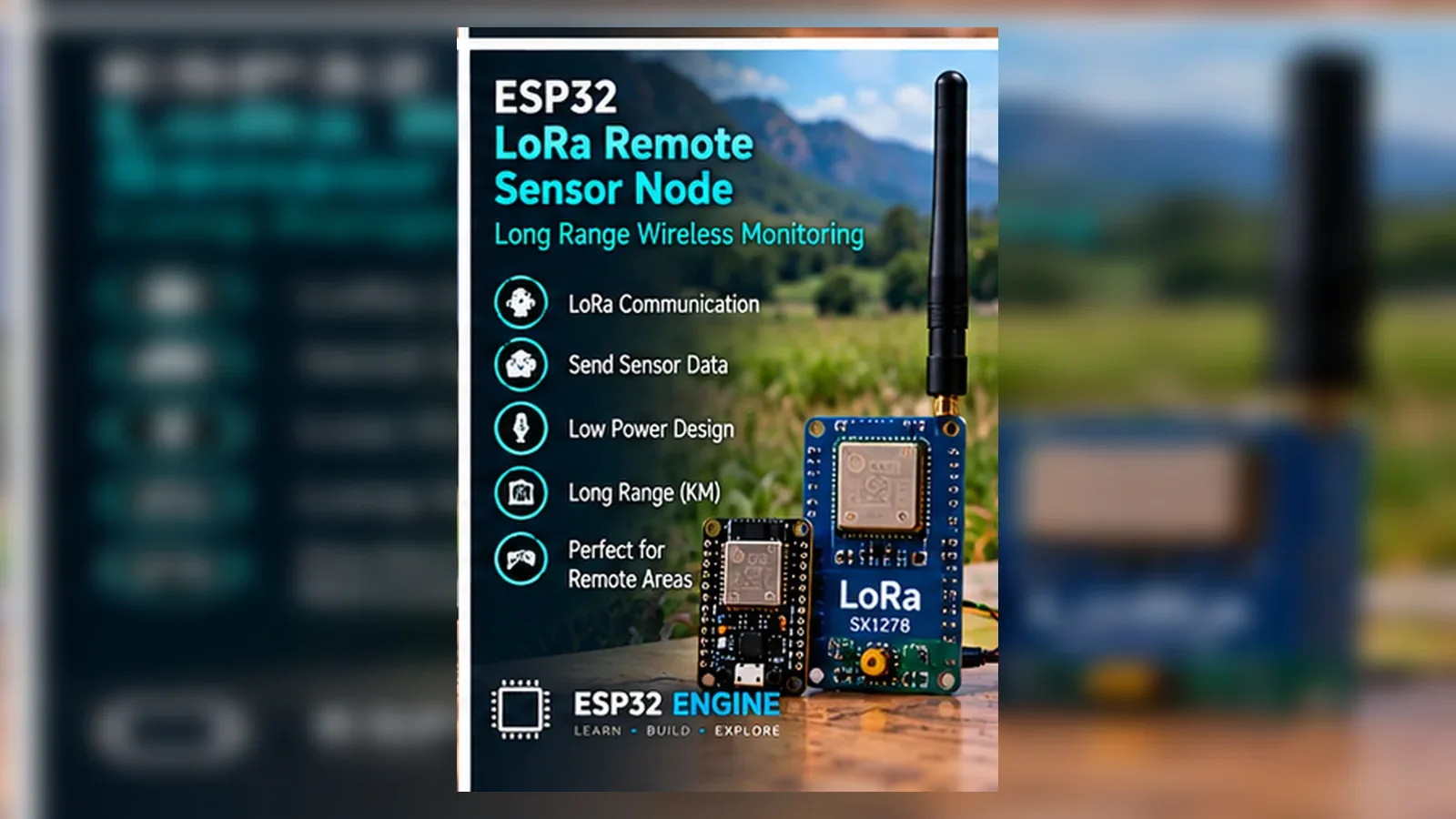
Build a LoRa Point-to-Point Sensor Link
The Story
This project is a local radio link, not LoRaWAN, not TTN, and not an emergency communication system.
Explain Like I'm 12
One ESP32 reads temperature and humidity, turns the numbers into a short message, and sends it by radio. The other ESP32 checks the message before printing it.
Learning Support
- Recommended ageAges 12+
- Adult supervisionAdult review recommended for regional frequency rules and antenna handling.
- Classroom useUse paired sender/receiver teams to compare point-to-point LoRa with Wi-Fi telemetry.
- Parent promptAsk why a legal radio frequency and connected antenna matter before transmit.
- Screen-free activityDraw the packet fields: node ID, temperature, humidity, and sequence number.
- Next challengeAdd a simple checksum byte to the packet.
- Skills practiced
- SPI wiring
- RF packet validation
- DHT22 readings
- Legal radio awareness
- Learning outcomes
- Wire a generic SX1276/SX1278 breakout on VSPI.
- Transmit DHT22 readings as short packets.
- Reject malformed receiver packets.
- Explain point-to-point LoRa versus LoRaWAN.
- Mini experiments
- Compare legal transmit-power settings.
- Change packet interval and observe received sequence gaps.
- Rotate the connected antenna or add indoor obstruction while keeping the correct antenna attached.
Safety Standards
- Unplug USB before changing jumper wires. Recheck 3.3 V, 5 V, and GND before reconnecting power.
- Do not power motors, pumps, LED strips, or servos from the ESP32 3.3 V pin. Use a suitable external supply and common ground.
- Breadboards are for low-current prototypes. Move high-current or unattended builds to proper terminals, enclosure, strain relief, and fusing.
- Li-ion battery builds need a protected cell, proper charger, fuse, and enclosure. Never charge unknown or damaged cells.
What You Will Build
A two-node point-to-point LoRa DHT22 link using generic SX1276/SX1278 SPI breakouts.
Learning Objectives
- Wire a generic SX1276/SX1278 breakout on VSPI.
- Transmit DHT22 readings as short packets.
- Reject malformed receiver packets.
- Explain point-to-point LoRa versus LoRaWAN.
Components List
- ESP32 DevKit boardMain 3.3 V logic controller.
- Second ESP32 DevKit boardReceiver node.
- Two SX1276/SX1278 LoRa breakouts3.3 V logic SPI radios; match module frequency to region.
- DHT22 temperature and humidity sensorSender-node sensor on GPIO4.
- Two region-appropriate antennasMandatory before any transmit.
- Breadboard and jumper wiresFor low-voltage prototyping.
Bill of Materials
| Part | Qty | Estimated Cost | Notes |
|---|---|---|---|
| ESP32 DevKit board | 1 | Varies | Main 3.3 V logic controller. |
| Second ESP32 DevKit board | 1 | Varies | Receiver node. |
| Two SX1276/SX1278 LoRa breakouts | 1 | Varies | 3.3 V logic SPI radios; match module frequency to region. |
| DHT22 temperature and humidity sensor | 1 | Varies | Sender-node sensor on GPIO4. |
| Two region-appropriate antennas | 1 | Varies | Mandatory before any transmit. |
| Breadboard and jumper wires | 1 | Varies | For low-voltage prototyping. |
Wiring
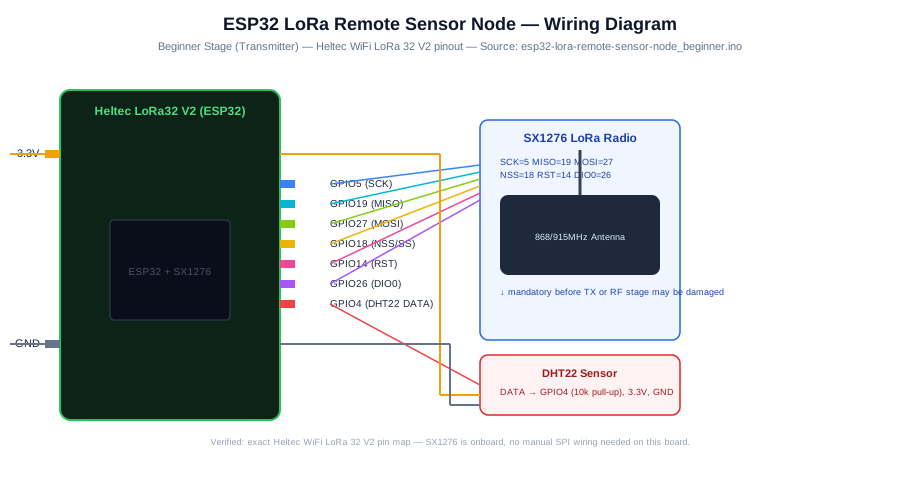
Each LoRa breakout uses VSPI SCK GPIO18, MISO GPIO19, MOSI GPIO23, CS GPIO5, RST GPIO14, and DIO0 GPIO26. Sender DHT22 DATA uses GPIO4.
-
1
Unplug USB before wiring both nodes.
-
2
Connect each LoRa module VCC to 3.3 V and GND to GND.
-
3
Wire SCK GPIO18, MISO GPIO19, MOSI GPIO23, NSS/CS GPIO5, RST GPIO14, and DIO0 GPIO26.
-
4
Connect the correct antenna before powering or transmitting.
-
5
On the sender, connect DHT22 DATA to GPIO4 with a pull-up if needed.
-
6
Set LORA_FREQUENCY_HZ to a legal frequency for your region and module.
GPIO Mapping
| Signal | ESP32 Pin | Direction | Notes |
|---|---|---|---|
| LoRa SCK | GPIO18 | SPI clock | VSPI clock. |
| LoRa MISO | GPIO19 | SPI MISO | Radio to ESP32. |
| LoRa MOSI | GPIO23 | SPI MOSI | ESP32 to radio. |
| LoRa NSS/CS | GPIO5 | SPI chip select | Keep stable during boot. |
| LoRa RST | GPIO14 | Output | Radio reset. |
| LoRa DIO0 | GPIO26 | Input | Packet event line. |
| DHT22 DATA | GPIO4 | Input | Sender only. |
Circuit Explanation
The radio uses SPI for control and the DHT22 supplies sender readings. The receiver validates comma-separated packets before printing.
Engineering Explanation
Range depends on legal power, antennas, terrain, obstruction, and frequency. The page intentionally avoids fixed distance claims.
Libraries
- LoRaSandeep Mistry LoRa library.
- DHT sensor libraryAdafruit DHT library and dependency.
Code
Copy into Arduino IDE. Install any libraries noted in the component guides first.
// ESP32 LoRa point-to-point DHT22 sender/receiver
// Select NODE_MODE_SENDER on one board and NODE_MODE_RECEIVER on the second board.
// Always connect the correct antenna before transmitting.
#include <SPI.h>
#include <LoRa.h>
#include <DHT.h>

#define NODE_MODE_SENDER 1

const long LORA_FREQUENCY_HZ = 915E6; // Change to a legal frequency for your region and module.
const int LORA_SCK = 18;
const int LORA_MISO = 19;
const int LORA_MOSI = 23;
const int LORA_CS = 5;
const int LORA_RST = 14;
const int LORA_DIO0 = 26;
const int DHT_PIN = 4;

DHT dht(DHT_PIN, DHT22);
uint32_t sequenceNumber = 0;
uint32_t badPackets = 0;

bool initLoRa() {
  SPI.begin(LORA_SCK, LORA_MISO, LORA_MOSI, LORA_CS);
  LoRa.setPins(LORA_CS, LORA_RST, LORA_DIO0);
  if (!LoRa.begin(LORA_FREQUENCY_HZ)) return false;
  LoRa.setTxPower(10); // Conservative starter value; obey local legal limits.
  return true;
}

bool parsePacket(String packet, int &node, float &tempC, float &humidity, uint32_t &seq) {
  packet.trim();
  int a = packet.indexOf(',');
  int b = packet.indexOf(',', a + 1);
  int c = packet.indexOf(',', b + 1);
  if (a < 0 || b < 0 || c < 0) return false;
  node = packet.substring(0, a).toInt();
  tempC = packet.substring(a + 1, b).toFloat();
  humidity = packet.substring(b + 1, c).toFloat();
  seq = (uint32_t) packet.substring(c + 1).toInt();
  if (node < 1 || node > 99) return false;
  if (tempC < -40.0 || tempC > 80.0) return false;
  if (humidity < 0.0 || humidity > 100.0) return false;
  return true;
}

void setup() {
  Serial.begin(115200);
  dht.begin();
  if (!initLoRa()) {
    Serial.println("LoRa init failed. Check SPI wiring, power, frequency, and antenna.");
    while (true) delay(10);
  }
  Serial.println(NODE_MODE_SENDER ? "LoRa sender ready." : "LoRa receiver ready.");
}

void loop() {
#if NODE_MODE_SENDER
  float tempC = dht.readTemperature();
  float humidity = dht.readHumidity();
  if (isnan(tempC) || isnan(humidity)) {
    Serial.println("DHT22 read failed; packet not sent.");
    delay(5000);
    return;
  }

  String packet = "1," + String(tempC, 1) + "," + String(humidity, 1) + "," + String(sequenceNumber++);
  LoRa.beginPacket();
  LoRa.print(packet);
  LoRa.endPacket();
  Serial.print("Sent: ");
  Serial.println(packet);
  delay(15000);
#else
  int size = LoRa.parsePacket();
  if (!size) return;
  String packet = LoRa.readString();
  int node = 0;
  float tempC = 0;
  float humidity = 0;
  uint32_t seq = 0;
  if (!parsePacket(packet, node, tempC, humidity, seq)) {
    badPackets++;
    Serial.print("Rejected malformed packet #");
    Serial.println(badPackets);
    return;
  }
  Serial.printf("Node %d seq %lu  temp %.1f C  humidity %.1f %%  RSSI %d dBm\n",
                node, (unsigned long)seq, tempC, humidity, LoRa.packetRssi());
#endif
}
Code Explanation
One compile-time mode sends DHT22 packets. Receiver mode parses field count and plausible ranges, then logs RSSI.
Expected Output
Receiver prints node ID, sequence number, temperature, humidity, and RSSI for valid packets; malformed packets are rejected.
Troubleshooting
- No packets Check antenna first, then frequency, SPI wiring, and sender/receiver mode.
- LoRa init failed Check 3.3 V power, CS/RST/DIO0 pins, and module wiring.
- Rejected packets Check packet format and DHT22 sensor values.
Common Mistakes
- Transmitting without an antenna.
- Using a frequency illegal for your region.
- Calling this LoRaWAN.
- Hardcoding one country's frequency as universal.
Testing Checklist
- Power both nodes with antennas attached.
- Confirm sequence numbers increase.
- Move nodes or add indoor obstruction and observe RSSI without claiming range.
Engineering Tips
- Keep packets short.
- Label node roles.
- Check local regulations before every transmit test.
Upgrade Ideas
- Add checksum byte.
- Add ACK/retry.
- Add battery-voltage field using a safe divider.
Real-World Applications
- Remote classroom sensor demo
- Point-to-point telemetry lesson
- RF packet validation exercise
FAQs
Is this LoRaWAN?
No. It is point-to-point LoRa only.
Why is the antenna mandatory?
Transmitting without a matched antenna can damage the radio output stage.
How far will it go?
It depends on legal power, antenna, terrain, and obstruction; no fixed range is promised.
Review, Testing, and References
Author: Abdul Mubeen and the ESP32 Engine editorial team. Last updated: 2026-06-27. Reviewed: wiring logic, Arduino code structure, beginner safety, and learning sequence.
Educational level: Intermediate. Estimated completion time: 90-120 min. This project is for learning and prototyping; production or unattended hardware needs additional engineering review.
Project Complete!
You completed ESP32 LoRa Remote Sensor Node (Point-to-Point) with matching wiring, code, tests, and limitations.
- SPI wiring
- RF packet validation
- DHT22 readings