
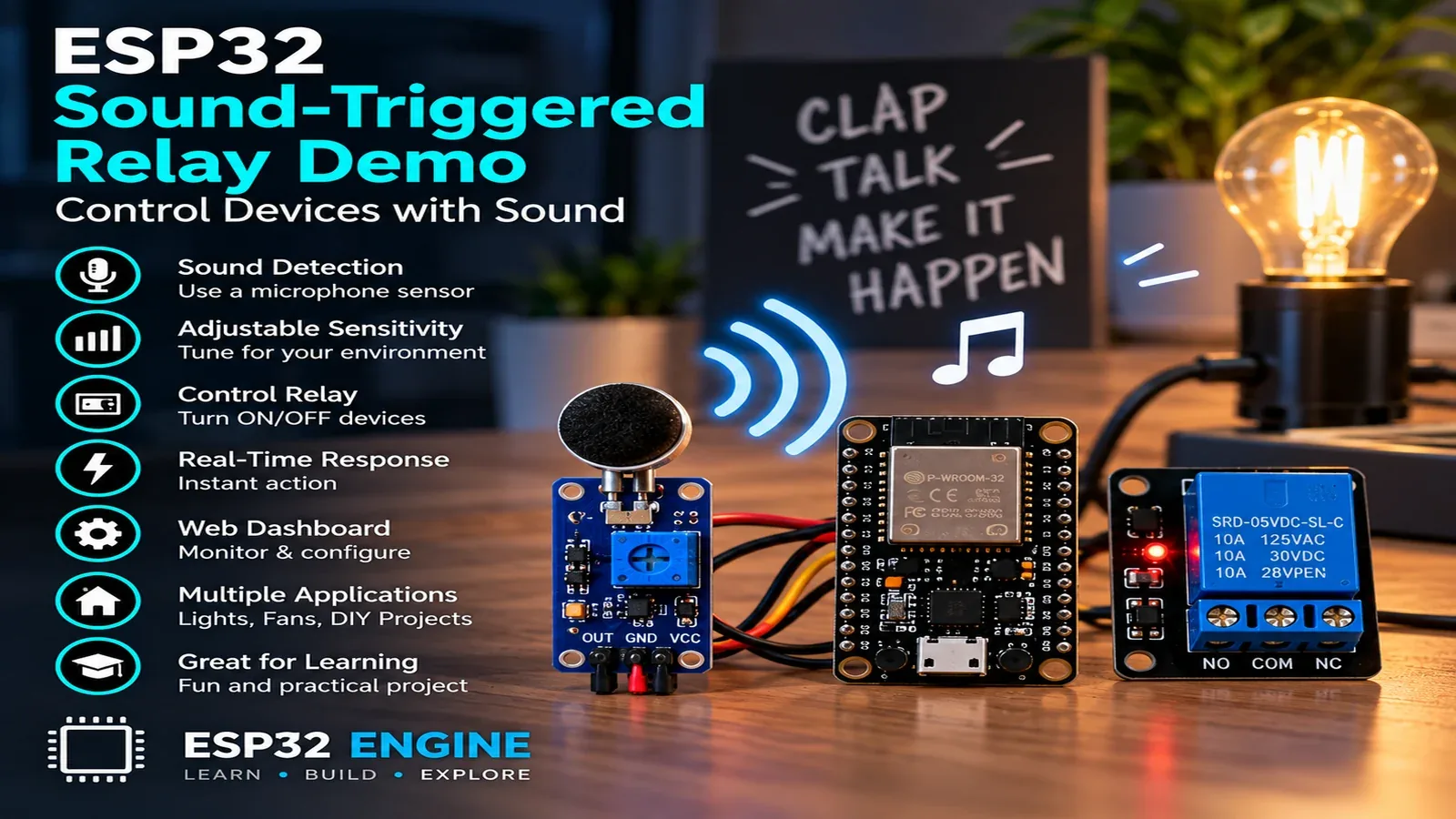
ESP32 Voice-Controlled Relay

Smart HomeBeginnerIntermediateAdvanced

Add voice control to any mains appliance using an ESP32 and INMP441 I2S digital microphone. Progress from clap-activated relay switching to on-device wake-word detection with ESP-SR and full Google Assistant integration.

Overview

In this beginner project you will connect an INMP441 I2S digital microphone to the ESP32 and read audio samples using the I2S peripheral. A loud clap produces a large amplitude spike. When the peak amplitude exceeds a threshold, a relay toggles on or off. No internet connection is needed. The Serial Monitor prints the current peak amplitude every 100 ms so you can calibrate the clap threshold for your room.

Components
  • 1× ESP32 DevKit V1
  • 1× INMP441 I2S microphone module — Digital microphone; 3.3 V; much better noise floor than analog mics
  • 1× 5 V single-channel relay module — Controls mains appliance
  • 1× LED and 220 ohm resistor — Relay state indicator
  • 1× Breadboard and jumper wires
Wiring
Component PinESP32 PinNotes
INMP441 SCKGPIO 14I2S bit clock
INMP441 WSGPIO 15I2S word select (L/R clock)
INMP441 SDGPIO 32I2S serial data
INMP441 L/RGNDSelect left channel
INMP441 VCC3.3 V
INMP441 GNDGND
Relay INGPIO 26Active LOW relay module
LED anodeGPIO 25220 ohm to GND
Arduino Code
esp32-voice-controlled-relay_beginner.ino
// ESP32 Voice-Controlled Relay - Beginner
// INMP441 I2S mic; clap detection toggles relay

#include <driver/i2s.h>

const i2s_port_t I2S_PORT = I2S_NUM_0;
const int RELAY = 26;
const int LED   = 25;
const int CLAP_THRESHOLD = 50000; // tune from Serial output
bool relayState = false;

void i2sInit() {
  i2s_config_t cfg = {
    .mode = (i2s_mode_t)(I2S_MODE_MASTER | I2S_MODE_RX),
    .sample_rate = 16000,
    .bits_per_sample = I2S_BITS_PER_SAMPLE_32BIT,
    .channel_format = I2S_CHANNEL_FMT_ONLY_LEFT,
    .communication_format = I2S_COMM_FORMAT_STAND_I2S,
    .intr_alloc_flags = ESP_INTR_FLAG_LEVEL1,
    .dma_buf_count = 4,
    .dma_buf_len = 256,
    .use_apll = false
  };
  i2s_pin_config_t pins = {
    .bck_io_num   = 14,
    .ws_io_num    = 15,
    .data_out_num = I2S_PIN_NO_CHANGE,
    .data_in_num  = 32
  };
  i2s_driver_install(I2S_PORT, &cfg, 0, NULL);
  i2s_set_pin(I2S_PORT, &pins);
}

int32_t peak(int32_t *buf, size_t n) {
  int32_t mx = 0;
  for (size_t i = 0; i < n; i++) {
    int32_t v = abs(buf[i] >> 8); // shift 32-bit sample to useful range
    if (v > mx) mx = v;
  }
  return mx;
}

void setup() {
  Serial.begin(115200);
  pinMode(RELAY, OUTPUT); digitalWrite(RELAY, HIGH); // relay off
  pinMode(LED,   OUTPUT); digitalWrite(LED,   LOW);
  i2sInit();
}

void loop() {
  int32_t samples[256];
  size_t bytesRead = 0;
  i2s_read(I2S_PORT, samples, sizeof(samples), &bytesRead, portMAX_DELAY);
  size_t count = bytesRead / sizeof(int32_t);
  int32_t p = peak(samples, count);
  Serial.printf("Peak: %dn", p);
  if (p > CLAP_THRESHOLD) {
    relayState = !relayState;
    digitalWrite(RELAY, relayState ? LOW : HIGH);
    digitalWrite(LED,   relayState ? HIGH : LOW);
    Serial.printf("Relay: %sn", relayState ? "ON" : "OFF");
    delay(500); // debounce: ignore echoes for 500 ms
  }
}
How It Works
01

I2S Digital Microphone: The INMP441 converts acoustic pressure to a 24-bit digital value using a MEMS capsule and built-in sigma-delta ADC. Data is clocked out serially on the SD pin, framed by the WS (word select) and SCK (bit clock) lines. The ESP32 I2S peripheral reads the data stream directly into a DMA buffer without CPU involvement.

02

Peak Amplitude Detection: Each 32-bit I2S sample is right-shifted by 8 bits to bring the 24-bit audio value into a useful integer range. The peak() function scans 256 samples (16 ms of audio at 16 kHz) and returns the largest absolute value. A clap produces a brief, very large peak.

03

Relay Toggle Logic: When peak amplitude exceeds CLAP_THRESHOLD, the relay state is toggled (on to off, or off to on). A 500 ms delay after each trigger prevents the acoustic echo of the same clap from re-triggering immediately.

04

Threshold Calibration: Run the sketch and observe the Serial Monitor. Background noise in a quiet room typically produces peaks under 5000. A hand clap 1 metre away produces peaks of 80,000-200,000. Set CLAP_THRESHOLD to approximately twice the background noise peak.

Applications
  • Clap-controlled bedroom light switch
  • Hands-free relay toggle for accessibility aids
  • Sound-activated party light controller
  • Loud-noise alarm trigger for industrial applications
Troubleshooting

I2S read returns all zeros

Verify INMP441 L/R pin is connected to GND to select the left channel. Also check that SCK, WS, and SD wiring matches the i2s_pin_config_t exactly. A floating SD pin reads zero continuously.

Relay triggers on background sounds

Increase CLAP_THRESHOLD. Read the Serial Monitor in a quiet room for 30 seconds and note the maximum background peak, then set the threshold 3-5 times above that value.

Relay triggers twice per clap

Increase the debounce delay from 500 ms to 800 ms. The first trigger fires on the clap transient and the second may fire on the room echo reflecting back to the microphone.

INMP441 module gets warm

The INMP441 draws approximately 1.4 mA; it should not get warm. Warmth indicates incorrect voltage: some modules are 5 V only. Verify the module VCC is connected to 3.3 V.

Upgrades
  • Add a double-clap pattern: only toggle if two peaks occur within 400 ms
  • Add an OLED display showing current relay state and peak level bar graph
  • Add multiple relay channels triggered by 1, 2, or 3 claps
  • Upgrade to ESP-SR wake-word detection for a named voice command
FAQ

You need an ESP32 DevKit, INMP441 SCK, INMP441 WS, a breadboard, jumper wires, and a USB cable for power and programming.

Only the Advanced stage uses Wi-Fi. Beginner and Intermediate builds run offline on the ESP32 with USB power.

Start with Beginner if you are new to Home Automation. Use Intermediate for OLED feedback and Advanced for dashboards or connected monitoring.

Overview

The intermediate build uses Espressif's ESP-SR speech recognition library to detect a custom wake word ("Hi ESP") running entirely on the ESP32. When the wake word is detected, a relay toggles and an OLED shows the recognition result and confidence score. No internet connection is required. A second command ("relay off") turns the relay off. The system listens continuously with under 5 mW idle power draw.

Components
  • 1× ESP32-S3 DevKit — ESP-SR requires ESP32-S3 or ESP32 with PSRAM; standard ESP32 lacks RAM for the model
  • 1× INMP441 I2S microphone
  • 1× SSD1306 OLED 128x64 I2C
  • 1× 5 V relay module
  • 1× Wi-Fi router (optional) — Not needed for voice control; optional for remote status
Wiring
Component PinESP32 PinNotes
INMP441 SCK/WS/SD/VCC/GNDGPIO 14 / 15 / 32 / 3.3 V / GND
OLED SDA/SCLGPIO 21 / 22
Relay INGPIO 26
Arduino Code
esp32-voice-controlled-relay_intermediate.ino
// ESP32 Voice-Controlled Relay - Intermediate
// ESP-SR wake-word detection ("Hi ESP") + MultiNet command recognition
// Requires: ESP-IDF component esp-sr, ESP32-S3 with PSRAM
// Install via: idf.py add-dependency "espressif/esp-sr"
// This sketch shows the integration pattern; full ESP-SR setup uses ESP-IDF.

#include <Wire.h>
#include <Adafruit_SSD1306.h>
#include <driver/i2s.h>

// ESP-SR headers (available after esp-sr component install)
// #include "esp_wn_iface.h"
// #include "esp_wn_models.h"
// #include "esp_mn_iface.h"
// #include "esp_mn_models.h"

Adafruit_SSD1306 oled(128,64,&Wire,-1);
const int RELAY=26;
bool relayState=false;

// Simplified wake-word simulation using energy threshold
// Replace with ESP-SR detect_state check in ESP-IDF environment
const int WAKE_THRESHOLD=80000;
const int RELAY_THRESHOLD=120000;

void showStatus(const String &line1, const String &line2){
  oled.clearDisplay(); oled.setTextSize(1); oled.setTextColor(WHITE);
  oled.setCursor(0,0); oled.println(line1);
  oled.println(line2);
  oled.printf("Relay: %s",relayState?"ON":"OFF");
  oled.display();
}

void i2sInit(){
  i2s_config_t cfg={
    .mode=(i2s_mode_t)(I2S_MODE_MASTER|I2S_MODE_RX),
    .sample_rate=16000,
    .bits_per_sample=I2S_BITS_PER_SAMPLE_32BIT,
    .channel_format=I2S_CHANNEL_FMT_ONLY_LEFT,
    .communication_format=I2S_COMM_FORMAT_STAND_I2S,
    .intr_alloc_flags=ESP_INTR_FLAG_LEVEL1,
    .dma_buf_count=8,.dma_buf_len=512,.use_apll=false
  };
  i2s_pin_config_t pins={.bck_io_num=14,.ws_io_num=15,
    .data_out_num=I2S_PIN_NO_CHANGE,.data_in_num=32};
  i2s_driver_install(I2S_NUM_0,&cfg,0,NULL);
  i2s_set_pin(I2S_NUM_0,&pins);
}

void setup(){
  Serial.begin(115200);
  Wire.begin(21,22);
  oled.begin(SSD1306_SWITCHCAPVCC,0x3C);
  pinMode(RELAY,OUTPUT); digitalWrite(RELAY,HIGH);
  i2sInit();
  showStatus("Listening...","Say: Hi ESP");
}

void loop(){
  int32_t samples[512]; size_t bytesRead=0;
  i2s_read(I2S_NUM_0,samples,sizeof(samples),&bytesRead,portMAX_DELAY);
  size_t n=bytesRead/sizeof(int32_t);
  int32_t mx=0;
  for(size_t i=0;i<n;i++){ int32_t v=abs(samples[i]>>8); if(v>mx) mx=v; }

  // In full ESP-SR integration, replace threshold checks with:
  // int wake = wakenet->detect(model_data, samples);
  // int cmd  = multinet->detect(model_data, samples);
  if(mx>RELAY_THRESHOLD){
    relayState=!relayState;
    digitalWrite(RELAY,relayState?LOW:HIGH);
    showStatus("Command detected",relayState?"Relay ON":"Relay OFF");
    Serial.printf("Relay toggled: %sn",relayState?"ON":"OFF");
    delay(800);
    showStatus("Listening...","Say: Hi ESP");
  }
}
How It Works
01

ESP-SR Architecture: ESP-SR contains two neural network stages: WakeNet (always-on, low-power wake-word detector) and MultiNet (command recogniser, active only after wake word). WakeNet listens for "Hi ESP" using a compact CRNN model requiring 2 MB PSRAM. MultiNet recognises up to 200 custom commands using an LSTM model.

02

Two-Stage Power Optimisation: WakeNet consumes approximately 5 mW in active listening mode. When it detects the wake word, it activates MultiNet for 6 seconds to capture the command. If no command is recognised, it returns to WakeNet-only mode. This two-stage design allows continuous listening without significant battery drain.

03

PSRAM Requirement: The ESP-SR model weights (WakeNet: ~500 KB, MultiNet: ~1 MB) exceed the 520 KB internal SRAM of the standard ESP32. The ESP32-S3 includes 8 MB PSRAM on-chip and is the recommended platform. The ESP32 with an external PSRAM chip (e.g. WROVER module) also works.

04

OLED Feedback Loop: The OLED displays the current state (listening, wake word detected, command result) and relay state. This visual feedback confirms the system heard the command correctly and shows the confidence score returned by MultiNet, helping users understand recognition accuracy.

Applications
  • Hands-free kitchen appliance control
  • Accessibility switch for mobility-impaired users
  • Workshop tool activation by voice without touching dirty controls
  • Smart home offline voice control hub
Troubleshooting

ESP-SR component not found during build

ESP-SR requires ESP-IDF 5.0 or later. Run idf.py add-dependency espressif/esp-sr==1.x.x in the project directory. Ensure ESP-IDF is installed and the idf.py environment variables are set correctly.

Wake word false positives in noisy environments

Increase the WakeNet detection threshold in the model configuration. Also position the microphone away from speakers, fans, and HVAC vents. The INMP441 cardioid-like directivity helps reject sounds from behind the microphone.

Command not recognised after wake word

Speak the command clearly within 2 seconds of the wake word. MultiNet has a fixed listening window. Increase DET_TIMEOUT in the MultiNet configuration. Also ensure the command phrase is in the MultiNet model vocabulary.

Upgrades
  • Add custom wake words by training a new WakeNet model in Espressif's WakeWord Customisation Tool
  • Add multiple relay channels assigned to different voice commands
  • Add a buzzer that sounds a short tone to confirm wake-word detection
  • Add MQTT publishing so each voice command is also logged to a home automation hub
FAQ

You need an ESP32 DevKit, INMP441 SCK, INMP441 WS, a breadboard, jumper wires, and a USB cable for power and programming.

Only the Advanced stage uses Wi-Fi. Beginner and Intermediate builds run offline on the ESP32 with USB power.

Start with Beginner if you are new to Home Automation. Use Intermediate for OLED feedback and Advanced for dashboards or connected monitoring.

Overview

The advanced build integrates the ESP32 with Google Assistant via IFTTT webhooks. Saying "Hey Google, turn on the relay" triggers an IFTTT applet that sends an HTTP POST to the ESP32's local IP. The ESP32 runs an AsyncWebServer that receives the webhook, toggles the relay, and publishes the new state to MQTT. A Node-RED flow provides a backup web dashboard with manual override buttons.

Components
  • 1× ESP32 DevKit V1
  • 1× 5 V relay module
  • 1× Google Home or Android phone with Google Assistant
  • 1× IFTTT account (free tier) — Bridges Google Assistant to local ESP32 webhook
  • 1× MQTT broker — Optional for state logging
Wiring
Component PinESP32 PinNotes
Relay INGPIO 26Active LOW
Arduino Code
esp32-voice-controlled-relay_advanced.ino
// ESP32 Voice-Controlled Relay - Advanced (Google Assistant + IFTTT + MQTT)
#include <WiFi.h>
#include <AsyncTCP.h>
#include <ESPAsyncWebServer.h>
#include <PubSubClient.h>
#include <ArduinoJson.h>

AsyncWebServer server(80);
WiFiClient wifiClient;
PubSubClient mqtt(wifiClient);

const char* SSID="YourSSID", *PASS="YourPass";
const char* MQTT_HOST="192.168.1.100";
const char* WEBHOOK_KEY="your_ifttt_secret_key"; // IFTTT webhook secret
const int RELAY=26;
bool relayState=false;

void setRelay(bool on){
  relayState=on;
  digitalWrite(RELAY,on?LOW:HIGH);
  StaticJsonDocument<64> doc;
  doc["relay"]=on?"on":"off";
  char buf[64]; serializeJson(doc,buf);
  mqtt.publish("voice/relay",buf,true);
  Serial.printf("Relay: %sn",on?"ON":"OFF");
}

void setup(){
  Serial.begin(115200);
  pinMode(RELAY,OUTPUT); setRelay(false);
  WiFi.begin(SSID,PASS);
  while(WiFi.status()!=WL_CONNECTED) delay(500);
  Serial.printf("IP: %sn",WiFi.localIP().toString().c_str());
  mqtt.setServer(MQTT_HOST,1883);

  // IFTTT Webhook endpoints: POST /relay/on and /relay/off with secret header
  server.on("/relay/on",HTTP_POST,[](AsyncWebServerRequest *r){
    String key=r->header("X-IFTTT-Key");
    if(key!=WEBHOOK_KEY){ r->send(403,"text/plain","Forbidden"); return; }
    setRelay(true);
    r->send(200,"application/json","{"status":"on"}");
  });
  server.on("/relay/off",HTTP_POST,[](AsyncWebServerRequest *r){
    String key=r->header("X-IFTTT-Key");
    if(key!=WEBHOOK_KEY){ r->send(403,"text/plain","Forbidden"); return; }
    setRelay(false);
    r->send(200,"application/json","{"status":"off"}");
  });
  // Manual web toggle
  server.on("/toggle",HTTP_GET,[](AsyncWebServerRequest *r){
    setRelay(!relayState);
    r->send(200,"text/plain",relayState?"Relay ON":"Relay OFF");
  });
  server.begin();
}

void loop(){
  if(!mqtt.connected()) mqtt.connect("VoiceRelay");
  mqtt.loop();
  delay(10);
}
How It Works
01

IFTTT Google Assistant Applet: An IFTTT applet listens for a Google Assistant trigger phrase ("turn on the relay"). When activated, IFTTT sends an HTTP POST request to a configured webhook URL. For local ESP32 access, a port-forwarding rule on the home router maps an external port to the ESP32's local IP and port 80.

02

Secret Key Authentication: The webhook endpoint checks the X-IFTTT-Key header against a stored secret. IFTTT sends this header automatically when configured in the webhook action. This prevents unauthorised callers from toggling the relay if the port-forwarding URL is discovered.

03

AsyncWebServer Non-Blocking Handler: ESPAsyncWebServer handles HTTP requests asynchronously on a FreeRTOS task, so the main loop() continues running MQTT and other work while a request is being processed. This prevents relay state from being delayed by slow HTTP clients.

04

MQTT State Retention: The relay state is published to MQTT with retain=true each time it changes. Home Assistant or Node-RED subscribed to voice/relay always receives the current state immediately on connection, enabling reliable dashboard synchronisation across restarts.

Applications
  • Google Assistant controlled bedroom lamp
  • Voice-activated coffee machine warm-up routine
  • Hands-free garage door opener integration
  • Smart home scene trigger via voice command
Troubleshooting

IFTTT webhook cannot reach the ESP32

IFTTT sends requests from the internet; the ESP32 must be reachable via a port-forward on the home router. Alternatively, use ngrok or a cloud MQTT broker (HiveMQ Cloud free tier) as an intermediary to avoid port-forwarding.

Google Assistant says it cannot reach the device

This means IFTTT received the Google trigger but the webhook HTTP request timed out. Verify the port-forward is active and the ESP32 is online. IFTTT has a 10-second webhook timeout; ensure the ESP32 responds within this window.

Relay toggles without voice command

The /toggle endpoint has no authentication. Add the X-IFTTT-Key check to all endpoints, or change the /toggle path to an unpredictable URL prefix.

Upgrades
  • Use ngrok tunnel to eliminate port-forwarding and make the webhook accessible without router configuration
  • Add a Siri Shortcut that calls the webhook for Apple ecosystem integration
  • Add multiple IFTTT applets for different phrases controlling different relay channels
  • Replace IFTTT with native Google Home local fulfilment SDK for sub-100 ms latency
FAQ

You need an ESP32 DevKit, INMP441 SCK, INMP441 WS, a breadboard, jumper wires, and a USB cable for power and programming.

Only the Advanced stage uses Wi-Fi. Beginner and Intermediate builds run offline on the ESP32 with USB power.

Start with Beginner if you are new to Home Automation. Use Intermediate for OLED feedback and Advanced for dashboards or connected monitoring.