
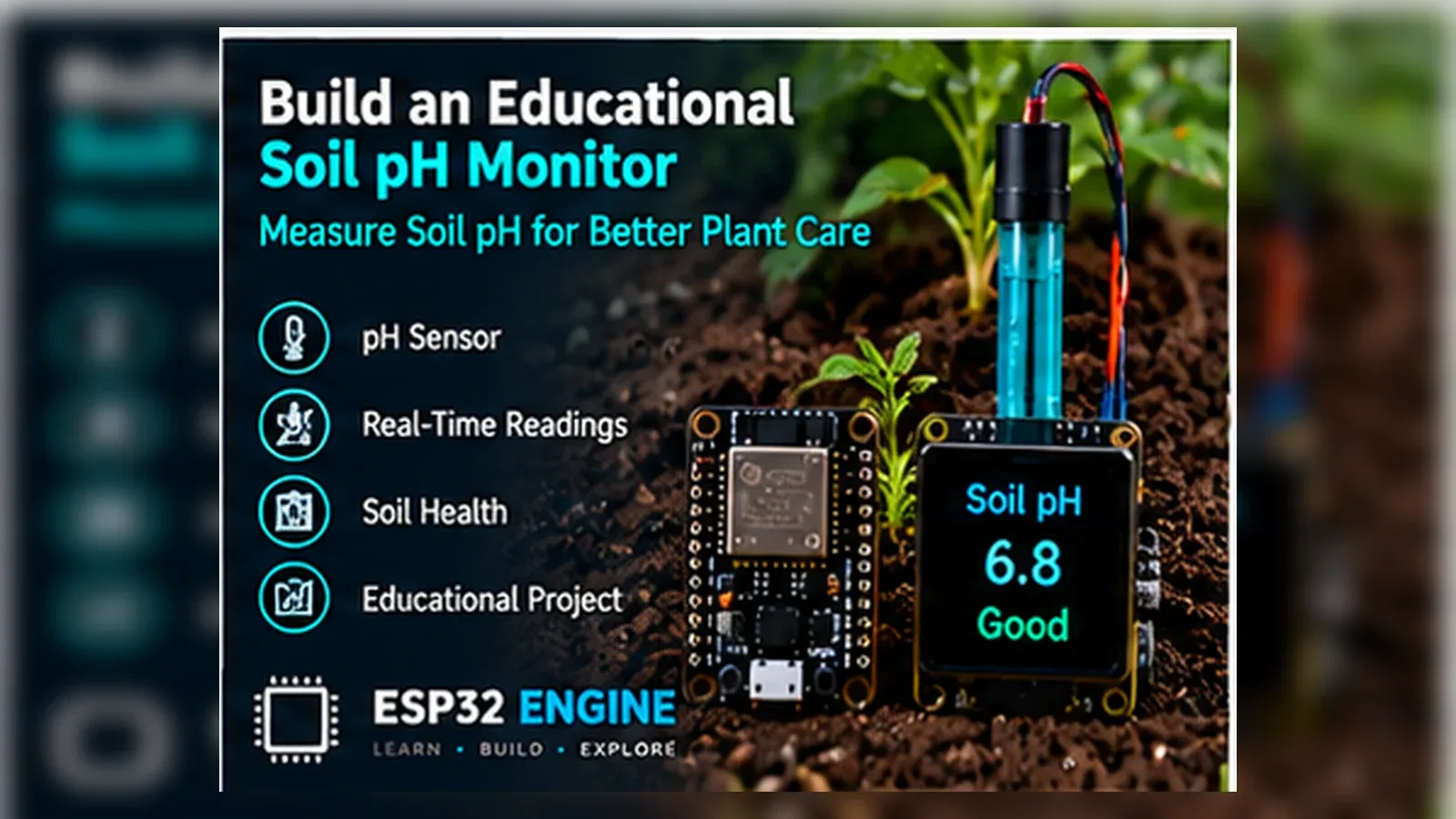
ESP32 Soil pH Monitor

AgricultureBeginnerIntermediateAdvanced

Connect an analog pH sensor probe to the ESP32 to continuously monitor soil acidity. Display readings on an OLED, log data to an SD card, and publish MQTT alerts when pH drifts outside the optimal range for your crops.

Overview

In this beginner project you will connect an analog pH sensor module to the ESP32 ADC and read a voltage that corresponds to the current soil pH. A two-point calibration using pH 4.0 and pH 7.0 buffer solutions converts the voltage to a pH value. The reading is printed to the Serial Monitor and an LED indicates whether the soil is acidic (below 6.0), neutral (6.0-7.5), or alkaline (above 7.5).

Components
  • 1× ESP32 DevKit V1
  • 1× Analog pH sensor module (e.g. DFRobot SEN0161) — Includes BNC probe and signal conditioning board
  • 1× pH 4.0 and pH 7.0 calibration buffer solutions — Sachets or small bottles
  • 1× Red LED (acidic indicator)
  • 1× Green LED (neutral indicator)
  • 1× Blue LED (alkaline indicator)
  • 3× 220 ohm resistor — LED current limiting
Wiring
Component PinESP32 PinNotes
pH module AOUTGPIO 34Module output 0-3.3 V; confirm module supports 3.3 V operation
pH module VCC3.3 V or 5 VCheck module spec; most accept either
pH module GNDGND
Red LED anodeGPIO 25Acidic (pH < 6.0)
Green LED anodeGPIO 26Neutral (pH 6.0-7.5)
Blue LED anodeGPIO 27Alkaline (pH > 7.5)
Arduino Code
esp32-soil-ph-monitor_beginner.ino
// ESP32 Soil pH Monitor - Beginner
// Two-point calibration: pH 4.0 and pH 7.0 buffer solutions

const int PH_PIN   = 34;
const int LED_ACID = 25; // Red
const int LED_NEUT = 26; // Green
const int LED_ALK  = 27; // Blue

// --- Calibration values ---
// Step 1: Place probe in pH 7.0 buffer, wait 60 s, record raw ADC.
// Step 2: Place probe in pH 4.0 buffer, wait 60 s, record raw ADC.
// Set these constants from your measurements.
const float CAL_PH7_RAW  = 2048.0; // ADC reading in pH 7.0 buffer
const float CAL_PH4_RAW  = 1024.0; // ADC reading in pH 4.0 buffer

// Derived calibration slope and intercept
const float SLOPE     = (7.0 - 4.0) / (CAL_PH7_RAW - CAL_PH4_RAW);
const float INTERCEPT = 7.0 - SLOPE * CAL_PH7_RAW;

float readPH() {
  // Average 20 ADC readings to reduce noise
  long sum = 0;
  for (int i = 0; i < 20; i++) {
    sum += analogRead(PH_PIN);
    delay(10);
  }
  float raw = sum / 20.0;
  return SLOPE * raw + INTERCEPT;
}

void setup() {
  Serial.begin(115200);
  analogReadResolution(12);
  pinMode(LED_ACID, OUTPUT);
  pinMode(LED_NEUT, OUTPUT);
  pinMode(LED_ALK,  OUTPUT);
}

void loop() {
  float ph = readPH();
  Serial.printf("Soil pH: %.2fn", ph);

  bool acid = ph < 6.0;
  bool alk  = ph > 7.5;
  bool neut = !acid && !alk;

  digitalWrite(LED_ACID, acid ? HIGH : LOW);
  digitalWrite(LED_NEUT, neut ? HIGH : LOW);
  digitalWrite(LED_ALK,  alk  ? HIGH : LOW);
  delay(2000);
}
How It Works
01

Electrochemical pH Measurement: The pH probe is a glass membrane electrode. The potential difference across the membrane is proportional to the hydrogen ion concentration (pH). The signal conditioning module amplifies this millivolt signal to 0-3.3 V using a high-impedance operational amplifier.

02

Two-Point Linear Calibration: A single-point calibration assumes a fixed slope; a two-point calibration measures the slope empirically using two buffer solutions. The slope (mV per pH unit) and intercept are derived from the two (raw, pH) pairs and stored as constants.

03

20-Sample Averaging: pH sensor outputs are noisy due to the extremely high impedance of the glass electrode and susceptibility to electrical interference. Averaging 20 readings taken 10 ms apart reduces the standard deviation from several tenths of a pH unit to under 0.05.

04

Three-Zone LED Indication: Most crops grow optimally between pH 6.0 and 7.0. Red (acidic) indicates lime may be needed; green (neutral) indicates optimal conditions; blue (alkaline) indicates sulphur or acidic fertiliser may be needed.

Applications
  • Greenhouse soil monitoring for optimal crop pH range
  • Home vegetable garden pH checker
  • Hydroponic nutrient solution pH monitoring
  • Soil science education demonstration
Troubleshooting

pH reading is far from expected value

The calibration constants in the code are placeholders. You must calibrate the probe using real buffer solutions. Place the probe in pH 7.0 buffer, wait 60 seconds for the reading to stabilise, note the ADC value, repeat for pH 4.0, then update CAL_PH7_RAW and CAL_PH4_RAW.

Reading drifts slowly over several minutes

The glass electrode needs at least 2-3 minutes to equilibrate when moved between solutions. Always wait for the reading to stabilise before recording a calibration value or final measurement.

Very noisy readings even with averaging

Ground loops and 50/60 Hz electrical interference couple into the high-impedance probe cable. Keep the probe cable short (under 50 cm), away from mains wiring, and use shielded cable for the probe connection to the module.

Module output exceeds 3.3 V

Some pH modules are designed for 5 V Arduino ADCs. If the AOUT range exceeds 3.3 V, add a voltage divider (10k + 20k) on the signal line to scale it down, or use a module specifically rated for 3.3 V operation.

Upgrades
  • Add an OLED display to show pH value and status text without needing a computer
  • Add a DS18B20 temperature sensor (soil pH readings are temperature-dependent)
  • Add Wi-Fi and log readings to a Google Sheets spreadsheet via HTTP POST
  • Add a button to trigger a calibration sequence stored in NVS
FAQ

You need an ESP32 DevKit, pH module AOUT, Red LED anode, a breadboard, jumper wires, and a USB cable for power and programming.

Only the Advanced stage uses Wi-Fi. Beginner and Intermediate builds run offline on the ESP32 with USB power.

Start with Beginner if you are new to Agriculture. Use Intermediate for OLED feedback and Advanced for dashboards or connected monitoring.

Overview

The intermediate build adds a DS18B20 temperature sensor for temperature-compensated pH readings and an SSD1306 OLED displaying pH, temperature, and a recommendation (add lime / optimal / add sulphur). Readings are logged to an SD card with timestamps from an NTP server. If pH stays outside the optimal band for more than 10 minutes, an alert is printed and a relay output is activated for an optional dosing pump.

Components
  • 1× ESP32 DevKit V1
  • 1× Analog pH sensor module
  • 1× DS18B20 waterproof temperature probe — Temperature compensation for pH
  • 1× SSD1306 OLED 128x64 I2C
  • 1× MicroSD card module — Data logging
  • 1× Relay module — Optional dosing pump trigger
  • 1× 4.7 kohm resistor — DS18B20 pull-up
  • 1× Wi-Fi router — NTP timestamps
Wiring
Component PinESP32 PinNotes
pH module AOUTGPIO 34
DS18B20 DATAGPIO 44.7k pull-up to 3.3 V
SD CS / MOSI / MISO / SCKGPIO 5 / 23 / 19 / 18SPI bus
OLED SDA / SCLGPIO 21 / 22
Relay INGPIO 25Dosing pump trigger
Arduino Code
esp32-soil-ph-monitor_intermediate.ino
// ESP32 Soil pH Monitor - Intermediate (DS18B20 + OLED + SD logging + relay)
#include <Wire.h>
#include <Adafruit_SSD1306.h>
#include <OneWire.h>
#include <DallasTemperature.h>
#include <SD.h>
#include <WiFi.h>
#include <time.h>

Adafruit_SSD1306 oled(128,64,&Wire,-1);
OneWire ow(4); DallasTemperature ds(&ow);

const char* SSID="YourSSID", *PASS="YourPass";
const int PH_PIN=34, SD_CS=5, RELAY=25;
const float CAL_PH7_RAW=2048.0, CAL_PH4_RAW=1024.0;
const float SLOPE=(7.0-4.0)/(CAL_PH7_RAW-CAL_PH4_RAW);
const float INTERCEPT=7.0-SLOPE*CAL_PH7_RAW;

// Temperature compensation: pH shifts ~0.003/C from 25C baseline
float tempCompPH(float rawPH, float tempC){
  return rawPH + 0.003f*(tempC-25.0f);
}

float readPH(){
  long sum=0;
  for(int i=0;i<20;i++){ sum+=analogRead(PH_PIN); delay(10); }
  return SLOPE*(sum/20.0)+INTERCEPT;
}

unsigned long outOfRangeStart=0;
const unsigned long ALERT_MS=600000UL; // 10 minutes

void logToSD(float ph, float temp, const String &rec){
  File f=SD.open("/ph_log.csv",FILE_APPEND);
  if(!f) return;
  time_t now=time(nullptr);
  f.printf("%ld,%.2f,%.1f,%sn",(long)now,ph,temp,rec.c_str());
  f.close();
}

void setup(){
  Serial.begin(115200);
  Wire.begin(21,22);
  oled.begin(SSD1306_SWITCHCAPVCC,0x3C);
  oled.setTextColor(WHITE);
  ds.begin();
  analogReadResolution(12);
  SD.begin(SD_CS);
  pinMode(RELAY,OUTPUT); digitalWrite(RELAY,HIGH);
  WiFi.begin(SSID,PASS);
  int t=0; while(WiFi.status()!=WL_CONNECTED&&t++<20) delay(500);
  if(WiFi.status()==WL_CONNECTED) configTime(0,0,"pool.ntp.org");
}

void loop(){
  ds.requestTemperatures();
  float temp=ds.getTempCByIndex(0);
  float rawPH=readPH();
  float ph=(temp!=-127.0f)?tempCompPH(rawPH,temp):rawPH;

  String rec="OPTIMAL";
  bool outOfRange=false;
  if(ph<6.0f){ rec="ADD-LIME"; outOfRange=true; }
  else if(ph>7.5f){ rec="ADD-SULPHUR"; outOfRange=true; }

  if(outOfRange){
    if(outOfRangeStart==0) outOfRangeStart=millis();
    if(millis()-outOfRangeStart>ALERT_MS){
      Serial.printf("ALERT: pH %.2f out of range >10 minn",ph);
      digitalWrite(RELAY,LOW); // activate dosing pump
    }
  } else {
    outOfRangeStart=0;
    digitalWrite(RELAY,HIGH);
  }

  logToSD(ph,temp,rec);
  Serial.printf("pH: %.2f  Temp: %.1fC  Rec: %sn",ph,temp,rec.c_str());

  oled.clearDisplay(); oled.setTextSize(1); oled.setCursor(0,0);
  oled.printf("pH:   %.2fn",ph);
  oled.printf("Temp: %.1fCn",temp);
  oled.printf("Rec:  %sn",rec.c_str());
  oled.display();
  delay(30000); // Read every 30 seconds
}
How It Works
01

Temperature Compensation: The Nernst equation shows pH electrode sensitivity is temperature-dependent: approximately 59.2 mV/pH at 25 C but varying with temperature. A linear approximation of 0.003 pH units per degree Celsius from 25 C corrects for temperature variation. The DS18B20 provides the soil temperature for this correction.

02

SD Card CSV Logging: Each reading is appended to /ph_log.csv with Unix timestamp, pH, temperature, and recommendation. The CSV format can be opened directly in Excel or imported into Google Sheets for graphing soil pH trends over a growing season.

03

10-Minute Alert Lockout: Momentary pH excursions (probe movement, rain) should not trigger a dosing pump. The 10-minute timer only activates the relay if the out-of-range condition persists continuously. Any return to optimal range resets the timer.

04

Relay Dosing Pump Trigger: The relay (active LOW) activates a peristaltic dosing pump that adds lime solution (to raise pH) or sulphuric acid solution (to lower pH) to an irrigation system. The pump turns off automatically when pH returns to the optimal range.

Applications
  • Automated greenhouse pH control with lime dosing
  • Hydroponic system pH monitoring with acid/base dosing
  • Field crop soil pH seasonal trend logging
  • Soil remediation project monitoring
Troubleshooting

DS18B20 returns -127 C

The 4.7 kohm pull-up resistor between DATA and 3.3 V is missing or has the wrong value. Also verify the probe wiring polarity: red=VCC, black=GND, yellow=DATA (colours vary by manufacturer).

SD card not found on SD.begin()

Check SPI wiring and CS pin number. Format the SD card as FAT32. Try a different SD card (some large-capacity cards use exFAT which the Arduino SD library does not support without additional libraries).

Relay triggers after only seconds, not 10 minutes

Verify that millis() arithmetic is correct. The outOfRangeStart timestamp must be set only once when the condition first begins; using = millis() inside every loop iteration resets it continuously.

Upgrades
  • Add a second pH probe for a different bed and monitor both channels on one OLED
  • Add a Telegram bot alert when the 10-minute threshold is reached
  • Add a flow meter to log how much lime or sulphur solution was dispensed
  • Add a solar panel and LiPo battery for off-grid field deployment
FAQ

You need an ESP32 DevKit, pH module AOUT, Red LED anode, a breadboard, jumper wires, and a USB cable for power and programming.

Only the Advanced stage uses Wi-Fi. Beginner and Intermediate builds run offline on the ESP32 with USB power.

Start with Beginner if you are new to Agriculture. Use Intermediate for OLED feedback and Advanced for dashboards or connected monitoring.

Overview

The advanced build publishes pH, temperature, EC (electrical conductivity), and dosing events to an MQTT broker. A Node-RED dashboard plots pH trends over 24 hours and 7 days. Automated lime and pH-down dosing runs on a PID controller loop that calculates the precise volume needed based on soil buffer capacity. Daily summary reports are emailed using SMTP.

Components
  • 1× ESP32 DevKit V1
  • 1× Analog pH probe module
  • 1× DS18B20 temperature probe
  • 1× Analog EC (conductivity) sensor module — DFRobot DFR0300 or similar
  • 2× Peristaltic pump 12 V — One for lime, one for acid
  • 2× Relay module — One per pump
  • 1× MQTT broker and Node-RED
Wiring
Component PinESP32 PinNotes
pH module AOUTGPIO 34
EC module AOUTGPIO 35
DS18B20 DATAGPIO 44.7k pull-up
Lime pump relayGPIO 25
Acid pump relayGPIO 26
Arduino Code
esp32-soil-ph-monitor_advanced.ino
// ESP32 Soil pH Monitor - Advanced (PID dosing + EC + MQTT)
#include <WiFi.h>
#include <PubSubClient.h>
#include <ArduinoJson.h>
#include <OneWire.h>
#include <DallasTemperature.h>

OneWire ow(4); DallasTemperature ds(&ow);
WiFiClient wifiClient; PubSubClient mqtt(wifiClient);

const char* SSID="YourSSID", *PASS="YourPass";
const char* MQTT_HOST="192.168.1.100";
const int PH_PIN=34, EC_PIN=35, PUMP_LIME=25, PUMP_ACID=26;
const float CAL_PH7_RAW=2048.0, CAL_PH4_RAW=1024.0;
const float SLOPE=(7.0f-4.0f)/(CAL_PH7_RAW-CAL_PH4_RAW);
const float INTERCEPT=7.0f-SLOPE*CAL_PH7_RAW;
const float TARGET_PH=6.5f;

// PID coefficients (tune to your soil volume and pump rate)
const float KP=2.0f, KI=0.1f, KD=0.5f;
float integral=0.0f, prevError=0.0f;

float readPH(){
  long s=0; for(int i=0;i<20;i++){s+=analogRead(PH_PIN);delay(10);}
  float raw=s/20.0f; return SLOPE*raw+INTERCEPT;
}
float readEC(){
  // Simplified: voltage divides into EC range; calibrate with known solution
  long s=0; for(int i=0;i<10;i++){s+=analogRead(EC_PIN);delay(5);}
  return (s/10.0f)/4095.0f*2000.0f; // 0-2000 uS/cm approximate
}

void doPID(float ph){
  float err=TARGET_PH-ph;
  integral+=err;
  float deriv=err-prevError;
  float output=KP*err+KI*integral+KD*deriv;
  prevError=err;
  int pumpMs=(int)constrain(abs(output)*100,0,5000);
  if(output>0.2f){ // pH too low, add lime
    digitalWrite(PUMP_LIME,LOW); delay(pumpMs); digitalWrite(PUMP_LIME,HIGH);
    Serial.printf("Lime dose: %d msn",pumpMs);
  } else if(output<-0.2f){ // pH too high, add acid
    digitalWrite(PUMP_ACID,LOW); delay(pumpMs); digitalWrite(PUMP_ACID,HIGH);
    Serial.printf("Acid dose: %d msn",pumpMs);
  }
}

void publishAll(float ph, float ec, float temp){
  StaticJsonDocument<128> doc;
  doc["ph"]=ph; doc["ec"]=ec; doc["temp"]=temp;
  char buf[128]; serializeJson(doc,buf);
  mqtt.publish("soil/sensors",buf);
}

void setup(){
  Serial.begin(115200);
  ds.begin();
  analogReadResolution(12);
  pinMode(PUMP_LIME,OUTPUT); digitalWrite(PUMP_LIME,HIGH);
  pinMode(PUMP_ACID,OUTPUT); digitalWrite(PUMP_ACID,HIGH);
  WiFi.begin(SSID,PASS);
  while(WiFi.status()!=WL_CONNECTED) delay(500);
  mqtt.setServer(MQTT_HOST,1883);
}

void loop(){
  if(!mqtt.connected()) mqtt.connect("SoilMonitor");
  mqtt.loop();
  ds.requestTemperatures();
  float temp=ds.getTempCByIndex(0);
  float rawPH=readPH();
  float ph=(temp!=-127.0f)?rawPH+0.003f*(temp-25.0f):rawPH;
  float ec=readEC();
  publishAll(ph,ec,temp);
  doPID(ph);
  delay(300000); // Dose cycle every 5 minutes
}
How It Works
01

PID Closed-Loop pH Control: The PID controller calculates the error (target pH minus measured pH). Proportional term reacts to current error; integral term corrects accumulated drift; derivative term damps oscillation. Output is converted to pump run time in milliseconds — more error means longer dosing pulse.

02

Deadband to Prevent Over-Dosing: A deadband of 0.2 pH units around the target prevents constant micro-dosing. If output magnitude is less than 0.2, neither pump activates. This prevents oscillation and excessive consumption of lime or acid solution.

03

EC Monitoring for Nutrient Salinity: Electrical conductivity measures total dissolved salts. High EC (above 2000 uS/cm) combined with optimal pH may indicate over-fertilisation; low EC with low pH suggests acid soils leaching nutrients. Publishing both to MQTT enables correlation analysis in Node-RED.

04

Node-RED 24-Hour Trend Plot: Node-RED stores soil/sensors MQTT messages in a context variable array, trimmed to the last 288 readings (24 hours at 5-minute intervals). A chart widget plots the pH trend line, with horizontal rule markers at 6.0 and 7.5 showing the optimal band boundaries.

Applications
  • Commercial greenhouse automated pH management system
  • Large-scale hydroponic farm nutrient solution control
  • Research plot long-term soil pH manipulation experiment
  • Precision agriculture soil health monitoring network
Troubleshooting

PID causes pH to overshoot the target

Reduce KP (proportional gain) first. Soil pH changes slowly after dosing; the PID should be conservative. Set integral windup limits to prevent the integral term from accumulating during the long wait period between dose cycles.

Pump runs continuously or for unreasonable durations

The constrain(abs(output)*100, 0, 5000) caps pump run time at 5 seconds per cycle. Verify this limit matches your pump flow rate; a high-flow pump may add too much reagent in 5 seconds. Reduce the maximum cap or scale KP down.

EC reading is constant regardless of solution

EC sensors require AC excitation to avoid electrode polarisation. The analog read approach in the beginner code is a simplified approximation. For accurate EC use the DFRobot EC library which handles AC measurement through PWM.

Upgrades
  • Add SMTP email report with a 24-hour pH trend chart attachment each morning
  • Add a moisture sensor to suspend dosing when soil is too dry for reagent diffusion
  • Add a UV steriliser relay to run after dosing to prevent bacterial contamination of nutrient lines
  • Add a TFT display showing a full-color real-time pH trend graph on the controller unit
FAQ

You need an ESP32 DevKit, pH module AOUT, Red LED anode, a breadboard, jumper wires, and a USB cable for power and programming.

Only the Advanced stage uses Wi-Fi. Beginner and Intermediate builds run offline on the ESP32 with USB power.

Start with Beginner if you are new to Agriculture. Use Intermediate for OLED feedback and Advanced for dashboards or connected monitoring.