
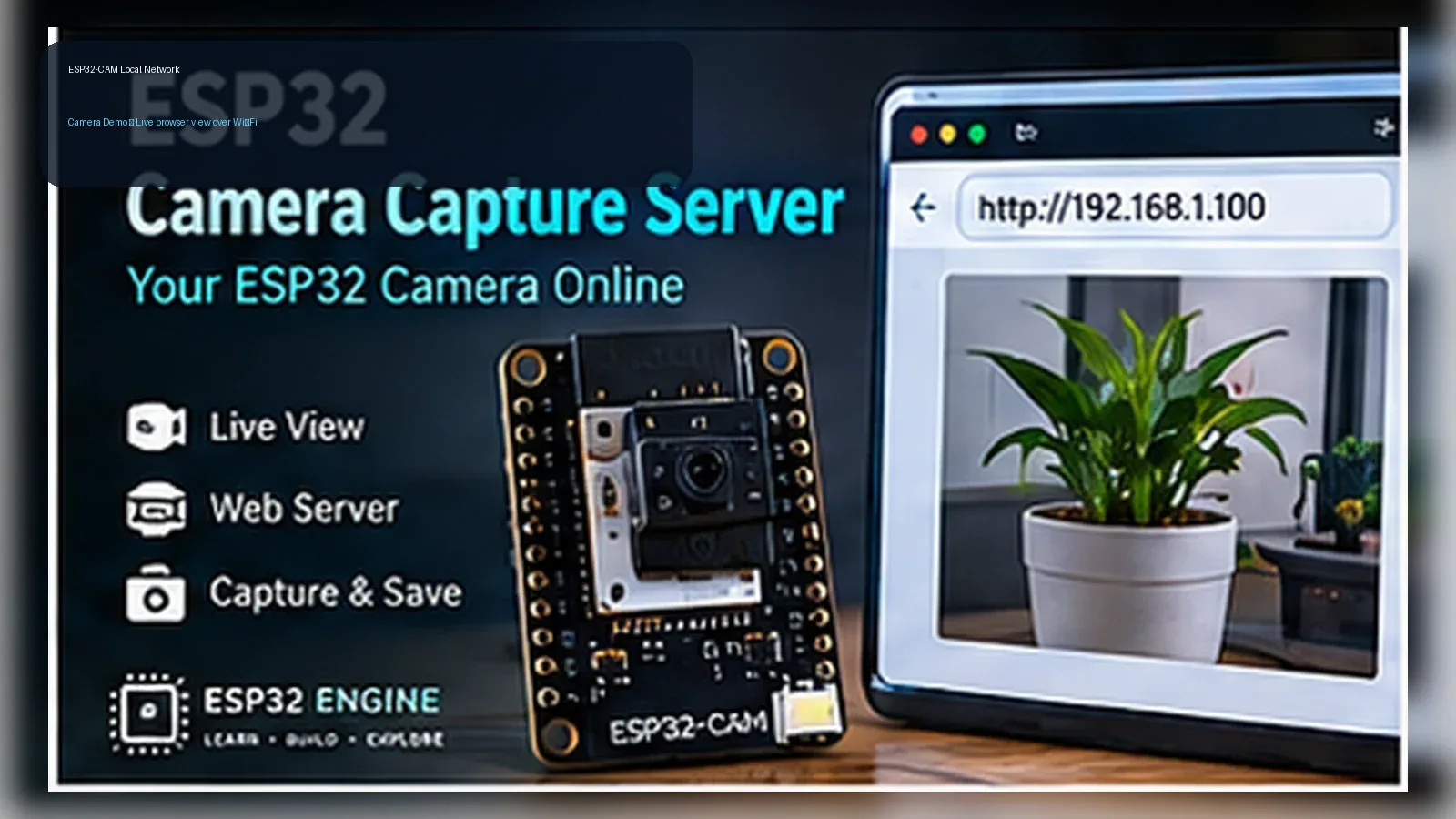
ESP32-CAM Local Network Camera Demo
The Story
The ESP32-CAM is a tiny board that can capture real images, but the Golden version avoids pretending it is a professional security product. You build a compact local-network camera demo with the real AI-Thinker pin map, stable 5 V power, and clear privacy limits.
Explain Like I'm 12
The camera takes a picture, the ESP32-CAM turns it into JPEG data, and a local web page shows that picture in your browser. It only works on your own Wi-Fi network in this lesson, so you can learn the camera path without sending images to a cloud service.
Learning Support
- Recommended ageAges 13+
- Adult supervisionRecommended for wiring the programming adapter and discussing privacy boundaries.
- Classroom useUse only with consent and keep the demo on a local classroom network.
- Parent promptAsk why a local camera demo should not be exposed to the internet.
- Screen-free activityDraw the path from camera module to ESP32-CAM to local browser.
- Next challengeAdd local-only authentication before using the demo outside a supervised lab.
- Skills practiced
- ESP32-CAM pin mapping
- Local web server
- Wi-Fi setup
- Privacy boundaries
- Learning outcomes
- Identify the AI-Thinker ESP32-CAM camera pins used in code.
- Power the board from stable 5 V.
- View a local snapshot from a browser on the same Wi-Fi network.
- Explain why this is not a professional security system.
- Mini experiments
- Change frame size after the base QVGA snapshot works.
- Move lighting and compare exposure.
- Restart Wi-Fi and confirm reconnection.
Safety Standards
- Unplug USB before changing jumper wires. Recheck 3.3 V, 5 V, and GND before reconnecting power.
- Do not power motors, pumps, LED strips, or servos from the ESP32 3.3 V pin. Use a suitable external supply and common ground.
- Breadboards are for low-current prototypes. Move high-current or unattended builds to proper terminals, enclosure, strain relief, and fusing.
What You Will Build
A local ESP32-CAM snapshot page that serves a captured JPEG from /capture to a browser on the same Wi-Fi network. It is a supervised local demo, not motion detection, cloud storage, or production surveillance.
Components List
- AI-Thinker ESP32-CAM moduleOV2640 camera module with fixed board camera pin map.
- FTDI USB-to-serial adapterNeeded for programming the ESP32-CAM.
- Stable 5 V supplyUse a supply that can handle camera and Wi-Fi current peaks.
- Jumper wiresFor programming and 5 V/GND connections.
- Local Wi-Fi networkBrowser must be on the same local network.
Bill of Materials
| Part | Qty | Estimated Cost | Notes |
|---|---|---|---|
| AI-Thinker ESP32-CAM module | 1 | Varies | OV2640 camera module with fixed board camera pin map. |
| FTDI USB-to-serial adapter | 1 | Varies | Needed for programming the ESP32-CAM. |
| Stable 5 V supply | 1 | Varies | Use a supply that can handle camera and Wi-Fi current peaks. |
| Jumper wires | 1 | Varies | For programming and 5 V/GND connections. |
| Local Wi-Fi network | 1 | Varies | Browser must be on the same local network. |
Wiring
The camera pins are fixed by the AI-Thinker ESP32-CAM board. The external wiring is stable 5 V, GND, and the FTDI adapter used for upload.
-
1
Unplug 5 V power and the FTDI adapter before changing wiring.
-
2
Connect FTDI GND to ESP32-CAM GND.
-
3
Connect FTDI 5 V or a separate stable 5 V supply to ESP32-CAM 5V.
-
4
Connect FTDI TX to ESP32-CAM U0R and FTDI RX to U0T for programming.
-
5
Pull GPIO0 to GND only while uploading, then remove it and reset the board.
-
6
After reset, open Serial Monitor at 115200 baud and copy the printed local IP address.
-
7
Open the printed local IP address from a browser on the same Wi-Fi network.
GPIO Mapping
| Signal | ESP32 Pin | Direction | Notes |
|---|---|---|---|
| PWDN | GPIO32 | Camera control | AI-Thinker power-down pin. |
| XCLK | GPIO0 | Camera clock | Also a boot strap pin; do not add extra loads. |
| SIOD/SIOC | GPIO26/GPIO27 | Camera I2C | OV2640 control bus. |
| D0-D7 | GPIO5/18/19/21/36/39/34/35 | Camera data | Fixed AI-Thinker parallel camera bus. |
| VSYNC/HREF/PCLK | GPIO25/GPIO23/GPIO22 | Camera sync | Fixed AI-Thinker sync pins. |
Circuit Explanation
The OV2640 camera is already wired to fixed ESP32 pins on the AI-Thinker module; the sketch must match that map exactly.
Engineering Explanation
Camera and Wi-Fi peaks can brown out weak supplies, so the demo uses QVGA, one frame buffer, and a stable 5 V source. It serves snapshots locally and does not implement motion capture, alerts, facial identification, or evidence storage.
Libraries
- Arduino ESP32 camera supportProvides esp_camera.h for ESP32-CAM boards.
Code
Copy into Arduino IDE. Install any libraries noted in the component guides first.
// ESP32-CAM Local Network Camera Demo
// Local classroom demo only. Do not expose this server to the public internet.
#include "esp_camera.h"
#include <WiFi.h>
#include <WebServer.h>

#define PWDN_GPIO_NUM     32
#define RESET_GPIO_NUM    -1
#define XCLK_GPIO_NUM      0
#define SIOD_GPIO_NUM     26
#define SIOC_GPIO_NUM     27
#define Y9_GPIO_NUM       35
#define Y8_GPIO_NUM       34
#define Y7_GPIO_NUM       39
#define Y6_GPIO_NUM       36
#define Y5_GPIO_NUM       21
#define Y4_GPIO_NUM       19
#define Y3_GPIO_NUM       18
#define Y2_GPIO_NUM        5
#define VSYNC_GPIO_NUM    25
#define HREF_GPIO_NUM     23
#define PCLK_GPIO_NUM     22

const char* WIFI_SSID = "YOUR_WIFI_NAME";
const char* WIFI_PASSWORD = "YOUR_WIFI_PASSWORD";

WebServer server(80);

void startCamera() {
  camera_config_t config = {};
  config.ledc_channel = LEDC_CHANNEL_0;
  config.ledc_timer = LEDC_TIMER_0;
  config.pin_d0 = Y2_GPIO_NUM;
  config.pin_d1 = Y3_GPIO_NUM;
  config.pin_d2 = Y4_GPIO_NUM;
  config.pin_d3 = Y5_GPIO_NUM;
  config.pin_d4 = Y6_GPIO_NUM;
  config.pin_d5 = Y7_GPIO_NUM;
  config.pin_d6 = Y8_GPIO_NUM;
  config.pin_d7 = Y9_GPIO_NUM;
  config.pin_xclk = XCLK_GPIO_NUM;
  config.pin_pclk = PCLK_GPIO_NUM;
  config.pin_vsync = VSYNC_GPIO_NUM;
  config.pin_href = HREF_GPIO_NUM;
  config.pin_sscb_sda = SIOD_GPIO_NUM;
  config.pin_sscb_scl = SIOC_GPIO_NUM;
  config.pin_pwdn = PWDN_GPIO_NUM;
  config.pin_reset = RESET_GPIO_NUM;
  config.xclk_freq_hz = 20000000;
  config.pixel_format = PIXFORMAT_JPEG;
  config.frame_size = FRAMESIZE_QVGA;
  config.jpeg_quality = 12;
  config.fb_count = 1;

  if (esp_camera_init(&config) != ESP_OK) {
    Serial.println("Camera init failed. Check AI-Thinker ESP32-CAM pin mapping and 5 V supply.");
    while (true) delay(100);
  }
}

void connectWiFi() {
  WiFi.mode(WIFI_STA);
  WiFi.begin(WIFI_SSID, WIFI_PASSWORD);
  while (WiFi.status() != WL_CONNECTED) {
    delay(500);
    Serial.print(".");
  }
  Serial.println();
  Serial.print("Open this local URL from the same Wi-Fi network: http://");
  Serial.println(WiFi.localIP());
}

void handleRoot() {
  server.send(200, "text/html",
    "<!doctype html><html><body>"
    "<h1>ESP32-CAM Local Network Camera Demo</h1>"
    "<p>Local educational snapshot only. Use with consent.</p>"
    "<img src='/capture' style='max-width:100%;height:auto'>"
    "<p><a href='/capture'>Refresh snapshot</a></p>"
    "</body></html>");
}

void handleCapture() {
  camera_fb_t *fb = esp_camera_fb_get();
  if (!fb) {
    server.send(503, "text/plain", "Camera capture failed");
    return;
  }
  server.send_P(200, "image/jpeg", (const char*)fb->buf, fb->len);
  esp_camera_fb_return(fb);
}

void setup() {
  Serial.begin(115200);
  startCamera();
  connectWiFi();
  server.on("/", handleRoot);
  server.on("/capture", handleCapture);
  server.begin();
}

void loop() {
  if (WiFi.status() != WL_CONNECTED) connectWiFi();
  server.handleClient();
}
Code Explanation
The sketch initializes the AI-Thinker OV2640 pin map, connects to Wi-Fi with placeholder credentials, prints the local IP address, serves a small HTML page at /, and captures one JPEG snapshot whenever /capture is requested.
Expected Output
Serial Monitor prints a local URL such as http://192.168.x.x. Opening that address from the same Wi-Fi network shows a compact page with a refreshed camera snapshot.
Troubleshooting
- Camera init failed Check that the board is AI-Thinker ESP32-CAM and that the code uses the matching pin map.
- Upload fails or stays at connecting Ground GPIO0 only for upload, reset the board into bootloader mode, and confirm FTDI TX goes to U0R while FTDI RX goes to U0T.
- Board resets when Wi-Fi starts Use a stronger stable 5 V supply and short power wires.
- Browser cannot open the page Confirm the phone or computer is on the same local network as the ESP32-CAM and that the printed IP address matches the current Wi-Fi connection.
Common Mistakes
- Using the wrong ESP32-CAM pin map.
- Powering the camera from a weak 3.3 V source.
- Leaving GPIO0 tied to GND after upload.
- Port-forwarding the camera to the public internet.
Testing Checklist
- Verify 5 V stability.
- Upload with GPIO0 grounded, then remove it.
- Confirm local URL only.
- Get consent before pointing the camera at people.
Engineering Tips
- Start with QVGA.
- Keep the antenna clear.
- Treat privacy as part of the circuit design.
Upgrade Ideas
- Add local password protection.
- Add a physical privacy cover.
- Add an on-device LED indicator when the page is being viewed.
Real-World Applications
- Camera bus lesson
- Local IoT web server demo
- Privacy-by-design classroom exercise
FAQs
Is this a security system?
No. It is a local educational camera demo, not professional surveillance or evidence capture.
Can I open it from outside my home?
Do not port-forward this demo. Keep it local unless you add proper security controls.
Review, Testing, and References
Author: Abdul Mubeen and the ESP32 Engine editorial team. Last updated: 2026-08-23. Reviewed: wiring logic, Arduino code structure, beginner safety, and learning sequence.
Educational level: Intermediate. Estimated completion time: 60-75 min. This project is for learning and prototyping; production or unattended hardware needs additional engineering review.
Project Complete!
You built a local ESP32-CAM snapshot server with the real AI-Thinker pin map, stable power expectations, and privacy limits. The page, code, wiring, and troubleshooting all describe the same local-network demo.
- ESP32-CAM board mapping
- Local HTTP route handling
- Camera frame capture
- Privacy-aware testing