
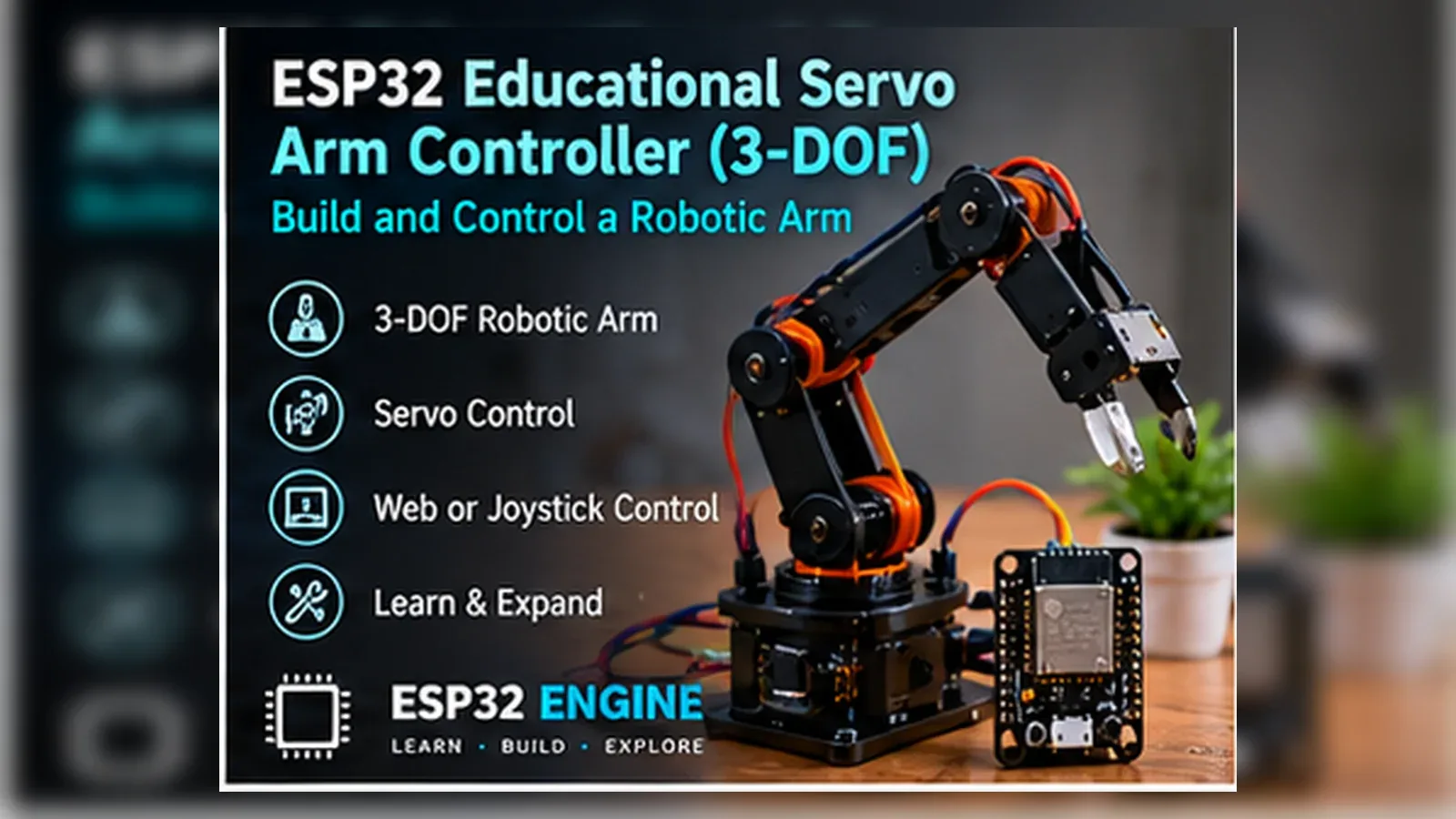
Overview
In this beginner project you will connect three SG90 servo motors (base rotation, shoulder, elbow) to the ESP32 and control them with two analog joysticks. Moving the joysticks changes servo angles in real time. Angle values are displayed on an SSD1306 OLED. This teaches PWM servo control, multi-axis joystick reading, and the basics of robotic joint mapping.
Components
- 1× ESP32 DevKit V1
- 3× SG90 micro servo motor — Base, shoulder, elbow joints
- 2× Analog joystick module (KY-023) — X and Y axes; 3.3 V compatible
- 1× SSD1306 OLED 128x64 I2C
- 1× 5 V 2 A external power supply — Servos draw peak 300 mA each; do not power from ESP32 3.3 V pin
Wiring
| Component Pin | ESP32 Pin | Notes |
|---|---|---|
| Servo base SIGNAL | GPIO 13 | LEDC PWM; 50 Hz |
| Servo shoulder SIGNAL | GPIO 12 | |
| Servo elbow SIGNAL | GPIO 14 | |
| All servo VCC/GND | 5 V supply / GND | Common GND with ESP32 |
| Joystick 1 VRx/VRy | GPIO 34 / 35 | 3.3 V supply |
| Joystick 2 VRx/VRy | GPIO 36 / 39 | 3.3 V supply |
| OLED SDA/SCL | GPIO 21/22 |
Arduino Code
// ESP32 Robot Arm Controller - Beginner
// Dual joystick -> 3-axis servo control with OLED angle display
// Uses ESP32 LEDC for 50 Hz servo PWM
#include <Wire.h>
#include <Adafruit_SSD1306.h>
Adafruit_SSD1306 oled(128, 64, &Wire, -1);
// LEDC channels for three servos
const int SERVO_PINS[3] = {13, 12, 14};
const int LEDC_CHANNELS[3] = {0, 1, 2};
const int LEDC_FREQ = 50; // Hz
const int LEDC_RES = 16; // bits
// Joystick ADC pins: J1X=base, J1Y=shoulder, J2X=elbow
const int JOY[3] = {34, 35, 36};
// Servo angle state (degrees 0-180)
int angles[3] = {90, 90, 90};
// Convert angle to LEDC duty (16-bit, 50 Hz)
// Pulse width: 0 deg = 0.5 ms, 180 deg = 2.5 ms
uint32_t angleToDuty(int angle) {
float ms = 0.5f + (angle / 180.0f) * 2.0f;
return (uint32_t)((ms / 20.0f) * 65535);
}
void setServo(int idx, int angle) {
angles[idx] = constrain(angle, 0, 180);
ledcWrite(LEDC_CHANNELS[idx], angleToDuty(angles[idx]));
}
int joyToAngleDelta(int raw) {
// Center ~2048; dead zone +/-100
int delta = raw - 2048;
if (abs(delta) < 100) return 0;
return (delta > 0) ? 1 : -1;
}
void setup() {
Serial.begin(115200);
Wire.begin(21, 22);
oled.begin(SSD1306_SWITCHCAPVCC, 0x3C); oled.setTextColor(WHITE);
analogReadResolution(12);
for (int i = 0; i < 3; i++) {
ledcSetup(LEDC_CHANNELS[i], LEDC_FREQ, LEDC_RES);
ledcAttachPin(SERVO_PINS[i], LEDC_CHANNELS[i]);
setServo(i, 90);
}
Serial.println("Robot arm ready.");
}
void loop() {
for (int i = 0; i < 3; i++) {
int raw = analogRead(JOY[i]);
int delta = joyToAngleDelta(raw);
if (delta != 0) setServo(i, angles[i] + delta);
}
oled.clearDisplay(); oled.setCursor(0, 0); oled.setTextSize(1);
oled.printf("Base: %3d degn", angles[0]);
oled.printf("Shoulder: %3d degn", angles[1]);
oled.printf("Elbow: %3d degn", angles[2]);
oled.display();
delay(20); // 50 Hz update rate
}How It Works
LEDC Servo PWM: Standard RC servos require a 50 Hz PWM signal with pulse width between 0.5 ms (0 degrees) and 2.5 ms (180 degrees). The ESP32 LEDC peripheral generates this with 16-bit resolution (65535 steps). The angleToDuty() function maps angle to the duty cycle count corresponding to the correct pulse width fraction of the 20 ms period.
Joystick Dead Zone: Analog joysticks have mechanical centre tolerances; the resting position is rarely exactly 2048 (mid-range for 12-bit ADC). A +/-100 count dead zone around 2048 prevents servo drift when the joystick is untouched. Outside the dead zone, a +1 or -1 degree increment is applied per 20 ms loop iteration.
Three-Axis Mapping: Joystick 1 X-axis controls base rotation (horizontal plane). Joystick 1 Y-axis controls shoulder (upper arm up/down). Joystick 2 X-axis controls elbow (forearm up/down). Each axis drives one servo independently, giving full manual control of the arm configuration.
Angle Clamping: constrain(angle, 0, 180) prevents servo commands outside the physical range. Sending out-of-range PWM pulses can damage servo gears or cause the motor to stall against the mechanical end-stop. Hard limits per joint based on the arm geometry prevent self-collision.
Applications
- Educational robot arm demonstrating servo and joint kinematics
- Pick-and-place demonstration for STEM exhibitions
- Camera pan-tilt-zoom head with joystick control
- Animatronic puppet arm controlled in real time
Troubleshooting
Servos jitter continuously even when joystick is centred
Increase the dead zone from 100 to 200 ADC counts. Servo jitter can also be caused by power supply noise; add a 100 uF electrolytic capacitor across the 5 V servo supply rail. Ensure common GND between the external supply and the ESP32.
ESP32 resets when all three servos move simultaneously
Three SG90 servos can draw over 900 mA at peak. The ESP32 USB supply cannot provide this. Use a dedicated 5 V 2 A supply for the servos. Confirm the ESP32 GND and servo supply GND are connected together.
Servo only moves in one direction
Verify the LEDC duty calculation gives a range that spans the correct pulse width. Print angleToDuty(0) and angleToDuty(180) to Serial and verify they are approximately 1638 (0.5 ms) and 8192 (2.5 ms) for a 16-bit 50 Hz setup.
Upgrades
- Add a fourth servo for a gripper (open/close) controlled by joystick button
- Add angle limits per joint to prevent self-collision based on arm geometry
- Add a button that resets all joints to the home position (90/90/90 degrees)
- Add a potentiometer for wrist rotation as a fifth axis
FAQ
You need an ESP32 DevKit, TODO: sensor, Servo base SIGNAL, a breadboard, jumper wires, and a USB cable for power and programming.
Only the Advanced stage uses Wi-Fi. Beginner and Intermediate builds run offline on the ESP32 with USB power.
Start with Beginner if you are new to Robotics. Use Intermediate for OLED feedback and Advanced for dashboards or connected monitoring.
Overview
The intermediate build records a sequence of up to 50 arm poses by pressing a button, stores them in NVS, and replays the sequence smoothly using linear interpolation between poses. A web interface shows the current joint angles, a replay status indicator, and buttons to start/stop recording and replay. This demonstrates motion programming and smooth trajectory execution.
Components
- 1× ESP32 DevKit V1
- 3× MG996R or SG90 servo
- 2× Analog joystick module
- 2× Tactile push button — Record pose / Replay
- 1× 5 V 3 A supply — MG996R servos draw up to 2.5 A peak
Wiring
| Component Pin | ESP32 Pin | Notes |
|---|---|---|
| Servo signals | GPIO 13/12/14 | |
| Joystick axes | GPIO 34/35/36 | |
| Record button | GPIO 4 (INPUT_PULLUP) | |
| Replay button | GPIO 5 (INPUT_PULLUP) |
Arduino Code
// ESP32 Robot Arm - Intermediate (pose recording + smooth replay + web UI)
#include <WiFi.h>
#include <WebServer.h>
#include <Preferences.h>
WebServer server(80);
Preferences prefs;
const char* SSID="YourSSID", *PASS="YourPass";
const int SERVO_PINS[3]={13,12,14};
const int JOY[3]={34,35,36};
const int BTN_REC=4, BTN_PLAY=5;
const int MAX_POSES=50;
const int LEDC_FREQ=50, LEDC_RES=16;
int angles[3]={90,90,90};
int poses[MAX_POSES][3]; int poseCount=0;
bool replaying=false;
uint32_t angleToDuty(int a){
float ms=0.5f+(a/180.0f)*2.0f;
return (uint32_t)((ms/20.0f)*65535);
}
void setServo(int i,int a){
angles[i]=constrain(a,0,180);
ledcWrite(i,angleToDuty(angles[i]));
}
void savePoses(){
prefs.begin("arm",false);
prefs.putInt("cnt",poseCount);
for(int p=0;p<poseCount;p++)
for(int j=0;j<3;j++)
prefs.putInt(("p"+String(p)+"j"+String(j)).c_str(),poses[p][j]);
prefs.end();
}
void loadPoses(){
prefs.begin("arm",true);
poseCount=prefs.getInt("cnt",0);
for(int p=0;p<poseCount;p++)
for(int j=0;j<3;j++)
poses[p][j]=prefs.getInt(("p"+String(p)+"j"+String(j)).c_str(),90);
prefs.end();
}
void serveUI(){
String html="<html><body><h2>Robot Arm</h2>"
"<p>Base:"+String(angles[0])+" Shoulder:"+String(angles[1])+" Elbow:"+String(angles[2])+"</p>"
"<p>Poses recorded: "+String(poseCount)+"</p>"
"<p><a href=/play>Play</a> | <a href=/clear>Clear</a></p>"
"</body></html>";
server.send(200,"text/html",html);
}
void replaySmooth(){
if(poseCount<2) return;
for(int p=0;p<poseCount-1;p++){
for(int step=0;step<=20;step++){
float t=step/20.0f;
for(int j=0;j<3;j++)
setServo(j,(int)(poses[p][j]*(1-t)+poses[p+1][j]*t));
delay(30);
}
}
}
void setup(){
Serial.begin(115200);
analogReadResolution(12);
for(int i=0;i<3;i++){
ledcSetup(i,LEDC_FREQ,LEDC_RES);
ledcAttachPin(SERVO_PINS[i],i);
setServo(i,90);
}
pinMode(BTN_REC,INPUT_PULLUP); pinMode(BTN_PLAY,INPUT_PULLUP);
loadPoses();
WiFi.begin(SSID,PASS);
while(WiFi.status()!=WL_CONNECTED) delay(500);
server.on("/",serveUI);
server.on("/play",[](){ replaySmooth(); server.sendHeader("Location","/"); server.send(302,"",""); });
server.on("/clear",[](){ poseCount=0; savePoses(); server.sendHeader("Location","/"); server.send(302,"",""); });
server.begin();
}
void loop(){
server.handleClient();
// Joystick control
int deltas[3]={0,0,0};
for(int i=0;i<3;i++){
int d=analogRead(JOY[i])-2048;
if(abs(d)>100) deltas[i]=(d>0)?1:-1;
}
for(int i=0;i<3;i++) if(deltas[i]) setServo(i,angles[i]+deltas[i]);
// Record button (falling edge)
static bool recPrev=true;
bool recNow=digitalRead(BTN_REC);
if(recPrev&&!recNow&&poseCount<MAX_POSES){
for(int j=0;j<3;j++) poses[poseCount][j]=angles[j];
poseCount++; savePoses();
Serial.printf("Recorded pose %dn",poseCount);
}
recPrev=recNow;
// Play button
static bool playPrev=true;
bool playNow=digitalRead(BTN_PLAY);
if(playPrev&&!playNow) replaySmooth();
playPrev=playNow;
delay(20);
}How It Works
Pose Recording: Each button press captures the current three joint angles as a pose entry in the poses[][] array. Up to 50 poses can be stored. After each capture the entire pose array is written to NVS so sequences survive power loss. poseCount tracks how many valid poses are stored.
Linear Interpolation Replay: The replaySmooth() function iterates through consecutive pose pairs and interpolates each joint angle at 21 steps (t from 0.0 to 1.0). At each step all three servos move simultaneously to the interpolated angle. 30 ms per step gives a 600 ms transition between poses, producing smooth continuous motion.
NVS Pose Persistence: Poses are keyed as strings like "p3j1" (pose 3, joint 1). The count is stored separately. On startup loadPoses() retrieves all recorded poses. This means a power cycle does not erase a recorded sequence; the arm can resume replaying the same programme immediately on the next boot.
Web Play Trigger: The /play endpoint calls replaySmooth() synchronously and then redirects back to the root status page. This allows triggering replay from a smartphone browser without physical button access. The status page shows how many poses are recorded and the current joint angles.
Applications
- Educational robot arm demonstrating motion programming concepts
- Repetitive pick-and-place task automation for light assembly
- Art installation with programmable choreographed motion
- Physical therapy device demonstrating range-of-motion exercises
Troubleshooting
Replay motion is jerky between poses
Increase the number of interpolation steps from 20 to 40 or 60 and reduce the per-step delay proportionally. Jerkiness between specific poses suggests a large angle difference; add more intermediate poses recorded at positions between the jerky transitions.
NVS save fails silently after many recordings
NVS has a storage limit based on partition size. With 50 poses and 3 joints, 150 integer keys plus the count key are stored. For larger sequences, use JSON serialisation to a single NVS string key or write to an SD card.
Button press records multiple poses unintentionally
Add a 200 ms debounce delay after detecting the falling edge: add delay(200) inside the recording block. The current rising-edge filter (recPrev && !recNow) is a single-sample edge detector that can retrigger if the button bounces.
Upgrades
- Add a gripper servo as the fourth axis with grip force feedback via a force-sensing resistor
- Add a replay speed multiplier controllable from the web interface
- Add multiple saved programmes switchable by name from the web interface
- Add a visual pose timeline editor on the web page showing each recorded pose as a block
FAQ
You need an ESP32 DevKit, TODO: sensor, Servo base SIGNAL, a breadboard, jumper wires, and a USB cable for power and programming.
Only the Advanced stage uses Wi-Fi. Beginner and Intermediate builds run offline on the ESP32 with USB power.
Start with Beginner if you are new to Robotics. Use Intermediate for OLED feedback and Advanced for dashboards or connected monitoring.
Overview
The advanced build implements a two-link planar inverse kinematics solver. A web interface accepts a target X/Y coordinate for the arm end-effector; the ESP32 computes the required shoulder and elbow angles using the geometric IK solution and moves the servos to those angles. The base rotates independently. All commands and current poses are published to MQTT.
Components
- 1× ESP32 DevKit V1
- 3× MG996R servo — Higher torque for IK-driven motion
- 1× MQTT broker
Wiring
| Component Pin | ESP32 Pin | Notes |
|---|---|---|
| Servo signals | GPIO 13/12/14 | Base / shoulder / elbow |
Arduino Code
// ESP32 Robot Arm - Advanced (Inverse Kinematics + web XY target + MQTT)
#include <WiFi.h>
#include <WebServer.h>
#include <PubSubClient.h>
#include <ArduinoJson.h>
#include <math.h>
WiFiClient wc; PubSubClient mqtt(wc);
WebServer server(80);
const char* SSID="YourSSID", *PASS="YourPass";
const char* MQTT_HOST="192.168.1.100";
const int SERVO_PINS[3]={13,12,14};
const float L1=15.0f, L2=12.0f; // upper arm and forearm length in cm
int angles[3]={90,90,90};
uint32_t angleToDuty(int a){
float ms=0.5f+(a/180.0f)*2.0f;
return (uint32_t)((ms/20.0f)*65535);
}
void setServo(int i,int a){
angles[i]=constrain(a,0,180);
ledcWrite(i,angleToDuty(angles[i]));
}
// Two-link planar IK: solve shoulder and elbow for target (x,y)
// Returns false if target is unreachable
bool solveIK(float x, float y, int &shoulder, int &elbow){
float dist=sqrt(x*x+y*y);
if(dist>L1+L2||dist<fabs(L1-L2)) return false;
float cosE=(dist*dist-L1*L1-L2*L2)/(2*L1*L2);
cosE=constrain(cosE,-1.0f,1.0f);
float elbowRad=acos(cosE); // elbow-up solution
float k1=L1+L2*cos(elbowRad);
float k2=L2*sin(elbowRad);
float shoulderRad=atan2(y,x)-atan2(k2,k1);
shoulder=(int)(degrees(shoulderRad));
elbow=180-(int)(degrees(elbowRad));
shoulder=constrain(shoulder,0,180);
elbow=constrain(elbow,0,180);
return true;
}
void serveUI(){
server.send(200,"text/html",
"<html><body><h2>IK Robot Arm</h2>"
"<form method=POST action=/move>"
"X (cm): <input name=x value="10"><br>"
"Y (cm): <input name=y value="10"><br>"
"Base (deg): <input name=base value="90"><br>"
"<button>Move</button></form>"
"<p>Shoulder:"+String(angles[1])+" Elbow:"+String(angles[2])+"</p>"
"</body></html>");
}
void handleMove(){
float x=server.arg("x").toFloat();
float y=server.arg("y").toFloat();
int base=constrain(server.arg("base").toInt(),0,180);
int sh,el;
if(solveIK(x,y,sh,el)){
setServo(0,base); setServo(1,sh); setServo(2,el);
StaticJsonDocument<96> doc;
doc["x"]=x; doc["y"]=y; doc["sh"]=sh; doc["el"]=el;
char buf[96]; serializeJson(doc,buf);
mqtt.publish("arm/pose",buf);
server.sendHeader("Location","/"); server.send(302,"","");
} else {
server.send(200,"text/plain","Target unreachable");
}
}
void setup(){
Serial.begin(115200);
for(int i=0;i<3;i++){
ledcSetup(i,50,16); ledcAttachPin(SERVO_PINS[i],i); setServo(i,90);
}
WiFi.begin(SSID,PASS);
while(WiFi.status()!=WL_CONNECTED) delay(500);
mqtt.setServer(MQTT_HOST,1883);
server.on("/",serveUI);
server.on("/move",HTTP_POST,handleMove);
server.begin();
Serial.printf("IK Arm: http://%s/n",WiFi.localIP().toString().c_str());
}
void loop(){
if(!mqtt.connected()) mqtt.connect("RobotArm");
mqtt.loop(); server.handleClient();
}How It Works
Two-Link Planar Inverse Kinematics: Given a target (x, y) relative to the shoulder joint, the IK solver uses the law of cosines to find the elbow angle: cos(elbow) = (d2 - L12 - L22) / (2*L1*L2). The shoulder angle follows from atan2 decomposition. The elbow-up solution is chosen; the elbow-down solution would require negating elbowRad.
Reachability Check: The target is reachable only when the distance d is between |L1-L2| (arm fully folded) and L1+L2 (arm fully extended). Outside this range, cosE falls outside [-1, 1] and acos returns NaN. The constrain() clamp prevents NaN propagation but the false return signals the caller to reject the target.
Base Independent Rotation: The base servo rotates the entire arm in the horizontal plane. The IK calculation is done in the 2D plane of the arm; the base angle is independently set by the user. In a 3D implementation the target X/Y/Z would include polar decomposition to extract base angle before solving the 2D IK.
MQTT Pose Publishing: After each successful IK move, the target X/Y and computed shoulder/elbow angles are published to arm/pose. This allows a Node-RED flow to log the arm trajectory, detect repeated poses, or trigger other automation when the arm reaches specific positions.
Applications
- Pick-and-place automation with coordinate-driven target specification
- Drawing robot that traces SVG path coordinates via IK
- Surgical training arm demonstrating workspace analysis
- STEM robotics lab demonstrating inverse kinematics mathematics
Troubleshooting
Arm moves to wrong position for given X/Y
Verify L1 and L2 match the actual arm segment lengths in centimetres. Measure from the shoulder servo axis to the elbow servo axis (L1) and from elbow axis to end-effector (L2). Offset angles from servo mechanical zero must also be accounted for by adding a calibration offset to the computed angles.
Some X/Y targets cause the arm to jerk to a wrong pose
Add smooth interpolation between the current angles and the IK solution using the same linear interpolation approach from the intermediate build. Sudden large angle commands cause mechanical stress and inaccurate positioning.
IK returns unreachable for targets that appear within range
The IK workspace is a donut shape; targets very close to the shoulder (under |L1-L2| cm) are also unreachable. Verify the target coordinates are measured from the shoulder joint axis, not from the base rotation axis. Add the base height offset if targeting 3D coordinates.
Upgrades
- Extend IK to 3D by adding base rotation angle calculation from target Z coordinate
- Add a camera on the end-effector and use OpenCV colour detection to auto-aim at a target
- Add a G-code parser to execute a series of IK moves from a file for drawing or milling
- Add joint angle feedback using potentiometers for closed-loop position control
FAQ
You need an ESP32 DevKit, TODO: sensor, Servo base SIGNAL, a breadboard, jumper wires, and a USB cable for power and programming.
Only the Advanced stage uses Wi-Fi. Beginner and Intermediate builds run offline on the ESP32 with USB power.
Start with Beginner if you are new to Robotics. Use Intermediate for OLED feedback and Advanced for dashboards or connected monitoring.