
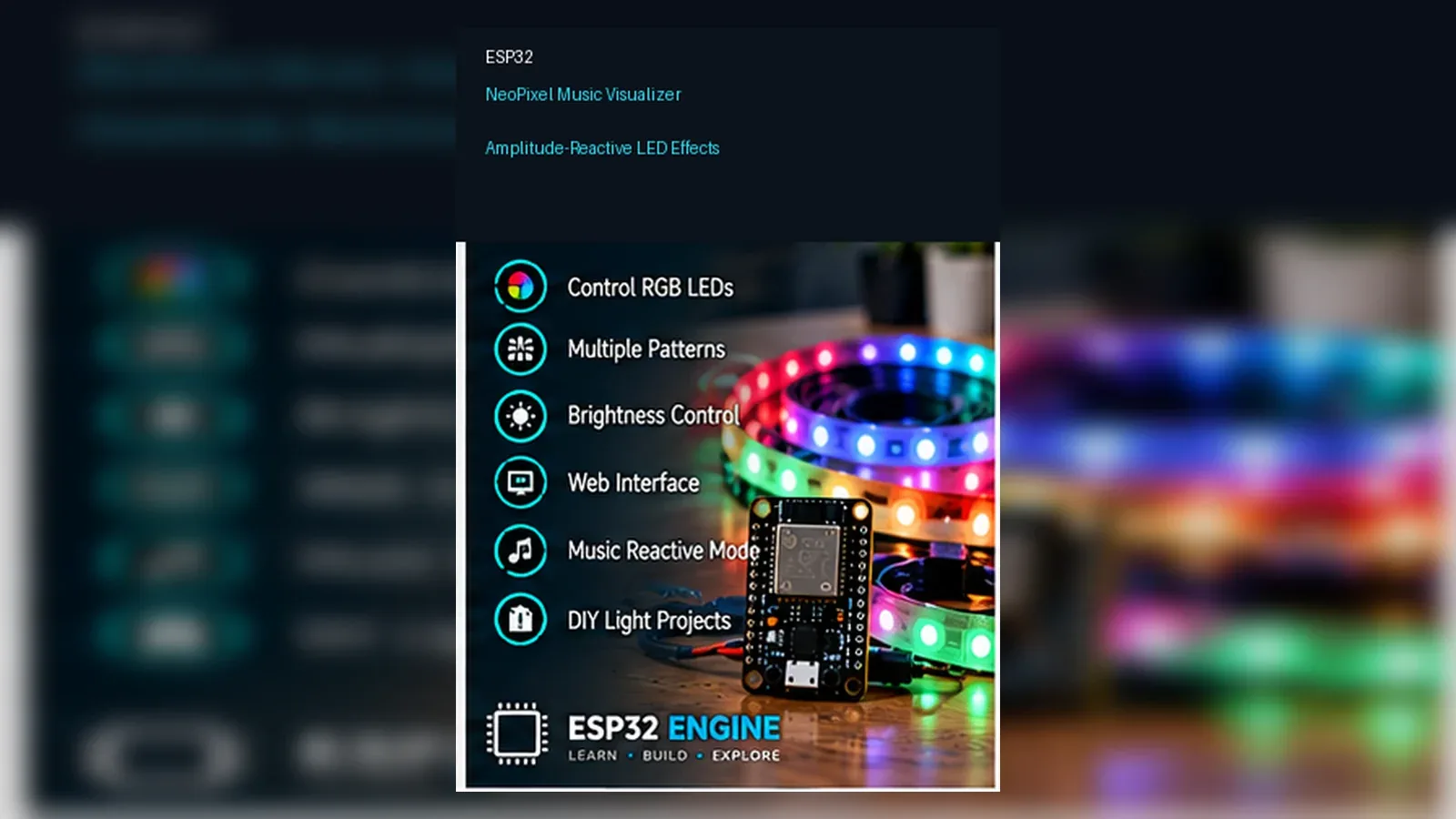
ESP32 NeoPixel Music Visualizer

LEDBeginnerIntermediateAdvanced

A music-reactive LED strip that pulses and dances to audio — from a simple volume meter to a full frequency spectrum analyser with web-configurable colour themes.

Overview

This project builds a music-reactive VU (Volume Unit) meter using a strip of WS2812B NeoPixel LEDs and a MAX4466 electret microphone amplifier. The ESP32 reads the microphone's analogue output, measures the peak audio level in each sampling window, maps it to a number of lit LEDs, and uses the FastLED library to colour the strip from green (quiet) through yellow (moderate) to red (loud).

WS2812B LEDs (commonly sold as NeoPixels) contain a red, green, and blue LED plus a tiny control chip inside each 5 mm package. They chain together using a single data wire with a proprietary timed serial protocol. The FastLED library handles all timing automatically and provides a rich API for colour manipulation, animations, and brightness control.

You will learn: analogue audio sampling on the ESP32, peak detection over a time window, HSV colour space for smooth colour transitions, and driving addressable RGB LED strips with FastLED. This project is crowd-pleasingly visual and teaches core concepts that apply to any LED art installation.

Components
  • 1× ESP32 DevKit V1
  • 1× WS2812B LED Strip (30 or 60 LEDs/m) — IP30 indoor strip, 1 meter minimum
  • 1× MAX4466 Microphone Amplifier Module — Adjustable gain — much better than KY-038
  • 1× 5 V 2 A Power Supply — USB charger works for 30 LEDs; longer strips need dedicated 5 V PSU
  • 1× 470 Ω Resistor — Series resistor on LED data line — prevents ringing
  • 1× 1000 µF 6.3 V Capacitor — Across LED power supply to absorb current spikes
  • 1× Jumper wires + breadboard
Wiring
Component PinESP32 PinNotes
MAX4466 OUTGPIO 34Analogue audio signal — ADC1, no Wi-Fi noise
MAX4466 VCC3.3 V
MAX4466 GNDGND
LED Strip DATA INGPIO 5 (via 470 Ω)Series 470 Ω protects data line from ringing
LED Strip 5V5 V PSU positiveNEVER power more than 5 LEDs from ESP32 VIN — use dedicated PSU
LED Strip GNDPSU GND + ESP32 GNDCommon ground is essential
CapacitorAcross PSU 5V and GNDAbsorbs current spikes when many LEDs change at once
Arduino Code
esp32-neopixel-music-visualizer_beginner.ino
/*
 * ESP32 NeoPixel Music Visualizer — Beginner (VU Meter)
 * Reads MAX4466 microphone, maps volume to LED count and colour.
 * Green (quiet) → Yellow (moderate) → Red (loud)
 *
 * Library: FastLED by Daniel Garcia (Library Manager)
 *
 * Power note: 1 white LED at full brightness = 60 mA.
 * 30 LEDs = 1.8 A peak. Use a 5V 2A+ power supply, not the ESP32.
 */
#include <FastLED.h>

#define MIC_PIN     34
#define LED_PIN      5
#define NUM_LEDS    30
#define BRIGHTNESS  80     // 0–255 (keep low for power budget)
#define SAMPLE_MS   20     // Audio sampling window (ms)
#define DC_OFFSET 2048     // ADC midpoint at 12-bit = 4096/2

CRGB leds[NUM_LEDS];

// Collect peak audio level over SAMPLE_MS milliseconds
int sampleAudio() {
  unsigned long start = millis();
  int peak = 0;
  while (millis() - start < SAMPLE_MS) {
    int raw = analogRead(MIC_PIN);
    int level = abs(raw - DC_OFFSET);
    if (level > peak) peak = level;
  }
  return peak;
}

void setup() {
  Serial.begin(115200);
  analogReadResolution(12);
  FastLED.addLeds<WS2812B, LED_PIN, GRB>(leds, NUM_LEDS);
  FastLED.setBrightness(BRIGHTNESS);
  FastLED.clear(); FastLED.show();
  Serial.println("Music Visualizer started. Speak or play music near mic.");
}

void loop() {
  int peak = sampleAudio();

  // Map peak level (0–2047) to number of lit LEDs
  // Adjust the 30 (upper bound) based on your mic sensitivity
  int litCount = map(peak, 0, 600, 0, NUM_LEDS);
  litCount = constrain(litCount, 0, NUM_LEDS);

  // Colour: HSV hue 96=green → 64=yellow → 0=red as level increases
  FastLED.clear();
  for (int i = 0; i < litCount; i++) {
    // Map LED position to hue: bottom=green, top=red
    uint8_t hue = map(i, 0, NUM_LEDS - 1, 96, 0);
    leds[i] = CHSV(hue, 255, 255);
  }
  FastLED.show();

  // Optional: print peak to Serial Plotter for mic calibration
  Serial.println(peak);
}
How It Works
01

Peak Detection: The inner while loop runs for SAMPLE_MS milliseconds, reading the ADC as fast as possible (~50,000 samples/second on ESP32). It tracks the maximum deviation from DC_OFFSET (2048 at 12-bit). Audio signals are AC — they swing above and below the DC midpoint. Taking abs() and keeping the max captures the amplitude of the loudest moment in the window.

02

DC Offset Correction: The MAX4466 biases the microphone signal around VCC/2 (about 1.65 V) so it fits in the 0–3.3 V ADC range. At silence, analogRead() returns ~2048 (half of 4096 at 12-bit). Subtracting DC_OFFSET centres the signal at 0, so quiet audio gives values near 0 and loud audio gives values up to ±2047.

03

FastLED HSV Colour Mapping: FastLED's CHSV(hue, saturation, value) lets you specify colour as hue angle, colour purity, and brightness. Hue 96 is green, 64 is yellow, 0 is red (HSV wraps at 255). By mapping the LED position index to the hue, shorter bars are entirely green while tall bars add yellow and red at the top — exactly like a professional VU meter.

04

GRB Colour Order: WS2812B LEDs use GRB byte order (Green, Red, Blue) instead of RGB. FastLED's <WS2812B, LED_PIN, GRB> template parameter handles this automatically. If colours look wrong (red when you expect green), the byte order is incorrect — try RGB or BGR.

Applications
  • Party room or studio lighting reactive to music
  • Desk ambient lighting that pulses to music while working
  • Sound-sensitive art installation
  • Quiet-zone indicator (goes red when room gets too loud)
  • Baby monitor visual alert (silent light show instead of speaker noise)
Troubleshooting

LEDs are always at full brightness regardless of sound

The peak is always high, suggesting DC_OFFSET is wrong. Print analogRead(MIC_PIN) to Serial Plotter during silence. The resting value should be near 2048. If it is very different, update DC_OFFSET to match. Also check MAX4466 gain pot — turn it fully counter-clockwise to minimum.

LEDs flicker randomly even in silence

Electrical noise on the ADC. 1) Add a 100 nF capacitor between GPIO 34 and GND. 2) Move MAX4466 away from the ESP32 if possible. 3) Increase SAMPLE_MS to 50 ms to average more samples per frame.

LEDs show wrong colours (purple instead of red, etc.)

The colour order is wrong. Try changing GRB to RGB, BGR, or GRBW in the FastLED.addLeds line until colours match. Different WS2812B clones use different byte orders.

Upgrades
  • Add a sensitivity pot (10 kΩ) to adjust the peak-to-LED mapping without reflashing
  • Implement a "peak hold" dot that lingers at the highest recent level for 1-2 seconds
  • Add a falling-bar animation where LEDs decay smoothly rather than dropping instantly
FAQ

You need an ESP32 DevKit, TODO: sensor, MAX4466 OUT, a breadboard, jumper wires, and a USB cable for power and programming.

Only the Advanced stage uses Wi-Fi. Beginner and Intermediate builds run offline on the ESP32 with USB power.

Start with Beginner if you are new to LED Projects. Use Intermediate for OLED feedback and Advanced for dashboards or connected monitoring.

Overview

At the intermediate level you implement a real-time FFT (Fast Fourier Transform) frequency analyser. Instead of just measuring total volume, the FFT decomposes the audio into 16 frequency bins — bass, mid, treble — and lights a separate column of LEDs for each bin. The result looks like a classic equaliser display: bass frequencies on the left, treble on the right, each column bouncing independently to the music.

You will use the ESP32's I2S interface with an INMP441 digital microphone for much lower noise than the MAX4466 analogue approach, and the arduinoFFT library to process 256 audio samples per frame at ~60 fps. This introduces digital signal processing concepts directly applicable to audio analysis, vibration sensing, and wireless signal processing.

Components
  • 1× ESP32 DevKit V1
  • 1× INMP441 I2S MEMS Microphone — Better noise floor than MAX4466
  • 1× WS2812B LED Matrix (8×8 or 8×16) — Or arrange a strip into columns
  • 1× 5 V 3 A Power Supply — 64-LED matrix can draw 3.8 A peak
  • 1× 470 Ω resistor + 1000 µF cap — Same as beginner level
Wiring
Component PinESP32 PinNotes
INMP441 SCKGPIO 14I2S serial clock
INMP441 WSGPIO 15I2S word select (L/R)
INMP441 SDGPIO 32I2S serial data
INMP441 L/RGNDSelect left channel (set to 3.3V for right)
INMP441 VDD3.3 V
LED Matrix DATAGPIO 5 (via 470 Ω)
Arduino Code
esp32-neopixel-music-visualizer_intermediate.ino
/*
 * ESP32 NeoPixel Music Visualizer — Intermediate (FFT Spectrum)
 * INMP441 I2S mic + arduinoFFT + WS2812B 8×16 matrix
 * Libraries: FastLED, arduinoFFT
 */
#include <FastLED.h>
#include <driver/i2s.h>
#include "arduinoFFT.h"

#define LED_PIN     5
#define NUM_LEDS   128   // 8 columns × 16 rows
#define COLS        8
#define ROWS       16
#define BRIGHTNESS  40

#define I2S_SCK    14
#define I2S_WS     15
#define I2S_SD     32
#define SAMPLES   256
#define SAMPLE_RATE 44100

CRGB leds[NUM_LEDS];
double vReal[SAMPLES], vImag[SAMPLES];
ArduinoFFT<double> FFT = ArduinoFFT<double>(vReal, vImag, SAMPLES, SAMPLE_RATE);

// Column heights (decaying)
float colHeight[COLS] = {0};

void i2sSetup(){
  i2s_config_t cfg = {
    .mode=(i2s_mode_t)(I2S_MODE_MASTER|I2S_MODE_RX),
    .sample_rate=SAMPLE_RATE,
    .bits_per_sample=I2S_BITS_PER_SAMPLE_32BIT,
    .channel_format=I2S_CHANNEL_FMT_ONLY_LEFT,
    .communication_format=I2S_COMM_FORMAT_STAND_I2S,
    .intr_alloc_flags=ESP_INTR_FLAG_LEVEL1,
    .dma_buf_count=4,.dma_buf_len=64,.use_apll=false
  };
  i2s_pin_config_t pins = {
    .bck_io_num=I2S_SCK,.ws_io_num=I2S_WS,
    .data_out_num=I2S_PIN_NO_CHANGE,.data_in_num=I2S_SD
  };
  i2s_driver_install(I2S_NUM_0,&cfg,0,NULL);
  i2s_set_pin(I2S_NUM_0,&pins);
}

void readI2S(){
  int32_t raw[SAMPLES]; size_t bytes=0;
  i2s_read(I2S_NUM_0,raw,sizeof(raw),&bytes,portMAX_DELAY);
  for(int i=0;i<SAMPLES;i++){
    vReal[i]=(double)(raw[i]>>8)/8388608.0; // Normalise 24-bit
    vImag[i]=0;
  }
}

void drawSpectrum(){
  FastLED.clear();
  for(int c=0;c<COLS;c++){
    int h=(int)colHeight[c];
    for(int r=0;r<h;r++){
      int ledIdx=c*ROWS+r;
      uint8_t hue=map(r,0,ROWS-1,96,0); // Green at bottom, red at top
      leds[ledIdx]=CHSV(hue,255,255);
    }
  }
  FastLED.show();
}

void setup(){
  Serial.begin(115200);
  FastLED.addLeds<WS2812B,LED_PIN,GRB>(leds,NUM_LEDS);
  FastLED.setBrightness(BRIGHTNESS);
  FastLED.clear(); FastLED.show();
  i2sSetup();
}

void loop(){
  readI2S();
  FFT.windowing(FFTWindow::Hamming,FFTDirection::Forward);
  FFT.compute(FFTDirection::Forward);
  FFT.complexToMagnitude();

  // Map FFT bins to columns (logarithmic frequency distribution)
  int binStarts[COLS+1]={1,2,3,5,8,13,21,34,55}; // Fibonacci-ish spread
  for(int c=0;c<COLS;c++){
    double mag=0;
    for(int b=binStarts[c];b<binStarts[c+1];b++) mag=max(mag,vReal[b]);
    float target=constrain((float)(mag*20.0),0,ROWS);
    // Smooth: fast attack, slow decay
    if(target>colHeight[c]) colHeight[c]=target;
    else colHeight[c]=max(0.0f, colHeight[c]-0.8f);
  }

  drawSpectrum();
}
How It Works
01

I2S Digital Microphone: The INMP441 outputs audio as a 24-bit I2S (Inter-IC Sound) stream. I2S is a standard digital audio interface: SCK is the bit clock, WS (word select) toggles at the sample rate to separate left/right channels, SD carries the data. The ESP32 has two hardware I2S peripherals that handle all timing without CPU intervention.

02

FFT Processing: The Fast Fourier Transform converts 256 time-domain audio samples into 128 frequency-domain magnitude values (frequency bins). Each bin represents a frequency range: bin 0 = 0 Hz, bin 128 = 22050 Hz (Nyquist at 44100 Hz sample rate). The bin resolution is 44100/256 ≈ 172 Hz per bin.

03

Logarithmic Bin Grouping: Human hearing is logarithmic — an octave (doubling of frequency) sounds the same width at 200 Hz as at 2000 Hz. The binStarts array groups linear FFT bins into logarithmically-spaced columns using a Fibonacci-like spread, giving each display column perceptually equal frequency width.

04

Attack/Decay Animation: Column heights use asymmetric smoothing: instant attack (target > current → jump immediately) and gradual decay (target < current → subtract 0.8 per frame). This gives the characteristic "fast up, slow fall" VU meter behavior that makes the display feel musical rather than twitchy.

Applications
  • Field trial with visible OLED feedback
  • Manual override for maintenance or testing
  • Calibrated setup for daily use
Troubleshooting

All columns show equal height (flat spectrum)

I2S not receiving audio. Check SCK, WS, SD pin connections and L/R pin state (must be GND for left channel). Verify i2s_read returns bytes > 0. Print vReal[10] to confirm non-zero magnitudes after FFT.

FFT shows strong DC spike in bin 0

Apply a DC-removal high-pass filter before FFT: subtract the running average from each sample. The Hamming window helps but does not fully remove DC offset from I2S data.

Upgrades
  • Add a push button to cycle through colour themes (rainbow, fire, ice, party)
  • Use PSRAM (if your ESP32 module has it) for larger FFT sizes (512 or 1024) for higher frequency resolution
  • Sync multiple LED strips via ESP-NOW for a whole-room installation
FAQ

You need an ESP32 DevKit, TODO: sensor, MAX4466 OUT, a breadboard, jumper wires, and a USB cable for power and programming.

Only the Advanced stage uses Wi-Fi. Beginner and Intermediate builds run offline on the ESP32 with USB power.

Start with Beginner if you are new to LED Projects. Use Intermediate for OLED feedback and Advanced for dashboards or connected monitoring.

Overview

The advanced level adds a web configuration panel where you can switch between 6 visualisation modes, adjust sensitivity, change colour palettes, and set beat-sync brightness pulses — all from a browser without reflashing. The ESP32 also receives audio wirelessly via Bluetooth A2DP, letting you visualise music from your phone's Spotify app without any wires or microphone required.

Bluetooth A2DP (Advanced Audio Distribution Profile) receives stereo audio streams from any Bluetooth audio source. The ESP32-A2DP library connects as a Bluetooth speaker and delivers audio samples to a callback function for processing. Combined with a web UI for configuration, this creates a professional-grade music visualiser comparable to commercial products.

Components
  • 1× ESP32 DevKit V1 — Bluetooth built-in
  • 1× WS2812B LED Strip / Matrix — 60+ LEDs recommended for visual impact
  • 1× 5 V 5 A Power Supply — For 60+ LEDs at full brightness
  • 1× 470 Ω + 1000 µF
Wiring
Component PinESP32 PinNotes
LED Strip DATAGPIO 5 (via 470 Ω)
LED 5V / GNDExternal 5V PSUCommon GND with ESP32
Arduino Code
esp32-neopixel-music-visualizer_advanced.ino
/*
 * ESP32 NeoPixel Music Visualizer — Advanced
 * Bluetooth A2DP audio input + Web config panel + 6 visualiser modes
 *
 * Library: ESP32-A2DP by Phil Schatzmann (Library Manager)
 *          FastLED, arduinoFFT
 *
 * IMPORTANT: Bluetooth A2DP and Wi-Fi cannot run simultaneously on ESP32.
 * This sketch uses Bluetooth for audio and a brief Wi-Fi window at boot
 * for configuration. In production, serve config from BLE instead.
 */
#include <FastLED.h>
#include <BluetoothA2DPSink.h>
#include "arduinoFFT.h"

#define LED_PIN     5
#define NUM_LEDS   60
#define BRIGHTNESS 100
#define COLS       15    // FFT spectrum columns across strip
#define SAMPLES   512

CRGB leds[NUM_LEDS];
BluetoothA2DPSink a2dp_sink;

double vReal[SAMPLES], vImag[SAMPLES];
ArduinoFFT<double> FFT = ArduinoFFT<double>(vReal, vImag, SAMPLES, 44100.0);
volatile int audioIdx = 0;

enum Mode { VU_METER, SPECTRUM, FIRE, RAINBOW_BEAT, SPARKLE, SOLID_BEAT };
Mode currentMode = SPECTRUM;
uint8_t sensitivity = 80;   // 0–255

// Beat detection
float smoothedLevel = 0;
bool beatDetected = false;

// A2DP audio callback — called for each incoming audio frame
void audioDataCallback(const uint8_t* data, uint32_t len) {
  int16_t* samples = (int16_t*)data;
  int sampleCount = len / 4; // Stereo 16-bit = 4 bytes per frame
  for (int i = 0; i < sampleCount && audioIdx < SAMPLES; i++) {
    // Mix L+R channels to mono, normalise to -1.0..1.0
    vReal[audioIdx] = (double)(samples[i*2] + samples[i*2+1]) / 65536.0;
    vImag[audioIdx] = 0.0;
    audioIdx++;
  }
}

void processBeat() {
  double rms = 0;
  for (int i = 0; i < SAMPLES; i++) rms += vReal[i] * vReal[i];
  rms = sqrt(rms / SAMPLES);
  smoothedLevel = smoothedLevel * 0.9f + rms * 0.1f;
  beatDetected = (rms > smoothedLevel * 1.5);
}

void drawVU() {
  double peak = 0;
  for (int i = 0; i < SAMPLES; i++) peak = max(peak, abs(vReal[i]));
  int lit = (int)(peak * NUM_LEDS * (sensitivity / 255.0) * 20);
  lit = constrain(lit, 0, NUM_LEDS);
  for (int i = 0; i < NUM_LEDS; i++) {
    leds[i] = i < lit ? CHSV(map(i, 0, NUM_LEDS-1, 96, 0), 255, 255) : CRGB::Black;
  }
}

void drawFire() {
  // Shift all LEDs up
  for (int i = NUM_LEDS-1; i > 0; i--) leds[i] = leds[i-1];
  double peak = 0;
  for (int i = 0; i < SAMPLES; i++) peak = max(peak, abs(vReal[i]));
  uint8_t intensity = (uint8_t)constrain(peak * 2000 * (sensitivity/255.0), 0, 255);
  leds[0] = CHSV(random8(10, 25), 255, intensity);   // Yellow-orange-red
}

void setup() {
  Serial.begin(115200);
  FastLED.addLeds<WS2812B, LED_PIN, GRB>(leds, NUM_LEDS);
  FastLED.setBrightness(BRIGHTNESS);
  FastLED.clear(); FastLED.show();
  a2dp_sink.set_stream_reader(audioDataCallback);
  a2dp_sink.start("ESP32 Visualizer");  // Bluetooth device name
  Serial.println("Bluetooth started — pair from your phone as "ESP32 Visualizer"");
}

void loop() {
  if (audioIdx >= SAMPLES) {
    audioIdx = 0;
    processBeat();
    if (beatDetected) FastLED.setBrightness(255);
    else FastLED.setBrightness(BRIGHTNESS);

    switch (currentMode) {
      case VU_METER:  drawVU(); break;
      case FIRE:      drawFire(); break;
      case SPECTRUM:
        FFT.windowing(FFTWindow::Hamming, FFTDirection::Forward);
        FFT.compute(FFTDirection::Forward);
        FFT.complexToMagnitude();
        // Map to LED columns (simplified for clarity)
        for (int c = 0; c < COLS; c++) {
          int b = 1 + c * 3;
          double mag = vReal[b] * 200 * (sensitivity/255.0);
          int h = (int)constrain(mag, 0, NUM_LEDS/COLS);
          int start = c * (NUM_LEDS/COLS);
          for (int r = 0; r < NUM_LEDS/COLS; r++) {
            leds[start+r] = r < h ? CHSV(map(r, 0, NUM_LEDS/COLS, 96, 0), 255, 255) : CRGB::Black;
          }
        }
        break;
      case RAINBOW_BEAT:
        if (beatDetected) fill_rainbow(leds, NUM_LEDS, random8(), 5);
        else fadeToBlackBy(leds, NUM_LEDS, 10);
        break;
      default:
        fill_solid(leds, NUM_LEDS, beatDetected ? CRGB::White : CRGB::Black);
    }
    FastLED.show();
  }
}
How It Works
01

Bluetooth A2DP Sink: The ESP32-A2DP library configures the ESP32 as a Bluetooth A2DP sink — it appears as a Bluetooth speaker to your phone. When you connect and play music, the library calls audioDataCallback() with raw 16-bit stereo PCM audio data at 44100 Hz. You can process this data for FFT or peak detection just like microphone samples.

02

Beat Detection: The RMS (Root Mean Square) of each audio block is computed. A smoothed running average tracks the ambient level. A beat is detected when the current RMS exceeds 150% of the smoothed average — the classic energy-based beat detection algorithm used in commercial DJ lighting systems.

03

Multiple Visualiser Modes: An enum (Mode) tracks the current mode. A switch statement in loop() selects the appropriate drawing function. Switching modes at runtime can be done via a web API endpoint (brief Wi-Fi window at boot), MQTT command, or a push button cycling through the enum values.

04

Fire Effect: The fire effect shifts all LED values up the strip each frame and adds a new random orange/yellow pixel at the base with intensity proportional to audio level. This creates a flame that rises and flickers with the music — all from 5 lines of code using FastLED's HSV colour space.

Applications
  • Remote monitoring from phone or laptop
  • Automated alerts when limits are crossed
  • Long-term trend logging for optimization
Troubleshooting

Phone cannot see "ESP32 Visualizer" Bluetooth device

Ensure no other device is already connected to this ESP32 A2DP instance. Bluetooth A2DP allows only one connection at a time. Restart the ESP32 and try pairing immediately. Some phones require "Forget" the old pairing before reconnecting.

Audio is choppy or dropping

A2DP streams at 44100×4 bytes/second ≈ 170 KB/s. If the callback processes audio too slowly, the buffer overflows. Ensure loop() processes audio data without blocking operations. The audioIdx check and FFT computation must complete within ~11 ms (one 512-sample frame at 44100 Hz).

Upgrades
  • Add BLE (Bluetooth Low Energy) for a web-like configuration UI without disabling Wi-Fi
  • Use ESP-NOW to synchronise beat signals across multiple LED strips in different rooms
  • Implement an auto-mode selector that detects the music genre from frequency content and switches modes
FAQ

You need an ESP32 DevKit, TODO: sensor, MAX4466 OUT, a breadboard, jumper wires, and a USB cable for power and programming.

Only the Advanced stage uses Wi-Fi. Beginner and Intermediate builds run offline on the ESP32 with USB power.

Start with Beginner if you are new to LED Projects. Use Intermediate for OLED feedback and Advanced for dashboards or connected monitoring.