
What You Will Build
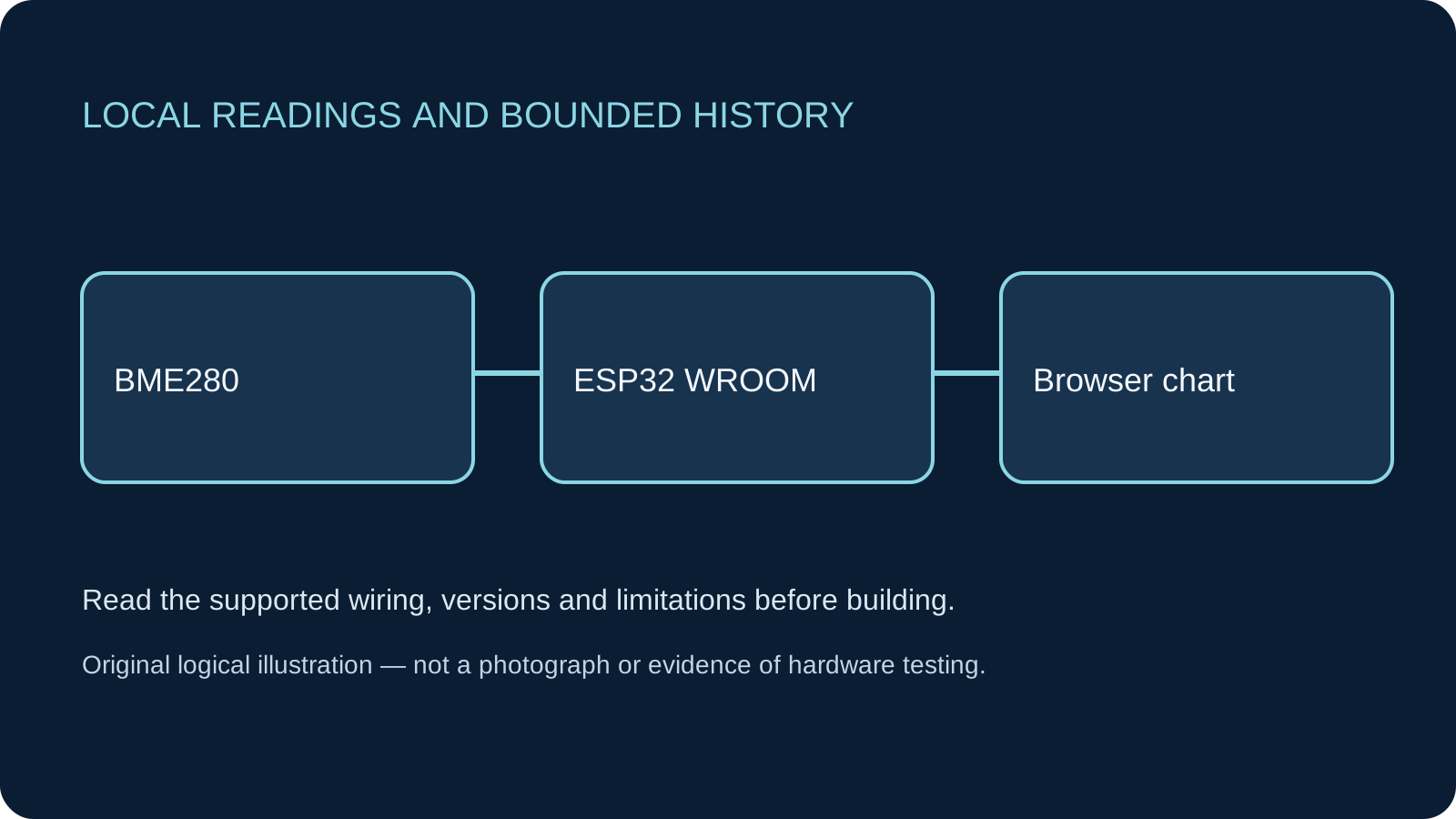
An ESP32-hosted dashboard with current temperature in °C, relative humidity in %RH and local pressure in hPa. A temperature chart and exact-value table share the same bounded sampling history. The existing weather-station tutorial remains the Serial-first foundation.
Before You Start
Classic ESP32-WROOM DevKit, Arduino IDE 2.x and Arduino-ESP32 3.3.2 as the review baseline, not a latest-release claim. Select ESP32 Dev Module only for the stated generic WROOM board. Other families need their own pin/radio review. Complete the Serial-only IDE upload first. The complete sketches below were reviewed against documentation; they have not been compiled or tested on physical hardware. One Adafruit BME280 breakout #2652 wired through its labelled header, not a bare chip or unspecified BMP/BME clone. A successful 0x76/0x77 ACK is not device identification. The library also checks chip ID 0x60; that is a compatibility check, not proof of authenticity or measurement accuracy.
Parts
- Classic ESP32-WROOM DevKitUSB data cable; pins 21 and 22 exposed.
- Adafruit BME280 breakout #2652Documented VIN 3–5 V/level shifting; this build uses 3.3 V VIN. BMP280 is not a substitute.
- Breadboard and short jumpersNo extra display or memory card.
Wiring
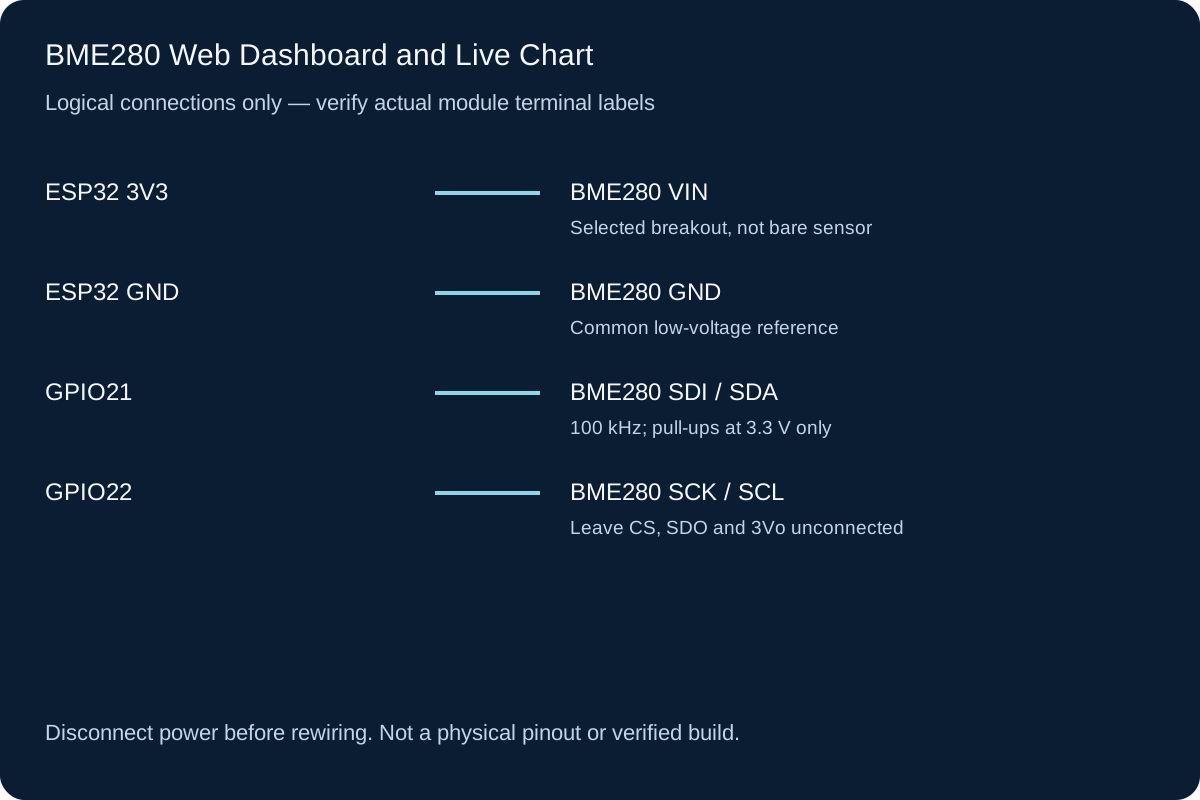
Connect the selected breakout VIN to ESP32 3V3 and GND to GND. SDI (SDA) goes to GPIO21; SCK (SCL) goes to GPIO22. Header names can differ between revisions; identify functions from the exact Adafruit pinout. Leave 3Vo, CS and SDO disconnected for default I2C operation at 0x77. The sketch also tries 0x76 for an intentionally changed address. Its I2C bus is 100 kHz with a 50 ms Wire operation timeout. Do not power a pull-up-equipped unknown module from 5 V and assume its bus is safe.
-
1
Disconnect USB; identify VIN, GND, SDI/SDA and SCK/SCL from the exact board pinout.
-
2
Wire the four connections in the table; confirm no 5 V rail reaches SDA/SCL.
-
3
Install the pinned libraries, select the stated board/core and replace the AP password.
-
4
Upload and open Serial at 115200. Initialization should identify a supported BME280 or report unavailable.
-
5
Join ESP32-BME280 and open the printed http:// IP. Stay on that network when your phone reports no internet.
Wiring Reference
| Signal | ESP32 Pin | Direction | Notes |
|---|---|---|---|
| BME280 VIN | ESP32 3V3 | Power | Selected breakout, not bare sensor |
| BME280 GND | ESP32 GND | Ground | Common low-voltage reference |
| BME280 SDI / SDA | GPIO21 | Bidirectional I2C | 100 kHz; pull-ups at 3.3 V only |
| BME280 SCK / SCL | GPIO22 | I2C clock | Leave CS, SDO and 3Vo unconnected |
Libraries and Setup
- Arduino-ESP32 3.3.2: built-in Wire, WiFi, WebServer and ESP-IDF timer/random APIs.
- Adafruit BME280 Library 2.3.0, Adafruit Unified Sensor 1.1.15 and Adafruit BusIO 1.17.0. Select these versions in Library Manager.
- Modern browser with JavaScript, fetch, AbortController and Canvas. No CDN or chart library; raw /samples JSON and Serial remain available.
Configure the Example
Replace CHANGE_ME_1234 with your own 8–63 character password. The board creates a local 2.4 GHz AP on channel 6 with one station; it does not use a router, NTP or internet. Sampling starts five seconds after initialization. The board holds up to 60 attempts, about five minutes; reset erases them. Open /samples directly for raw JSON. The page polls only after the preceding request completes, plus five seconds, with a three-second browser request timeout. Background tabs and slow clients can delay updates; this is not a precise acquisition scheduler.
Control and Recovery Behavior
| Condition | Result |
|---|---|
| Valid sample | Reads chip ID and three compensated values. Finite/in-range checks pass before all three are marked valid; pressure Pa is divided by 100 for hPa. |
| Missing or bad sample | Adds an unavailable row with null values; the chart breaks its line. Old valid numbers are not substituted as current readings. |
| Browser disconnect / bad JSON | Current value is cleared and retained chart/table labelled historical. Next polling cycle attempts recovery without overlapping requests. |
| History limit / reset | Oldest attempt is overwritten after 60. A random boot identifier lets the page notice a reboot; no durable storage or UTC timestamps. |
| Sensor initialization fails | Dashboard can still serve unavailable attempts. Correct wiring/model and reset; no repeated library initialization loop is added. |
Code
Install the libraries above and match the configuration and wiring before uploading.
bme-chart.ino
#include <Arduino.h>
#include <Wire.h>
#include <WiFi.h>
#include <WebServer.h>
#include <Adafruit_BME280.h>
#include <esp_timer.h>
#include <esp_system.h>
#include <math.h>
const char* AP_PASSWORD = "CHANGE_ME_1234"; // Replace: 8-63 characters.
constexpr uint32_t SAMPLE_MS = 5000;
constexpr size_t CAPACITY = 60;
struct Sample { uint32_t seq; uint64_t ms; bool ok; float t, rh, hpa; };
Sample history[CAPACITY];
size_t head = 0, count = 0;
uint32_t sequence = 0, lastSample = 0;
uint8_t address = 0;
bool sensorReady = false, httpReady = false;
String bootId;
Adafruit_BME280 bme;
WebServer server(80);
const char PAGE[] PROGMEM = R"HTML(
<!doctype html><html lang="en"><head><meta charset="utf-8">
<meta name="viewport" content="width=device-width,initial-scale=1">
<title>BME280 local readings and trend</title>
<style>body{font:1rem system-ui;max-width:60rem;margin:auto;padding:1rem;color:#14283a;background:#f7fafc}canvas{width:100%;height:240px;border:1px solid #597182;background:white}table{border-collapse:collapse;width:100%}th,td{padding:.5rem;text-align:left;border-bottom:1px solid #8c9ca8}.scroll{overflow:auto}#status{font-weight:600}</style></head><body>
<h1>BME280 readings and temperature trend</h1>
<p id="status" role="status">Waiting for the board...</p>
<p id="latest">No current reading.</p>
<p>Local pressure is hPa, not sea-level pressure. Temperature is °C; humidity is %RH.</p>
<canvas id="plot" width="800" height="300" role="img" aria-label="Temperature in Celsius versus seconds since board boot. Missing readings break the line; recent exact values are in the table."></canvas>
<p>Automatic vertical scale; horizontal axis: seconds since ESP32 boot, not clock time. Up to 60 attempts, about five minutes. Invalid samples break the line. No cloud or permanent log.</p>
<div class="scroll"><table><caption>Newest twelve sampling attempts</caption><thead><tr><th scope="col">Boot seconds</th><th scope="col">°C</th><th scope="col">%RH</th><th scope="col">hPa</th><th scope="col">State</th></tr></thead><tbody id="rows"></tbody></table></div>
<noscript>Automatic readings and chart require JavaScript. Open /samples for raw JSON or use Serial Monitor.</noscript>
<script>
let boot = null;
const statusNode = document.getElementById('status');
const latest = document.getElementById('latest');
const rows = document.getElementById('rows');
const canvas = document.getElementById('plot');
const ctx = canvas.getContext('2d');
function draw(samples) {
ctx.clearRect(0, 0, 800, 300);
const valid = samples.filter(s => s.ok);
ctx.fillStyle = '#14283a'; ctx.font = '16px sans-serif';
if (!valid.length) { ctx.fillText('No valid temperature history', 60, 80); return; }
let lo = Math.min(...valid.map(s => s.t)) - 0.5;
let hi = Math.max(...valid.map(s => s.t)) + 0.5;
let left = samples[0].ms, right = samples[samples.length - 1].ms;
if (right === left) right = left + 5000;
const x = s => 60 + 700 * (s.ms - left) / (right - left);
const y = s => 250 - 210 * (s.t - lo) / (hi - lo);
ctx.fillText(hi.toFixed(1) + ' C', 4, 35); ctx.fillText(lo.toFixed(1), 4, 250);
ctx.fillText((left / 1000).toFixed(0) + ' s', 60, 285);
ctx.fillText((right / 1000).toFixed(0) + ' s', 690, 285);
ctx.strokeStyle = '#8c9ca8'; ctx.beginPath();ctx.moveTo(60,35);ctx.lineTo(60,250);ctx.lineTo(760,250);ctx.stroke();
ctx.strokeStyle = '#005a8d'; ctx.lineWidth = 3; ctx.beginPath();
let previous = null;
for (const s of samples) {
if (!s.ok) { previous = null; continue; }
if (!previous || s.ms - previous.ms > 7500) ctx.moveTo(x(s), y(s));
else ctx.lineTo(x(s), y(s));
previous = s;
}
ctx.stroke();
for (const s of valid) { ctx.beginPath();ctx.arc(x(s),y(s),3,0,2*Math.PI);ctx.fill(); }
}
function validPayload(d) {
return d && typeof d.boot === 'string' && Number.isFinite(d.now_ms) &&
Array.isArray(d.samples) && d.samples.length <= 60 && d.samples.every((s,i,a) =>
Number.isInteger(s.seq) && Number.isFinite(s.ms) && s.ms <= d.now_ms &&
(i === 0 || s.ms >= a[i-1].ms) && typeof s.ok === 'boolean' &&
(!s.ok || [s.t,s.rh,s.hpa].every(Number.isFinite)));
}
function show(d) {
if (!validPayload(d)) throw new Error('Invalid response');
const rebooted = boot !== null && boot !== d.boot; boot = d.boot;
const samples = d.samples;
const s = samples[samples.length - 1];
const fresh = s && s.ok && d.now_ms - s.ms <= 10000;
statusNode.textContent = (rebooted ? 'Board reboot detected. ' : '') +
(fresh ? 'Current sample available. ' : 'Current reading unavailable or stale. ') +
'Attempt history: ' + samples.length + '/60. Browser polls after each request plus 5 seconds.';
latest.textContent = fresh ? s.t.toFixed(2) + ' C | ' + s.rh.toFixed(2) + ' %RH | ' + s.hpa.toFixed(2) + ' hPa' : 'No current reading; do not reuse an old value.';
rows.replaceChildren();
for (const s of samples.slice(-12).reverse()) {
const tr = document.createElement('tr');
const cells = [(s.ms/1000).toFixed(1), s.ok?s.t.toFixed(2):'--', s.ok?s.rh.toFixed(2):'--', s.ok?s.hpa.toFixed(2):'--',s.ok?'valid':'unavailable'];
for (const value of cells) { const td=document.createElement('td');td.textContent=value;tr.append(td); }
rows.append(tr);
}
draw(samples);
}
async function tick() {
const controller = new AbortController(); const timer = setTimeout(() => controller.abort(),3000);
try {
const response = await fetch('/samples',{cache:'no-store',signal:controller.signal});
if (!response.ok) throw new Error('HTTP failure');
show(await response.json());
} catch (error) {
statusNode.textContent = 'Board unreachable or invalid response. Retained chart/table are historical, not current.';
latest.textContent = 'No current reading.';
} finally { clearTimeout(timer); setTimeout(tick,5000); }
}
tick();
</script></body></html>
)HTML";
bool chipResponds() {
Wire.beginTransmission(address); Wire.write(0xD0);
if (Wire.endTransmission(false) != 0) return false;
if (Wire.requestFrom(address, uint8_t(1)) != 1) return false;
return Wire.read() == 0x60; // Compatibility check, not proof of authenticity.
}
void sampleSensor() {
Sample s = {};
s.seq = ++sequence; s.ms = uint64_t(esp_timer_get_time()) / 1000;
if (sensorReady && chipResponds()) {
s.t = bme.readTemperature(); s.rh = bme.readHumidity(); s.hpa = bme.readPressure() / 100.0F;
s.ok = isfinite(s.t) && isfinite(s.rh) && isfinite(s.hpa) &&
s.t >= -40 && s.t <= 85 && s.rh >= 0 && s.rh <= 100 && s.hpa >= 300 && s.hpa <= 1100;
}
history[head] = s; head = (head + 1) % CAPACITY;
if (count < CAPACITY) ++count;
Serial.printf("Attempt %lu: %s\n", (unsigned long)s.seq, s.ok ? "valid" : "unavailable");
}
void sendSamples() {
String json;
if (!json.reserve(11000)) { server.send(503,"text/plain","Insufficient memory\n");return; }
json = "{\"boot\":\"" + bootId + "\",\"now_ms\":" + String((unsigned long long)(esp_timer_get_time()/1000)) + ",\"samples\":[";
for (size_t i=0; i<count; ++i) {
const Sample& s = history[(head + CAPACITY - count + i) % CAPACITY];
if (i) json += ',';
json += "{\"seq\":" + String(s.seq) + ",\"ms\":" + String((unsigned long long)s.ms) + ",\"ok\":";
json += s.ok ? "true" : "false";
if (s.ok) json += ",\"t\":" + String(s.t,2) + ",\"rh\":" + String(s.rh,2) + ",\"hpa\":" + String(s.hpa,2);
else json += ",\"t\":null,\"rh\":null,\"hpa\":null";
json += '}';
}
json += "]}";
server.sendHeader("Cache-Control","no-store"); server.send(200,"application/json",json);
}
void setup() {
Serial.begin(115200); bootId = String(esp_random(),HEX);
Wire.begin(21,22,100000); Wire.setTimeOut(50);
// Initialization is a one-time library operation. Reset after correcting a fault.
for (uint8_t a=0x76; a<=0x77; ++a) {
address = a;
if (chipResponds() && bme.begin(a,&Wire)) { sensorReady = true; break; }
}
if (sensorReady) {
bme.setSampling(Adafruit_BME280::MODE_NORMAL,Adafruit_BME280::SAMPLING_X1,
Adafruit_BME280::SAMPLING_X1,Adafruit_BME280::SAMPLING_X1,
Adafruit_BME280::FILTER_OFF,Adafruit_BME280::STANDBY_MS_1000);
}
Serial.println(sensorReady ? "BME280 initialized; first sample after 5 s" : "No supported BME280; reset after wiring correction");
server.on("/",HTTP_GET,[](){ server.sendHeader("Cache-Control","no-store");server.send_P(200,"text/html; charset=utf-8",PAGE); });
server.on("/samples",HTTP_GET,sendSamples);
server.onNotFound([](){ server.send(404,"text/plain","Not found\n"); });
if (WiFi.mode(WIFI_AP) && WiFi.softAP("ESP32-BME280",AP_PASSWORD,6,false,1)) {
server.begin();httpReady=true;Serial.print("Open http://");Serial.println(WiFi.softAPIP());
} else Serial.println("AP failed; check configuration and reset");
lastSample = millis();
}
void loop() {
if (millis()-lastSample >= SAMPLE_MS) { lastSample=millis();sampleSensor(); }
if (httpReady) server.handleClient();
delay(1);
}How the Code Works
The loop samples independently of HTTP requests and stores a fixed-size ring buffer. GET /samples returns a snapshot in oldest-to-newest order, with a sequence number, a 64-bit monotonic millisecond timestamp since this boot and nulls for invalid readings. GET does not take another measurement. The browser plots temperature only, shows all three quantities in the newest-twelve-attempt table, and breaks connections across invalid rows or timestamp gaps above 7.5 seconds. The chart auto-scales vertically; it does not prove a large physical change. Sensor sampling is nominally every five seconds; page arrival times are not used as sensor timestamps.
Expected Output
On a correctly assembled bench the page should show plausible readings, then a growing temperature trend and table. The first few seconds may show no current reading. Older valid history may remain visible during a failure, but its status must identify it as historical. Values depend on the actual environment; no specific readings, calibration accuracy or successful hardware run are claimed here.
Troubleshooting
- Address responds but library fails Confirm BME280 rather than BMP280, board address configuration, VIN and 3.3 V signal levels. ACK alone does not prove identity.
- History is present but no current value Read the status and latest sampling attempt. A failed or >10-second-old newest sample is not current; check wiring and reset after power-off correction.
- Page cannot connect Use the Serial-printed http:// address while connected to the ESP32 AP, not the home router. Check mobile-data/VPN routing.
- Chart has gaps or stretches Failed samples and >7.5-second time gaps deliberately break the line. Slow synchronous requests/browser scheduling can delay acquisition. No samples are synthesized to hide gaps.
- Pressure differs from a weather app This is local station pressure in hPa, not sea-level-adjusted pressure. Altitude conversion needs a relevant reference pressure and assumptions; no altitude or forecast calculation is included.
- Board remains in sensor startup The pinned sensor library performs blocking initialization and calibration-status waits. Wire timeouts do not bound that whole library operation. Remove power, correct the bus/sensor, and reset; no deterministic recovery guarantee is made.
Checks to Perform on Your Build
- Verify Serial-only BME280 readings before the dashboard.
- Compare /samples latest attempt with the visible table, units and boot seconds.
- After several minutes confirm at most 60 attempts remain; invalid rows and timestamp gaps must not be joined with invented points.
- To test a missing-sensor startup safely, power off, disconnect the sensor, then restart. Do not hot-unplug wires on a powered breadboard.
- Reboot and check that uptime/history restart; disconnect the browser network and check unavailable/current versus retained-history wording.
Practical Design Notes
BME280 temperature can be influenced by board heating and enclosure airflow. Range checks reject obvious nonsense; they are not calibration or full I2C fault detection and cannot prove that every plausible result is fresh. Normal-mode sensor conversions run separately from five-second application reads. Supply and pull-up claims apply to the selected breakout; a bare BME280 has different pin/power requirements. RAM history and uptime timestamps are deliberately distinct from a timestamped SD logger. The local server is plain HTTP without user authentication or TLS; the AP password only controls network admission. Do not expose it through a router. Synchronous WebServer and library operations may delay the loop; this is an educational dashboard, not guaranteed real-time monitoring.
Review, Testing, and References
Author: Abdul Mubeen and the ESP32 Engine editorial team. Last updated: 2026-10-24. Reviewed: wiring logic, Arduino code structure, beginner safety, and learning sequence.
Educational level: Intermediate. Estimated completion time: Varies by build. This project is for learning and prototyping; production or unattended hardware needs additional engineering review.
- Author & Editorial Team
- Editorial Policy
- Testing Methodology
- Espressif ESP32 Documentation
- Arduino ESP32 Core
- Arduino-ESP32 3.3.2 Wi-Fi interfaces
- Classic ESP32 datasheet
- Adafruit BME280 breakout pinouts, VIN and address
- Bosch BME280 datasheet
- Adafruit BME280 2.3.0 implementation
- Adafruit Unified Sensor 1.1.15
- Adafruit BusIO 1.17.0
- WebServer API at Arduino-ESP32 3.3.2