
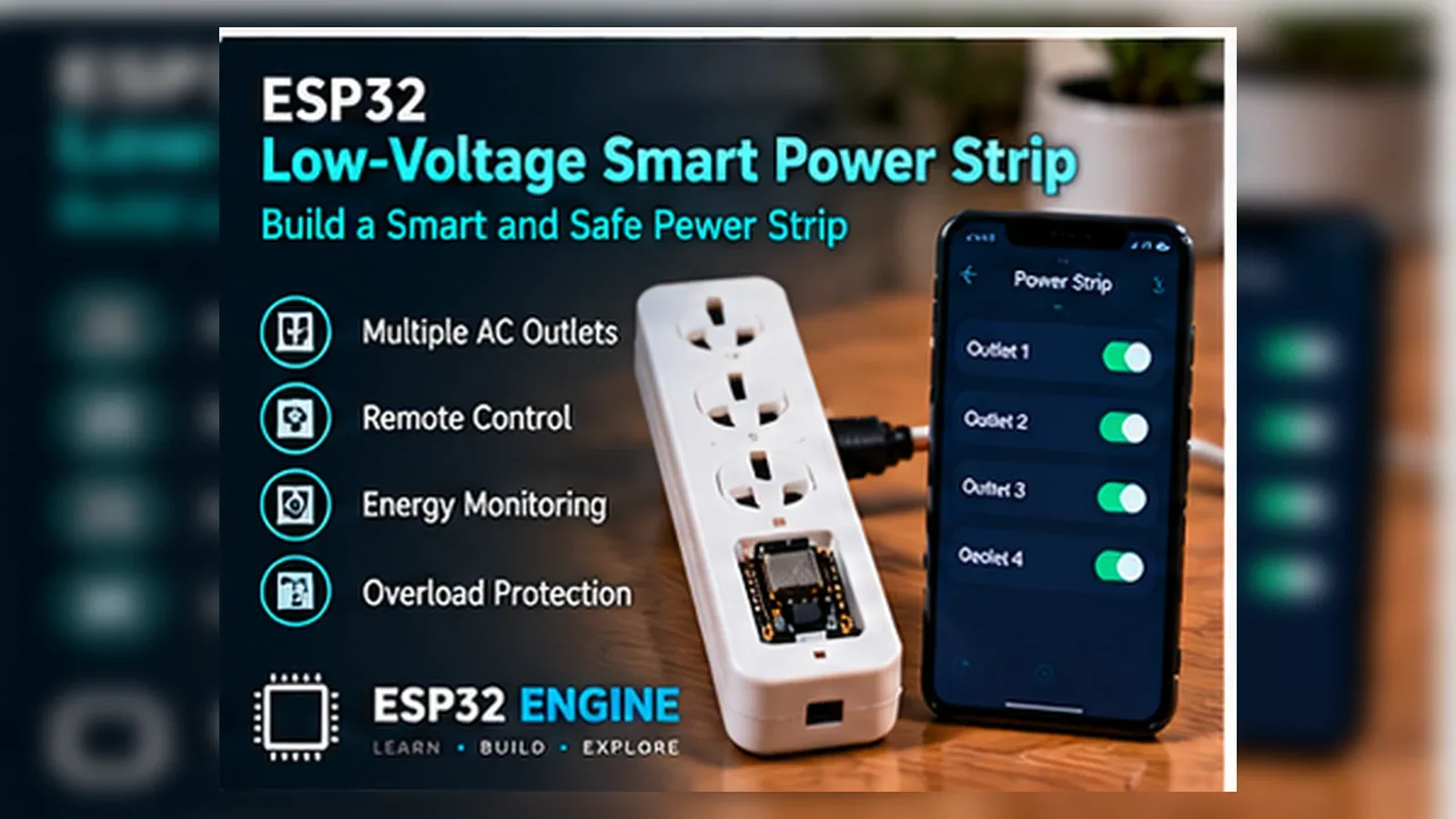
ESP32 Smart Power Strip

Smart HomeBeginnerIntermediateAdvanced

Convert a standard power strip into a smart IoT device using four relay channels controlled by an ESP32 web interface. Monitor current draw per socket with ACS712 sensors, schedule outlets on and off, and integrate with Home Assistant via MQTT.

Overview

In this beginner project you will wire four relay modules to the ESP32 and build a simple web page with toggle buttons for each socket. Connecting to the ESP32 IP address in a browser shows four buttons labelled Socket 1-4. Each button sends an HTTP GET request that toggles the corresponding relay. A status indicator shows whether each socket is on or off. No cloud service or app is required.

Components
  • 1× ESP32 DevKit V1
  • 1× 4-channel relay module (5 V) — Active LOW; each channel handles up to 10 A / 250 VAC
  • 1× Mains power strip — Modified to insert relay into each socket live wire
  • 1× Wi-Fi router — Web interface access
  • 1× Enclosure — Mains-rated plastic enclosure; safety critical
Wiring
Component PinESP32 PinNotes
Relay IN1GPIO 26Socket 1
Relay IN2GPIO 27Socket 2
Relay IN3GPIO 14Socket 3
Relay IN4GPIO 12Socket 4
Relay VCC5 V (Vin)Relay coils require 5 V
Relay GNDGND
Arduino Code
esp32-smart-power-strip_beginner.ino
// ESP32 Smart Power Strip - Beginner (4-socket web toggle)
#include <WiFi.h>
#include <WebServer.h>

WebServer server(80);
const char* SSID="YourSSID", *PASS="YourPass";

const int RELAY_PINS[4] = {26, 27, 14, 12};
bool relayState[4] = {false, false, false, false};

void applyRelays() {
  for (int i = 0; i < 4; i++)
    digitalWrite(RELAY_PINS[i], relayState[i] ? LOW : HIGH);
}

void servePanel() {
  String html = "<html><head><title>Smart Power Strip</title></head><body>"
                "<h2>Smart Power Strip</h2>";
  for (int i = 0; i < 4; i++) {
    html += "<p>Socket " + String(i + 1) + ": "
          + String(relayState[i] ? "<b>ON</b>" : "OFF")
          + " <a href="/toggle?s=" + String(i) + "">"
          + String(relayState[i] ? "Turn OFF" : "Turn ON")
          + "</a></p>";
  }
  html += "</body></html>";
  server.send(200, "text/html", html);
}

void handleToggle() {
  if (!server.hasArg("s")) { server.send(400, "text/plain", "missing s"); return; }
  int s = server.arg("s").toInt();
  if (s < 0 || s > 3) { server.send(400, "text/plain", "invalid"); return; }
  relayState[s] = !relayState[s];
  applyRelays();
  server.sendHeader("Location", "/");
  server.send(302, "text/plain", "");
}

void setup() {
  Serial.begin(115200);
  for (int i = 0; i < 4; i++) {
    pinMode(RELAY_PINS[i], OUTPUT);
    digitalWrite(RELAY_PINS[i], HIGH); // start with all sockets off
  }
  WiFi.begin(SSID, PASS);
  while (WiFi.status() != WL_CONNECTED) delay(500);
  Serial.printf("Panel: http://%s/n", WiFi.localIP().toString().c_str());
  server.on("/", servePanel);
  server.on("/toggle", handleToggle);
  server.begin();
}

void loop() { server.handleClient(); }
How It Works
01

Active-LOW Relay Module: The 4-channel relay module activates each relay when the corresponding IN pin is pulled LOW. On power-up, all IN pins are initialised HIGH (relay off, socket de-energised). This fail-safe state prevents appliances from unexpectedly turning on during ESP32 reset or programming.

02

HTTP Redirect After Toggle: The /toggle handler redirects back to / with a 302 response after changing state. This prevents the browser from re-submitting the toggle request if the page is refreshed, which could unintentionally flip the socket state back immediately.

03

State Tracking in RAM: The relayState[] boolean array tracks whether each socket is on or off. This state is lost on power-off. The intermediate build adds NVS persistence to restore socket states after a power cut.

04

Mains Wiring Safety: Each relay COM contact connects to the live (phase) wire of the corresponding socket. The normally-open (NO) contact connects to the socket live terminal. Neutral is wired directly through without switching. Earth is never switched and connects directly to all socket earth terminals.

Applications
  • Home office desk power strip with web-controlled outlets
  • Workshop bench power control for multiple tools
  • Holiday decoration automated on/off switching
  • Server rack PDU with web management interface
Troubleshooting

All relays click on and off rapidly at startup

The relay IN pins floated during ESP32 boot before GPIO output mode was set. This is a known ESP32 boot issue. Add a 10 kohm pull-up resistor from each IN pin to 5 V to hold them HIGH (relay off) during the boot sequence.

Web page does not load

Verify the ESP32 is connected to Wi-Fi and the IP address is correct. Try the IP address directly in the browser. Check that the router has not assigned a new IP; set a static DHCP reservation for the ESP32 MAC address in the router admin page.

Relay does not click when toggle is pressed

Verify the relay module VCC is connected to 5 V (Vin), not 3.3 V. Also check IN pin wiring matches RELAY_PINS[]. Confirm the relay coil activates by connecting the IN pin directly to GND with a jumper wire and listening for the click.

Upgrades
  • Add NVS state persistence so socket states survive power cuts
  • Add ACS712 current sensors to measure load current per socket
  • Add a countdown timer to automatically turn off a socket after N minutes
  • Add password protection to the web interface
FAQ

You need an ESP32 DevKit, TODO: sensor, Relay IN1, a breadboard, jumper wires, and a USB cable for power and programming.

Only the Advanced stage uses Wi-Fi. Beginner and Intermediate builds run offline on the ESP32 with USB power.

Start with Beginner if you are new to Home Automation. Use Intermediate for OLED feedback and Advanced for dashboards or connected monitoring.

Overview

The intermediate build adds an ACS712 current sensor on each socket to measure current draw in real time. An OLED shows per-socket current and total power (assuming 230 V mains). A scheduling system powered by NTP automatically turns sockets on and off at configured times. Socket states and schedules are stored in NVS so they survive power cuts and ESP32 restarts.

Components
  • 1× ESP32 DevKit V1
  • 1× 4-channel relay module
  • 4× ACS712 current sensor module (5 A or 20 A) — One per socket; inline with mains live wire
  • 1× SSD1306 OLED 128x64 I2C
  • 1× Wi-Fi router — NTP + web dashboard
Wiring
Component PinESP32 PinNotes
ACS712 OUT (x4)GPIO 34/35/36/39One ADC input per socket current sensor
Relay IN1-4GPIO 26/27/14/12
OLED SDA/SCLGPIO 21/22
Arduino Code
esp32-smart-power-strip_intermediate.ino
// ESP32 Smart Power Strip - Intermediate (ACS712 + scheduling + NVS)
#include <WiFi.h>
#include <WebServer.h>
#include <Wire.h>
#include <Adafruit_SSD1306.h>
#include <Preferences.h>
#include <time.h>

Adafruit_SSD1306 oled(128,64,&Wire,-1);
WebServer server(80);
Preferences prefs;

const char* SSID="YourSSID", *PASS="YourPass";
const int RELAY[4]={26,27,14,12};
const int ACS[4]={34,35,36,39};
const float ACS712_SENS=0.185f; // 5A module: 185 mV/A
const float VREF=3.3f; const float ADC_MAX=4095.0f;
const float MAINS_V=230.0f;
bool relayState[4]={false,false,false,false};
// Schedule: onHour, onMin, offHour, offMin per socket (0=disabled)
int schedOn[4][2]={{0,0},{0,0},{0,0},{0,0}};
int schedOff[4][2]={{0,0},{0,0},{0,0},{0,0}};

float readCurrentA(int ch){
  long sum=0; for(int i=0;i<200;i++) sum+=analogRead(ACS[ch]);
  float v=(sum/200.0f)/ADC_MAX*VREF;
  float vMid=VREF/2.0f;
  return abs(v-vMid)/ACS712_SENS;
}

void setRelay(int ch, bool on){
  relayState[ch]=on;
  digitalWrite(RELAY[ch],on?LOW:HIGH);
  prefs.begin("strip",false);
  prefs.putBool(("r"+String(ch)).c_str(),on);
  prefs.end();
}

void applySchedule(){
  struct tm ti; if(!getLocalTime(&ti)) return;
  for(int i=0;i<4;i++){
    if(schedOn[i][0]==ti.tm_hour&&schedOn[i][1]==ti.tm_min) setRelay(i,true);
    if(schedOff[i][0]==ti.tm_hour&&schedOff[i][1]==ti.tm_min) setRelay(i,false);
  }
}

void servePanel(){
  String html="<html><body><h2>Smart Strip</h2><table border=1>"
    "<tr><th>Socket</th><th>State</th><th>Current</th><th>Power</th><th>Toggle</th></tr>";
  for(int i=0;i<4;i++){
    float a=readCurrentA(i);
    html+="<tr><td>"+String(i+1)+"</td>"
      "<td>"+(relayState[i]?"ON":"OFF")+"</td>"
      "<td>"+String(a,2)+"A</td>"
      "<td>"+String(a*MAINS_V,0)+"W</td>"
      "<td><a href="/toggle?s="+String(i)+"">Toggle</a></td></tr>";
  }
  html+="</table></body></html>";
  server.send(200,"text/html",html);
}

void setup(){
  Serial.begin(115200);
  Wire.begin(21,22);
  oled.begin(SSD1306_SWITCHCAPVCC,0x3C); oled.setTextColor(WHITE);
  analogReadResolution(12);
  prefs.begin("strip",true);
  for(int i=0;i<4;i++){
    pinMode(RELAY[i],OUTPUT);
    bool on=prefs.getBool(("r"+String(i)).c_str(),false);
    digitalWrite(RELAY[i],on?LOW:HIGH); relayState[i]=on;
  }
  prefs.end();
  WiFi.begin(SSID,PASS);
  while(WiFi.status()!=WL_CONNECTED) delay(500);
  configTime(0,0,"pool.ntp.org");
  server.on("/",servePanel);
  server.on("/toggle",HTTP_GET,[](){ // inline lambda not ideal but functional
    int s=server.arg("s").toInt();
    if(s>=0&&s<4) setRelay(s,!relayState[s]);
    server.sendHeader("Location","/"); server.send(302,"","");
  });
  server.begin();
}

void loop(){
  server.handleClient();
  applySchedule();
  // Update OLED every 2 s
  static unsigned long last=0;
  if(millis()-last>2000){
    last=millis();
    oled.clearDisplay(); oled.setTextSize(1); oled.setCursor(0,0);
    float total=0;
    for(int i=0;i<4;i++){
      float a=readCurrentA(i); total+=a*MAINS_V;
      oled.printf("S%d:%s %.1fAn",i+1,relayState[i]?"ON ":"OFF",a);
    }
    oled.printf("Total: %.0fWn",total);
    oled.display();
  }
}
How It Works
01

ACS712 AC Current Sensing: The ACS712 is a Hall-effect current sensor inserted inline with the mains live wire. It outputs a voltage centered at VCC/2 (1.65 V for 3.3 V supply) with 185 mV/A sensitivity for the 5 A variant. RMS current is estimated by taking 200 ADC samples and computing the deviation from the midpoint.

02

Apparent Power Estimation: Power (W) = Vrms * Irms * power_factor. Without measuring voltage phase, the true power factor is unknown. This code assumes unity power factor (resistive loads). For inductive loads (motors, compressors) the actual power may be 20-40 percent lower than displayed.

03

NVS State Persistence: Each relay state is saved to NVS immediately after toggling. On startup, the saved states are read and restored before any web server connection is accepted. This ensures mains sockets return to their pre-power-cut state after an outage.

04

NTP Schedule Enforcement: applySchedule() is called every loop iteration. It checks the current hour and minute against each socket's on and off schedule. When a match occurs, the relay is switched. Schedules are checked every loop cycle (approximately every millisecond) so triggers fire within 1 second of the scheduled time.

Applications
  • Home office equipment power management with usage monitoring
  • Grow tent automated lighting and ventilation schedule
  • Server rack PDU with per-outlet current monitoring
  • Energy audit tool to measure appliance power consumption
Troubleshooting

ACS712 reads non-zero current with no load

Electromagnetic interference from the mains wiring induces noise on the ACS712 output. The 200-sample average reduces this significantly. For true RMS measurement, take samples over one full mains cycle (20 ms for 50 Hz, 16.7 ms for 60 Hz) and compute sqrt(mean(v^2)).

Schedule fires at wrong time

Check the timezone offset in configTime(). The first parameter is UTC offset in seconds (e.g. 3600 for UTC+1). If your timezone observes daylight saving time, use a POSIX timezone string as the third parameter instead of a fixed offset.

OLED flickers during current measurement

The 200-sample ADC loop takes approximately 20 ms and temporarily blocks the display update task. Move current sampling to a FreeRTOS task on Core 1 to decouple it from the display update on Core 0.

Upgrades
  • Add MQTT publishing of per-socket current and power to Home Assistant
  • Add a daily kWh accumulator per socket using trapezoidal integration
  • Add a current overload alert that turns off a socket if current exceeds a threshold
  • Add a web schedule editor page with time-picker inputs for each socket
FAQ

You need an ESP32 DevKit, TODO: sensor, Relay IN1, a breadboard, jumper wires, and a USB cable for power and programming.

Only the Advanced stage uses Wi-Fi. Beginner and Intermediate builds run offline on the ESP32 with USB power.

Start with Beginner if you are new to Home Automation. Use Intermediate for OLED feedback and Advanced for dashboards or connected monitoring.

Overview

The advanced build publishes per-socket power data to MQTT every 30 seconds and integrates with Home Assistant as four independent switch and sensor entities. Daily energy consumption (kWh) is accumulated per socket and published at midnight. An overload protection relay automatically cuts power to a socket if its current exceeds a configurable threshold, and sends an MQTT alert. A Node-RED dashboard displays 24-hour power trend charts per socket.

Components
  • 1× ESP32 DevKit V1
  • 1× 4-channel relay module
  • 4× ACS712 current sensor
  • 1× MQTT broker (Mosquitto)
  • 1× Home Assistant — MQTT switch and sensor entities
Wiring
Component PinESP32 PinNotes
All sensors and relaysSame as intermediate
Arduino Code
esp32-smart-power-strip_advanced.ino
// ESP32 Smart Power Strip - Advanced (MQTT + Home Assistant + kWh + overload)
#include <WiFi.h>
#include <PubSubClient.h>
#include <ArduinoJson.h>
#include <time.h>

WiFiClient wifiClient; PubSubClient mqtt(wifiClient);
const char* SSID="YourSSID", *PASS="YourPass";
const char* MQTT_HOST="192.168.1.100";
const int RELAY[4]={26,27,14,12};
const int ACS[4]={34,35,36,39};
bool relayState[4]={false};
float dailyKwh[4]={0};
const float MAX_CURRENT[4]={10.0f,10.0f,10.0f,10.0f}; // per-socket overload threshold

float readCurrentA(int ch){
  long s=0; for(int i=0;i<200;i++) s+=analogRead(ACS[ch]);
  return abs((s/200.0f)/4095.0f*3.3f-1.65f)/0.185f;
}

void setRelay(int ch, bool on){
  relayState[ch]=on;
  digitalWrite(RELAY[ch],on?LOW:HIGH);
  StaticJsonDocument<64> doc; doc["state"]=on?"ON":"OFF";
  char buf[64]; serializeJson(doc,buf);
  mqtt.publish(("strip/socket/"+String(ch+1)+"/state").c_str(),buf,true);
}

void mqttCallback(char* topic, byte* payload, unsigned int len){
  String t(topic), msg((char*)payload,len);
  for(int i=0;i<4;i++){
    if(t=="strip/socket/"+String(i+1)+"/set"){
      setRelay(i,msg=="ON");
    }
  }
}

void publishPower(){
  for(int i=0;i<4;i++){
    float a=readCurrentA(i);
    float w=a*230.0f;
    dailyKwh[i]+=w/1000.0f*(30.0f/3600.0f); // 30-second interval
    // Overload check
    if(relayState[i]&&a>MAX_CURRENT[i]){
      setRelay(i,false);
      mqtt.publish(("strip/socket/"+String(i+1)+"/alert").c_str(),"OVERLOAD");
    }
    StaticJsonDocument<128> doc;
    doc["current"]=a; doc["power"]=w; doc["kwh"]=dailyKwh[i];
    char buf[128]; serializeJson(doc,buf);
    mqtt.publish(("strip/socket/"+String(i+1)+"/power").c_str(),buf);
  }
}

void setup(){
  Serial.begin(115200);
  analogReadResolution(12);
  for(int i=0;i<4;i++){ pinMode(RELAY[i],OUTPUT); digitalWrite(RELAY[i],HIGH); }
  WiFi.begin(SSID,PASS);
  while(WiFi.status()!=WL_CONNECTED) delay(500);
  configTime(0,0,"pool.ntp.org");
  mqtt.setServer(MQTT_HOST,1883);
  mqtt.setCallback(mqttCallback);
}

void loop(){
  if(!mqtt.connected()){
    mqtt.connect("SmartStrip");
    for(int i=0;i<4;i++)
      mqtt.subscribe(("strip/socket/"+String(i+1)+"/set").c_str());
  }
  mqtt.loop();
  static unsigned long last=0;
  if(millis()-last>30000){ last=millis(); publishPower(); }
  // Reset kWh at midnight
  struct tm ti; if(getLocalTime(&ti)&&ti.tm_hour==0&&ti.tm_min==0&&ti.tm_sec<5)
    for(int i=0;i<4;i++) dailyKwh[i]=0;
}
How It Works
01

Home Assistant MQTT Discovery: Each socket maps to an HA switch entity (topic strip/socket/N/set, state strip/socket/N/state) and a sensor entity (topic strip/socket/N/power). HA MQTT integration auto-discovers these topics from the configuration. Users can toggle sockets from the HA dashboard and see live current and power readings.

02

Energy Accumulation (kWh): Each 30-second power measurement is integrated: kWh += (Watts / 1000) * (30 / 3600). Over 24 hours this accumulates the daily energy consumption per socket. At midnight (tm_hour==0, tm_min==0) the accumulators reset to zero for the next day.

03

Overload Protection: After each current reading, if the socket is on and current exceeds MAX_CURRENT, the relay is immediately turned off and an OVERLOAD alert is published to the socket alert MQTT topic. Home Assistant can trigger a notification and prevent the socket from being turned back on automatically.

04

Node-RED 24-Hour Power Chart: Node-RED subscribes to strip/socket/+/power (wildcard topic) and stores JSON payloads in a per-socket circular buffer. A chart widget plots watt readings against time, enabling identification of peak usage periods and idle consumption from always-on standby devices.

Applications
  • Home energy management with per-appliance consumption tracking
  • Smart home automation hub controlling legacy non-smart appliances
  • Data centre PDU with remote management and overload protection
  • Tenant billing system tracking electricity consumption per room
Troubleshooting

Home Assistant shows socket state as unavailable

The HA MQTT switch entity requires the state topic to publish ON or OFF strings. Verify the JSON payload contains {\"state\":\"ON\"} and the HA entity configuration value_template is set to {{value_json.state}}.

Daily kWh resets multiple times at midnight

The loop() runs thousands of times per second; the midnight condition fires continuously for the first 5 seconds (tm_sec<5). The 5-second window prevents multiple resets per day but requires the loop to run at least once within those 5 seconds.

Overload trips immediately on motor start

Electric motors draw 3-6 times their rated current at startup. Add a 5-second startup grace period: record the relay-on timestamp and skip overload checking for 5 seconds after each relay activation.

Upgrades
  • Add a TFT display showing a real-time power bar chart per socket
  • Add voice control via the voice relay project MQTT integration
  • Add reactive power measurement using a ZMPT101B voltage sensor for true power factor
  • Add tariff-based cost calculation: multiply kWh by electricity unit cost per hour
FAQ

You need an ESP32 DevKit, TODO: sensor, Relay IN1, a breadboard, jumper wires, and a USB cable for power and programming.

Only the Advanced stage uses Wi-Fi. Beginner and Intermediate builds run offline on the ESP32 with USB power.

Start with Beginner if you are new to Home Automation. Use Intermediate for OLED feedback and Advanced for dashboards or connected monitoring.