
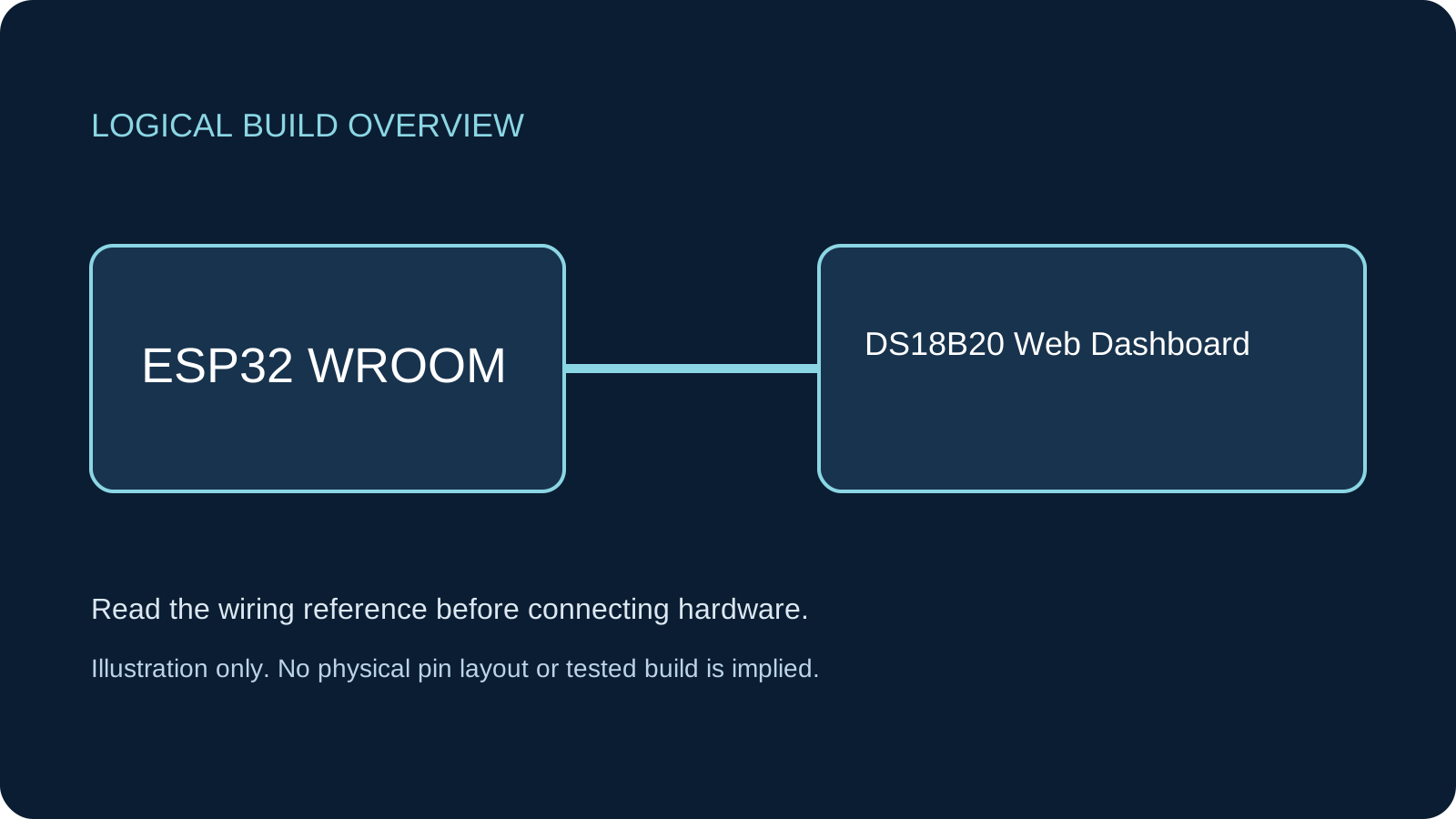
What You Will Build
A read-only temperature page served by the ESP32 itself. Join the board’s access point and use its printed HTTP address. Sampling runs every two seconds, while the page refreshes every three seconds; neither depends on a cloud service.
Before You Start
Classic ESP32-WROOM DevKit with Arduino-ESP32 3.3.2 as the explicit review baseline, not a latest-release claim. One genuine DS18B20 family-0x28 device, externally powered from 3.3 V, with short leads. A phone/computer must support the board’s 2.4 GHz AP. This is not a waterproof-probe rating or compatibility claim for every ESP32 family. Documentation and code-structure review only; compilation and physical hardware testing have not been performed.
Parts
- Classic ESP32-WROOM DevKitSelect ESP32 Dev Module for the stated board.
- One documented DS18B20Bare TO-92 or documented three-wire probe; verify identity and lead order.
- 4.7 kΩ resistorDQ pull-up to 3.3 V; short breadboard wiring.
- Breadboard, jumpers and USB data cableWire only with USB disconnected.
Wiring
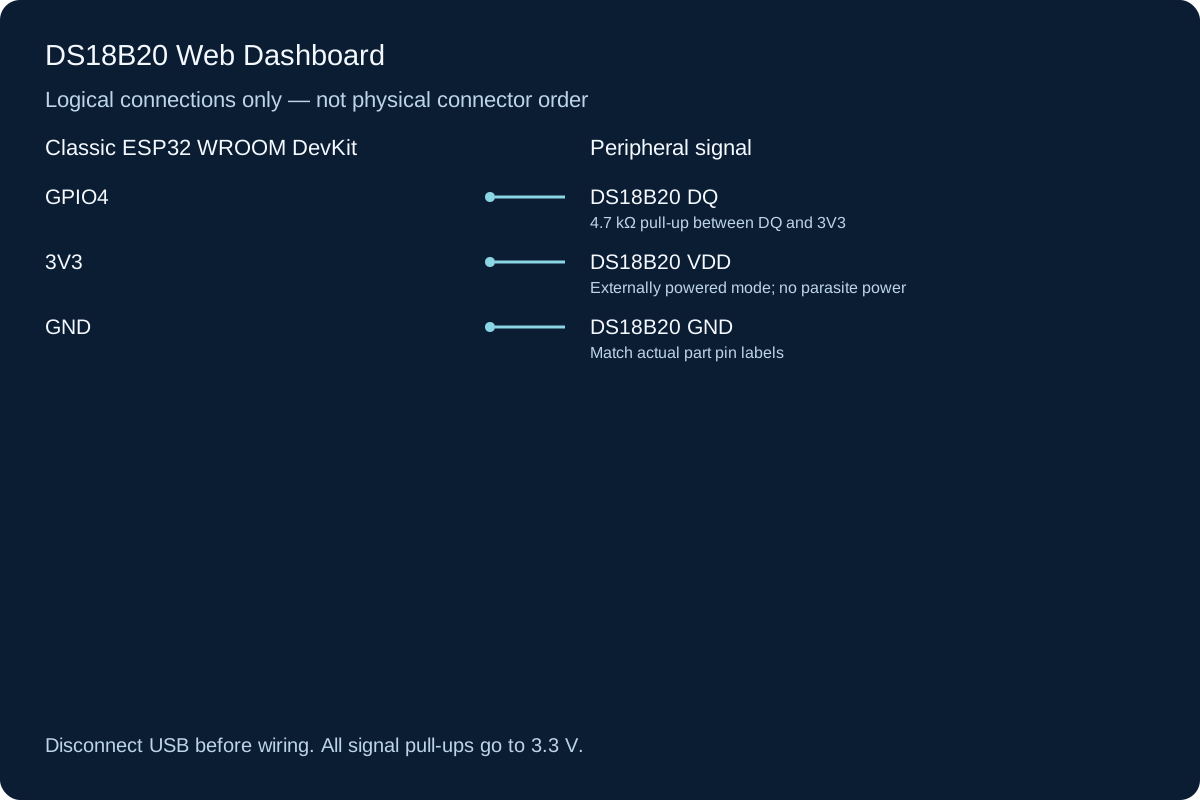
Use the manufacturer package drawing to identify GND, DQ and VDD. The illustration shows electrical names, not a universal left-to-right order. For a probe do not infer functions from wire colors. DS18B20 local-power operation allows 3.0–5.5 V, but this build uses 3.3 V supply and DATA pull-up to keep ESP32 signals safe. Add 4.7 kΩ from DQ to 3V3; the ESP32 internal pull-up is not the specified bus resistor.
-
1
Unplug USB. Identify the actual device and supply/data/ground leads.
-
2
Wire VDD to 3V3, GND to GND and DQ to GPIO4.
-
3
Connect 4.7 kΩ from GPIO4/DQ to 3V3. Inspect any fitted module pull-up first.
-
4
Check for shorts and reconnect USB. Upload the full sketch and open Serial at 115200.
Wiring Reference
| Signal | ESP32 Pin | Direction | Notes |
|---|---|---|---|
| DS18B20 DQ | GPIO4 | Bidirectional | 4.7 kΩ pull-up between DQ and 3V3 |
| DS18B20 VDD | 3V3 | Power | Externally powered mode; no parasite power |
| DS18B20 GND | GND | Ground | Match actual part pin labels |
Libraries and Setup
- Install OneWire by Paul Stoffregen version 2.3.8 through Library Manager. The sketch uses its documented reset, search, select, read/write and CRC APIs; no DallasTemperature library is required.
- WiFi and WebServer come with Arduino-ESP32 3.3.2. Keep a USB connection available for diagnostics.
Configure the Example
Replace CHANGE_ME_1234 with your own 8–63 character AP password. Upload, join ESP32-Temperature and remain connected even if the phone reports no internet. Type the complete printed http:// address in the address bar. The AP does not provide internet. No router credentials are needed.
Control and Recovery Behavior
| Condition | Result |
|---|---|
| Sensor discovery | Rejects a missing device, non-0x28 family, ROM CRC failure, parasite-powered device or more than one device. Fix the wiring and reset to rediscover. |
| Conversion | Writes 12-bit configuration in volatile scratchpad, starts conversion and waits 800 ms through a state machine; HTTP service continues between brief bus transactions. |
| Read failure | Scratchpad CRC/configuration checks fail closed; page shows unavailable rather than the old value. |
| Browser access | Three-second HTML refresh, no external JavaScript or cloud requests; unknown routes return HTTP 404. |
Code
Install the libraries above and match the configuration and wiring before uploading.
ds18b20-dashboard.ino
#include <Arduino.h>
#include <WiFi.h>
#include <WebServer.h>
#include <OneWire.h>
constexpr uint8_t DATA_PIN = 4;
const char* AP_NAME = "ESP32-Temperature";
const char* AP_PASSWORD = "CHANGE_ME_1234"; // Replace before use, 8-63 characters.
OneWire bus(DATA_PIN);
WebServer server(80);
uint8_t address[8];
bool sensorReady = false, converting = false, valid = false, serverReady = false;
uint32_t started = 0, lastAttempt = 0, lastGood = 0;
float temperature = 0;
bool configureSensor() {
uint8_t extra[8];
bus.reset_search();
if (!bus.search(address) || address[0] != 0x28 ||
OneWire::crc8(address, 7) != address[7]) return false;
if (bus.search(extra)) return false; // This example deliberately supports ONE device.
if (!bus.reset()) return false;
bus.select(address); bus.write(0xB4); // Read Power Supply.
if (!bus.read_bit()) return false; // Parasite power is not supported here.
if (!bus.reset()) return false;
bus.select(address); bus.write(0x4E); // Write volatile scratchpad, not EEPROM.
bus.write(0); bus.write(0); bus.write(0x7F); // TH, TL, 12-bit configuration.
return true;
}
bool readResult() {
uint8_t scratch[9];
if (!bus.reset()) return false;
bus.select(address); bus.write(0xBE);
for (uint8_t &b : scratch) b = bus.read();
if (OneWire::crc8(scratch, 8) != scratch[8] || scratch[4] != 0x7F ||
scratch[7] != 0x10) return false;
int16_t raw = int16_t((uint16_t(scratch[1]) << 8) | scratch[0]);
float c = raw / 16.0f;
if (c < -55 || c > 125) return false;
temperature = c;
return true;
}
void sampleTask() {
uint32_t now = millis();
if (!sensorReady) return;
if (converting && now - started >= 800) {
converting = false;
valid = readResult();
if (valid) {
lastGood = millis();
Serial.printf("Temperature %.2f C\n", temperature);
} else Serial.println("Sensor read failed; dashboard marks reading unavailable");
}
if (!converting && now - lastAttempt >= 2000) {
lastAttempt = now;
if (!bus.reset()) { valid = false; return; }
bus.select(address); bus.write(0x44, 0); // Externally powered conversion.
started = millis(); converting = true;
}
}
void setup() {
Serial.begin(115200);
sensorReady = configureSensor();
Serial.println(sensorReady ? "One externally powered DS18B20 found" :
"Need exactly one family-0x28 externally powered sensor; fix wiring and reset");
lastAttempt = millis() - 2000;
if (!WiFi.mode(WIFI_AP) || !WiFi.softAP(AP_NAME, AP_PASSWORD)) {
Serial.println("AP failed; check password length and board"); return;
}
server.on("/", HTTP_GET, []() {
String page = "<!doctype html><html lang='en'><meta name='viewport' content='width=device-width,initial-scale=1'>";
page += "<meta http-equiv='refresh' content='3'><title>Local temperature</title><h1>DS18B20 temperature</h1>";
if (valid && millis() - lastGood < 5000) {
page += "<p>" + String(temperature, 2) + " °C</p><p>Sample age: ";
page += String(millis() - lastGood) + " ms</p>";
} else page += "<p>Reading unavailable. Check Serial and sensor wiring.</p>";
page += "<p>Refreshes every 3 seconds. Local read-only demonstration.</p></html>";
server.sendHeader("Cache-Control", "no-store");
server.send(200, "text/html; charset=utf-8", page);
});
server.onNotFound([]() { server.send(404, "text/plain", "Not found\n"); });
server.begin(); serverReady = true;
Serial.print("Join "); Serial.println(AP_NAME);
Serial.print("Open http://"); Serial.println(WiFi.softAPIP());
}
void loop() {
if (serverReady) server.handleClient();
sampleTask();
delay(1);
}How the Code Works
The DS18B20 conversion can take up to 750 ms at 12-bit resolution. The 800 ms elapsed-time gate gives a conversion window without delay(800). ROM and scratchpad CRC check transmission integrity, not authenticity or calibration. The code never reads a temperature immediately at power-up, when the scratchpad may contain the 85 °C reset value. A valid 85 °C reading after a completed conversion is not automatically rejected. Configuring TH/TL here does not implement an alarm and does not write EEPROM.
Expected Output
On suitable hardware, Serial should identify one device and print the AP address, then Temperature ... C after the first conversion. The page should show a value and its sample age; missing/invalid samples show Reading unavailable. These are expected behaviors to verify, not recorded measurements. Two decimal places do not imply 0.01 °C accuracy.
Troubleshooting
- Discovery fails Check VDD/DQ/GND, external power, 4.7 kΩ pull-up and exactly one device. Probe colors are not a pinout. Reset after correcting wiring.
- Readings unavailable or repeatedly reset to 85 °C Check supply stability, cable length and conversion configuration. A persistently resetting sensor may show its power-up scratchpad; CRC alone cannot diagnose supply resets.
- Browser cannot open page Stay on ESP32-Temperature, use the printed AP address with http:// and check phone mobile-data/VPN routing. No internet is expected.
- Slow or unstable long-cable readings This short-wire example does not engineer long 1-Wire networks. Review bus capacitance, topology and pull-up design rather than randomly changing voltage.
Checks to Perform on Your Build
- Verify the documented sensor leads before applying power.
- Confirm Serial identification and AP address; try an unknown URL and expect 404.
- Disconnect DATA with power removed, reboot and confirm unavailable state; restore wiring and reset.
- Compare a stable reading with an appropriate reference if accuracy matters; no calibration is provided.
Practical Design Notes
The DS18B20 datasheet specifies 12-bit resolution steps of 0.0625 °C and an accuracy specification over a stated temperature range; resolution is not accuracy. Short breadboard wiring does not establish environmental suitability. This AP password controls network entry, not HTTP user authentication. Traffic is plain HTTP without TLS; anyone admitted to the AP can read the page. Do not expose it through a router or use it for heater/safety control.
Review, Testing, and References
Author: Abdul Mubeen and the ESP32 Engine editorial team. Last updated: 2026-10-24. Reviewed: wiring logic, Arduino code structure, beginner safety, and learning sequence.
Educational level: Intermediate. Estimated completion time: Varies by build. This project is for learning and prototyping; production or unattended hardware needs additional engineering review.