
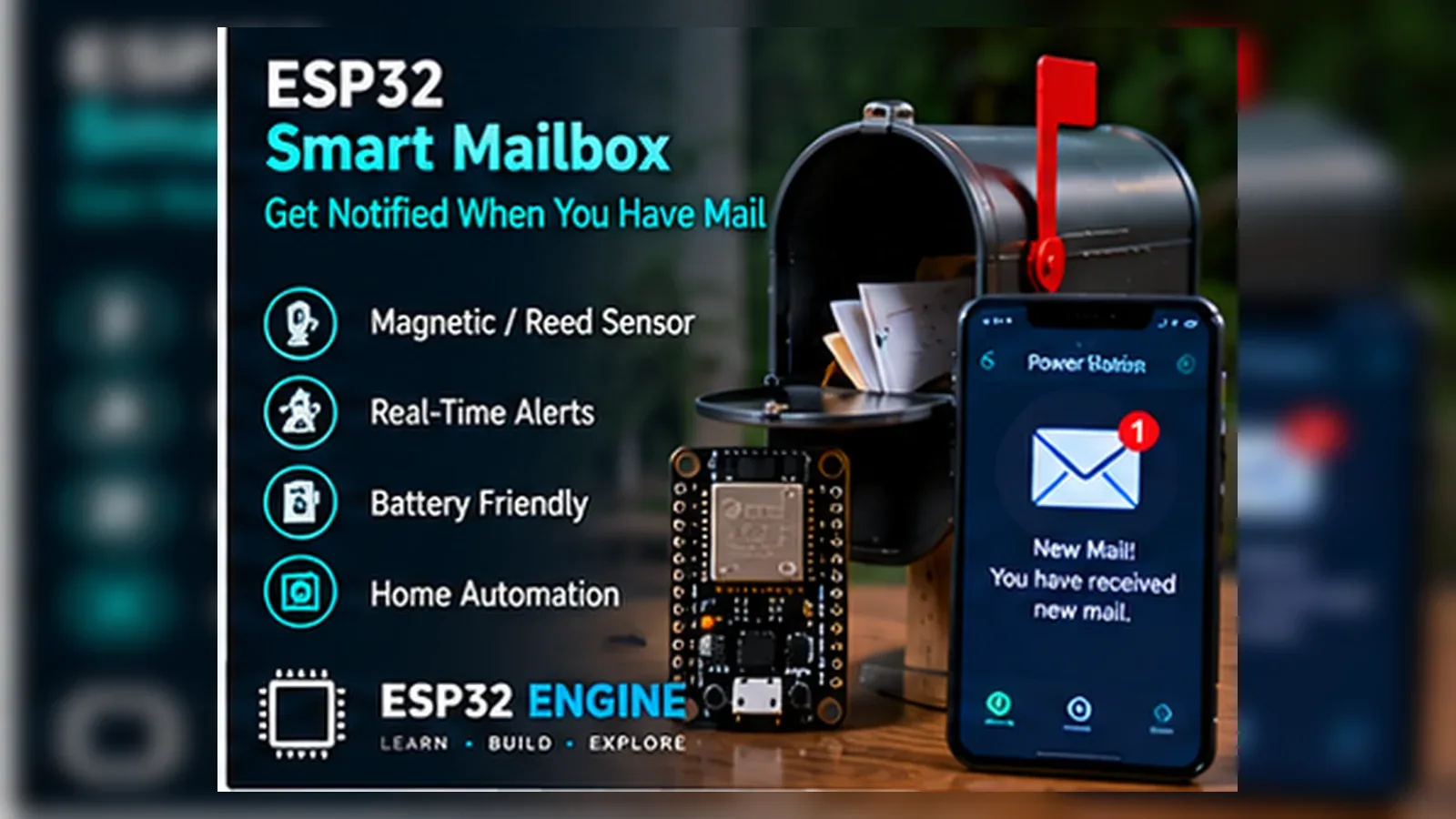
ESP32 Smart Mailbox

IoTBeginnerIntermediateAdvanced

Add an ESP32 to your mailbox to detect when the lid is opened and mail is delivered. Send instant Telegram notifications, relay alerts via ESP-NOW to an indoor receiver, and run for months on a single battery using deep sleep.

Overview

In this beginner project you will attach a magnetic reed switch to the mailbox lid and connect it to the ESP32. When the lid opens (magnet moves away from the switch), the ESP32 wakes from light sleep, connects to Wi-Fi, sends an alert to the Serial Monitor, sounds a piezo buzzer inside the house, and goes back to light sleep. No cloud service required; this is a fully local alert system.

Components
  • 1× ESP32 DevKit V1
  • 1× Magnetic reed switch (normally open) — Mounts in mailbox lid frame
  • 1× Neodymium magnet (small) — Mounts on lid; closes reed switch when lid shut
  • 1× Passive piezo buzzer — Indoor alert; wire to ESP32
  • 1× 10 kohm resistor — Reed switch pull-down
  • 1× 18650 Li-Ion cell + holder — Or USB power bank
  • 1× Weatherproof project box — Protects ESP32 inside mailbox
Wiring
Component PinESP32 PinNotes
Reed switch terminal 1GPIO 4Also connect 10k pull-down to GND
Reed switch terminal 23.3 VSwitch pulls GPIO HIGH when closed (lid shut)
Piezo buzzer +GPIO 25PWM tone output
Piezo buzzer -GND
Power supply5 V (Vin) or USB18650 via TP4056 charger + boost converter
Arduino Code
esp32-smart-mailbox_beginner.ino
// ESP32 Smart Mailbox - Beginner
// Reed switch on GPIO 4; buzzer on GPIO 25
// Uses GPIO wakeup from deep sleep on lid open

const int REED_PIN = 4;
const int BUZZER   = 25;

void alertTone() {
  ledcSetup(0, 2000, 8);
  ledcAttachPin(BUZZER, 0);
  for (int i = 0; i < 3; i++) {
    ledcWrite(0, 128); delay(200);
    ledcWrite(0, 0);   delay(100);
  }
  ledcDetachPin(BUZZER);
}

void setup() {
  Serial.begin(115200);
  pinMode(REED_PIN, INPUT);

  esp_sleep_wakeup_cause_t cause = esp_sleep_get_wakeup_cause();
  if (cause == ESP_SLEEP_WAKEUP_EXT0) {
    Serial.println("MAIL DELIVERED! Lid was opened.");
    alertTone();
  } else {
    Serial.println("Mailbox monitor armed. Waiting for lid open...");
  }

  // Wake when GPIO 4 goes LOW (lid opens; reed switch opens; pull-down pulls LOW)
  esp_sleep_enable_ext0_wakeup(GPIO_NUM_4, 0);
  Serial.println("Entering deep sleep.");
  Serial.flush();
  esp_deep_sleep_start();
}

void loop() {} // Never reached; deep sleep restarts setup()
How It Works
01

Reed Switch Operation: The magnetic reed switch contains two ferromagnetic contacts inside a glass tube. When the magnet on the lid is close (lid shut), the contacts are pulled together (closed). When the lid opens and the magnet moves away, the spring contacts separate (open). This transition is the mail delivery event.

02

GPIO Deep Sleep Wakeup: esp_sleep_enable_ext0_wakeup() configures the ESP32 to wake on a specific GPIO level. The reed switch closing and opening changes the GPIO level via the pull-down resistor. The ESP32 consumes under 10 uA in deep sleep, waking only when mail arrives.

03

Wakeup Cause Detection: esp_sleep_get_wakeup_cause() returns ESP_SLEEP_WAKEUP_EXT0 if the wake was triggered by the GPIO. Any other cause (power-on, reset) returns a different value. This allows setup() to distinguish a mail event from initial power-on.

04

Battery Life Calculation: In deep sleep the ESP32 draws approximately 10 uA. An 18650 cell at 2500 mAh lasts 2500/0.01 = 250,000 hours (28 years) in sleep alone. In practice, each wakeup uses about 80 mA for 2 seconds = 0.044 mAh. At 10 mail deliveries per day: 0.44 mAh/day battery life is many months.

Applications
  • Home mailbox mail delivery notification
  • Package delivery box tamper alert
  • Medicine cabinet opening monitor for elderly care
  • Gate or fence panel open alert system
Troubleshooting

ESP32 wakes up continuously even when lid is closed

The magnet is not close enough to the reed switch. Move the magnet within 5-10 mm of the reed switch when the lid is shut. Test with a multimeter: continuity should show closed when the magnet is adjacent.

No deep sleep wakeup on lid open

Verify the GPIO pull-down resistor is connected. Without it, the GPIO floats when the switch opens and may not reliably reach a LOW level. Also check that GPIO 4 is not used for another function that prevents EXT0 wakeup.

Buzzer produces no sound

Confirm it is a passive buzzer (not active). Active buzzers sound at one fixed frequency and do not respond to PWM frequency changes. ledcSetup() requires a passive buzzer that responds to the 2000 Hz square wave.

Wakeup fires multiple times for one lid opening

Switch bounce can trigger multiple wakeups in rapid succession. Add a 100 nF capacitor across the reed switch terminals to debounce. In firmware, record the last wakeup time in RTC memory and ignore events within 5 seconds of the previous one.

Upgrades
  • Add Wi-Fi and send a Telegram message with the date and time of each delivery
  • Add a small load cell to detect parcel weight (was it a letter or a package?)
  • Add an ESP-NOW transmitter to alert an indoor receiver unit without Wi-Fi
  • Add a photoresistor inside the mailbox to detect mail even if the lid was already open
FAQ

You need an ESP32 DevKit, Reed switch terminal 1, Piezo buzzer +, a breadboard, jumper wires, and a USB cable for power and programming.

Only the Advanced stage uses Wi-Fi. Beginner and Intermediate builds run offline on the ESP32 with USB power.

Start with Beginner if you are new to IoT Projects. Use Intermediate for OLED feedback and Advanced for dashboards or connected monitoring.

Overview

The intermediate build uses two ESP32s: one inside the mailbox (transmitter) that wakes on lid-open and sends an ESP-NOW packet, and one indoors (receiver) that picks up the packet and sounds an audible alert with an LED and buzzer. No Wi-Fi router is needed for communication. The indoor receiver also stores arrival timestamps in NVS and displays a count of today's deliveries on an OLED.

Components
  • 2× ESP32 DevKit V1 — One outdoor mailbox unit, one indoor receiver
  • 1× Magnetic reed switch — Mailbox unit
  • 1× SSD1306 OLED 128x64 I2C — Indoor receiver display
  • 1× Active buzzer — Indoor audible alert
  • 1× Red LED — Indicator light
  • 1× 18650 cell + TP4056 charger + boost converter — Mailbox unit power supply
Wiring
Component PinESP32 PinNotes
MAILBOX UNIT: Reed switchGPIO 4 + 10k pull-downDeep sleep wakeup trigger
INDOOR RECEIVER: OLED SDA/SCLGPIO 21 / 22
INDOOR RECEIVER: BuzzerGPIO 25Active buzzer
INDOOR RECEIVER: Red LEDGPIO 26220 ohm resistor
Arduino Code
esp32-smart-mailbox_intermediate.ino
// ESP32 Smart Mailbox - Intermediate (ESP-NOW two-unit system)
// ===== MAILBOX UNIT (transmitter) =====
// Flash this to the outdoor ESP32 inside the mailbox

#include <esp_now.h>
#include <WiFi.h>
#include <esp_wifi.h>

// MAC address of the INDOOR RECEIVER ESP32 (run receiver first, note its MAC)
uint8_t RECEIVER_MAC[] = {0xFF,0xFF,0xFF,0xFF,0xFF,0xFF}; // replace with real MAC

typedef struct { char msg[16]; uint32_t count; } MailPayload;

RTC_DATA_ATTR uint32_t mailCount = 0; // survives deep sleep

void onSent(const uint8_t *mac, esp_now_send_status_t s){
  Serial.printf("ESP-NOW send: %sn", s==ESP_NOW_SEND_SUCCESS?"OK":"FAIL");
}

void setup(){
  Serial.begin(115200);
  if(esp_sleep_get_wakeup_cause()==ESP_SLEEP_WAKEUP_EXT0){
    mailCount++;
    WiFi.mode(WIFI_STA);
    esp_now_init();
    esp_now_register_send_cb(onSent);
    esp_now_peer_info_t peer={};
    memcpy(peer.peer_addr,RECEIVER_MAC,6);
    peer.channel=0; peer.encrypt=false;
    esp_now_add_peer(&peer);
    MailPayload p; strcpy(p.msg,"MAIL!"); p.count=mailCount;
    esp_now_send(RECEIVER_MAC,(uint8_t*)&p,sizeof(p));
    delay(500); // wait for send callback
  }
  esp_sleep_enable_ext0_wakeup(GPIO_NUM_4,0);
  esp_deep_sleep_start();
}
void loop(){}

// ===== INDOOR RECEIVER (separate sketch) =====
// #include <esp_now.h>
// #include <WiFi.h>
// #include <Wire.h>
// #include <Adafruit_SSD1306.h>
// #include <Preferences.h>
// Adafruit_SSD1306 oled(128,64,&Wire,-1);
// Preferences prefs;
// const int BUZ=25, LED=26;
// typedef struct { char msg[16]; uint32_t count; } MailPayload;
// void onRecv(const uint8_t *mac, const uint8_t *d, int len){
//   MailPayload *p=(MailPayload*)d;
//   prefs.begin("mail",false);
//   prefs.putUInt("count",p->count);
//   prefs.end();
//   digitalWrite(LED,HIGH); digitalWrite(BUZ,HIGH);
//   delay(1000); digitalWrite(LED,LOW); digitalWrite(BUZ,LOW);
//   oled.clearDisplay(); oled.setCursor(0,0);
//   oled.printf("MAIL ARRIVED!nTotal: %u",p->count);
//   oled.display();
// }
// void setup(){
//   Serial.begin(115200); Wire.begin(21,22);
//   oled.begin(SSD1306_SWITCHCAPVCC,0x3C); oled.setTextColor(WHITE);
//   pinMode(BUZ,OUTPUT); pinMode(LED,OUTPUT);
//   WiFi.mode(WIFI_STA); esp_now_init();
//   esp_now_register_recv_cb(onRecv);
//   Serial.printf("Receiver MAC: %sn",WiFi.macAddress().c_str());
// }
// void loop(){ delay(100); }
How It Works
01

ESP-NOW Peer-to-Peer Communication: ESP-NOW is a Espressif proprietary protocol that allows two ESP32 devices to exchange data directly at the Wi-Fi PHY layer without a router or internet connection. Range is 100-200 m in open air. The transmitter must know the receiver's MAC address in advance.

02

RTC Memory for Count Persistence: RTC_DATA_ATTR variables survive deep sleep because they are stored in the RTC SRAM that remains powered during sleep. mailCount accumulates across every wakeup without needing NVS writes (which wear flash). It resets only on power-off.

03

One-Way Encrypted-Free Pairing: The transmitter adds the receiver as a peer using esp_now_add_peer() with a known MAC address. encrypt=false keeps the payload in clear text; for the mailbox use case this is acceptable since the payload contains no sensitive data.

04

Indoor Receiver Always-On: The indoor receiver runs continuously, monitoring for incoming ESP-NOW packets. When a packet arrives, onRecv() fires on the Wi-Fi task and updates the OLED, buzzer, and LED. The receiver can simultaneously connect to a home Wi-Fi network for optional cloud forwarding.

Applications
  • Neighbour mailbox sharing alert system
  • Parcel locker delivery notification for apartment blocks
  • Remote alarm bell for outbuildings without mains wiring
  • Pill dispenser alert system for care home residents
Troubleshooting

ESP-NOW send always returns FAIL

Verify RECEIVER_MAC exactly matches the MAC address printed by the receiver on Serial. MAC addresses are hardware-coded and are printed by WiFi.macAddress() as six colon-separated hex pairs.

Indoor receiver does not sound alarm

Confirm the receiver sketch is compiled and flashed to the second ESP32. Both ESP32s must call WiFi.mode(WIFI_STA) and esp_now_init() before data exchange will work. Check that the receiver's onRecv callback is registered.

ESP-NOW range is very short (under 10 m)

Metal mailboxes attenuate the 2.4 GHz signal significantly. Mount the transmitter antenna (the PCB trace strip at the top of the ESP32 module) outside the metal enclosure, or use an ESP32 with an external antenna connector.

Upgrades
  • Add a timestamp from NTP to each delivery event logged by the receiver
  • Add a Telegram forwarding on the indoor receiver when Wi-Fi is available
  • Add a second reed switch on a parcel compartment for large package detection
  • Add a small camera module to capture a photo when the lid opens
FAQ

You need an ESP32 DevKit, Reed switch terminal 1, Piezo buzzer +, a breadboard, jumper wires, and a USB cable for power and programming.

Only the Advanced stage uses Wi-Fi. Beginner and Intermediate builds run offline on the ESP32 with USB power.

Start with Beginner if you are new to IoT Projects. Use Intermediate for OLED feedback and Advanced for dashboards or connected monitoring.

Overview

The advanced build sends a Telegram bot notification with delivery time, mailbox temperature, and a snapshot from a small camera module when the lid opens. The mailbox unit wakes from deep sleep, connects to Wi-Fi, takes a photo, sends the Telegram message with photo attachment via the Bot API, logs the event to an NTP-timestamped NVS record, and returns to deep sleep within 10 seconds to preserve battery life.

Components
  • 1× ESP32-CAM module — Camera + ESP32 combo for mailbox unit
  • 1× Magnetic reed switch
  • 1× DS18B20 temperature sensor — Inside mailbox ambient temperature
  • 1× 18650 cell + TP4056 + boost converter — Battery power supply
  • 1× Telegram bot token — Create via BotFather on Telegram
  • 1× Chat ID — Your Telegram account chat ID
Wiring
Component PinESP32 PinNotes
Reed switchGPIO 13 (ESP32-CAM)EXT0 deep sleep wakeup pin
DS18B20 DATAGPIO 3 (U0RXD)Only available when not using Serial; use GPIO 12 if possible
CameraBuilt-in on ESP32-CAMOV2640 camera module
Arduino Code
esp32-smart-mailbox_advanced.ino
// ESP32 Smart Mailbox - Advanced (ESP32-CAM + Telegram photo alert)
#include <WiFi.h>
#include <esp_camera.h>
#include <OneWire.h>
#include <DallasTemperature.h>
#include <HTTPClient.h>
#include <Preferences.h>
#include <time.h>

OneWire ow(12); DallasTemperature ds(&ow);
Preferences prefs;

const char* SSID="YourSSID", *PASS="YourPass";
const char* BOT_TOKEN="YOUR_BOT_TOKEN";
const char* CHAT_ID="YOUR_CHAT_ID";

RTC_DATA_ATTR uint32_t mailCount=0;

// AI-Thinker ESP32-CAM pin map
camera_config_t camCfg(){
  camera_config_t c={};
  c.ledc_channel=LEDC_CHANNEL_0; c.ledc_timer=LEDC_TIMER_0;
  c.pin_d0=5;c.pin_d1=18;c.pin_d2=19;c.pin_d3=21;
  c.pin_d4=36;c.pin_d5=39;c.pin_d6=34;c.pin_d7=35;
  c.pin_xclk=0;c.pin_pclk=22;c.pin_vsync=25;c.pin_href=23;
  c.pin_sscb_sda=26;c.pin_sscb_scl=27;c.pin_reset=-1;c.pin_pwdn=32;
  c.xclk_freq_hz=20000000;c.pixel_format=PIXFORMAT_JPEG;
  c.frame_size=FRAMESIZE_QVGA; c.jpeg_quality=12; c.fb_count=1;
  return c;
}

void sendTelegramPhoto(camera_fb_t *fb, float temp){
  WiFiClientSecure client; client.setInsecure();
  String boundary="----ESP32Boundary";
  String head="--"+boundary+"rnContent-Disposition: form-data; name="chat_id"rnrn"
              +String(CHAT_ID)+"rn"
              "--"+boundary+"rnContent-Disposition: form-data; name="caption"rnrn"
              "Mail delivery! Count: "+String(mailCount)+" Temp: "+String(temp,1)+"Crn"
              "--"+boundary+"rnContent-Disposition: form-data; name="photo"; filename="mail.jpg"rn"
              "Content-Type: image/jpegrnrn";
  String tail="rn--"+boundary+"--rn";
  int totalLen=head.length()+fb->len+tail.length();
  if(!client.connect("api.telegram.org",443)) return;
  client.printf("POST /bot%s/sendPhoto HTTP/1.1rn"
    "Host: api.telegram.orgrn"
    "Content-Type: multipart/form-data; boundary=%srn"
    "Content-Length: %drnrn",BOT_TOKEN,boundary.c_str(),totalLen);
  client.print(head);
  client.write(fb->buf,fb->len);
  client.print(tail);
  delay(2000);
  client.stop();
}

void setup(){
  Serial.begin(115200);
  if(esp_sleep_get_wakeup_cause()==ESP_SLEEP_WAKEUP_EXT0){
    mailCount++;
    WiFi.begin(SSID,PASS);
    int tries=0;
    while(WiFi.status()!=WL_CONNECTED&&tries++<20) delay(500);
    if(WiFi.status()==WL_CONNECTED){
      configTime(0,0,"pool.ntp.org");
      ds.begin(); ds.requestTemperatures();
      float temp=ds.getTempCByIndex(0);
      camera_config_t c=camCfg();
      esp_camera_init(&c);
      delay(300); // let auto-exposure settle
      camera_fb_t *fb=esp_camera_fb_get();
      if(fb){ sendTelegramPhoto(fb,temp); esp_camera_fb_return(fb); }
      // Log to NVS
      time_t now=time(nullptr);
      prefs.begin("mail",false);
      prefs.putULong(String(mailCount).c_str(),(unsigned long)now);
      prefs.end();
    }
    WiFi.disconnect(true);
  }
  esp_sleep_enable_ext0_wakeup(GPIO_NUM_13,0);
  esp_deep_sleep_start();
}
void loop(){}
How It Works
01

Wake-and-Burst Operation: The ESP32-CAM wakes from deep sleep in approximately 1 second. It then connects to Wi-Fi (3-5 seconds), captures a photo, sends it to Telegram (2-4 seconds), logs to NVS, and returns to deep sleep. The entire wakeup cycle completes in under 10 seconds and consumes approximately 0.2 mAh per delivery event.

02

Telegram Bot API Photo Upload: The Telegram sendPhoto endpoint accepts a multipart/form-data HTTP POST over HTTPS. The photo JPEG is sent as one part of the multipart body alongside the chat_id and caption fields. WiFiClientSecure handles TLS without certificate verification (setInsecure()) for simplicity.

03

Camera Autoexposure Settle Time: The OV2640 camera takes 100-500 ms after initialisation to complete automatic exposure adjustment. A 300 ms delay before calling esp_camera_fb_get() ensures the first captured frame is not underexposed. In dark mailboxes, add an LED flash GPIO to illuminate the interior before capture.

04

NVS Delivery Log: Each delivery event is stored in NVS as a Unix timestamp keyed by the delivery count. This log can be read on the next wakeup and formatted as a delivery history page if a web server is included. NVS survives deep sleep, power cycling, and firmware updates (if NVS partition is not erased).

Applications
  • Smart home mailbox with photo proof of delivery
  • Pharmacy prescription delivery notification service
  • Office mail room automated delivery logging
  • Rural property parcel delivery alert with date-stamped photos
Troubleshooting

Telegram bot does not receive messages

Verify BOT_TOKEN and CHAT_ID are correct. The CHAT_ID is a numeric ID (not the bot username). Send a message to your bot first, then call the getUpdates API endpoint to find your chat ID. Ensure the ESP32-CAM has DNS resolution; if it cannot resolve api.telegram.org, add Google DNS: WiFi.config(INADDR_NONE,INADDR_NONE,INADDR_NONE,(IPAddress)8,8,8,8).

Photo is completely black

The mailbox interior is dark when the lid is closed. Add a small LED (GPIO controlled) that turns on immediately after wakeup and off after the photo is taken. Alternatively use a larger frame size and increase JPEG quality to compensate for low-light noise.

Battery drains in days instead of months

Measure current in deep sleep with a multimeter in series. The ESP32-CAM has an onboard LED and voltage regulator that can draw 1-5 mA even in sleep. Disable the onboard red LED by writing HIGH to GPIO 33 before sleep, and verify the power supply is not powering unnecessary peripherals.

Upgrades
  • Add OCR via Telegram API to extract sender name from the photo and include it in the notification
  • Add a weight sensor to estimate whether the delivery was a letter (under 50 g) or a parcel (above 50 g)
  • Add a second reed switch for the collection slot to alert when mail has been collected
  • Add a solar panel to recharge the battery and enable indefinite outdoor deployment
FAQ

You need an ESP32 DevKit, Reed switch terminal 1, Piezo buzzer +, a breadboard, jumper wires, and a USB cable for power and programming.

Only the Advanced stage uses Wi-Fi. Beginner and Intermediate builds run offline on the ESP32 with USB power.

Start with Beginner if you are new to IoT Projects. Use Intermediate for OLED feedback and Advanced for dashboards or connected monitoring.