
Before you start
- Hardware
- Classic 2.4 GHz ESP32-WROOM DevKit, USB data cable and Wi-Fi-capable computer/phone. Station mode needs an authorized compatible router/network.
- Software baseline
- Arduino IDE 2 and Arduino-ESP32 3.3.2 for the stated classic ESP32 examples. This is an API review baseline, not a latest-version claim.
- Before this lesson
- Complete the Serial-only first upload in the Arduino IDE setup guide. Check your exact board family and selected port.
- Your goal
- Identify the network creator, the ESP32 interface address and whether an application service exists.
- Verification limits
- Documentation/API and local content/browser review only. No sketch compilation, board upload or physical hardware test was performed for this lesson.
Who creates the network?
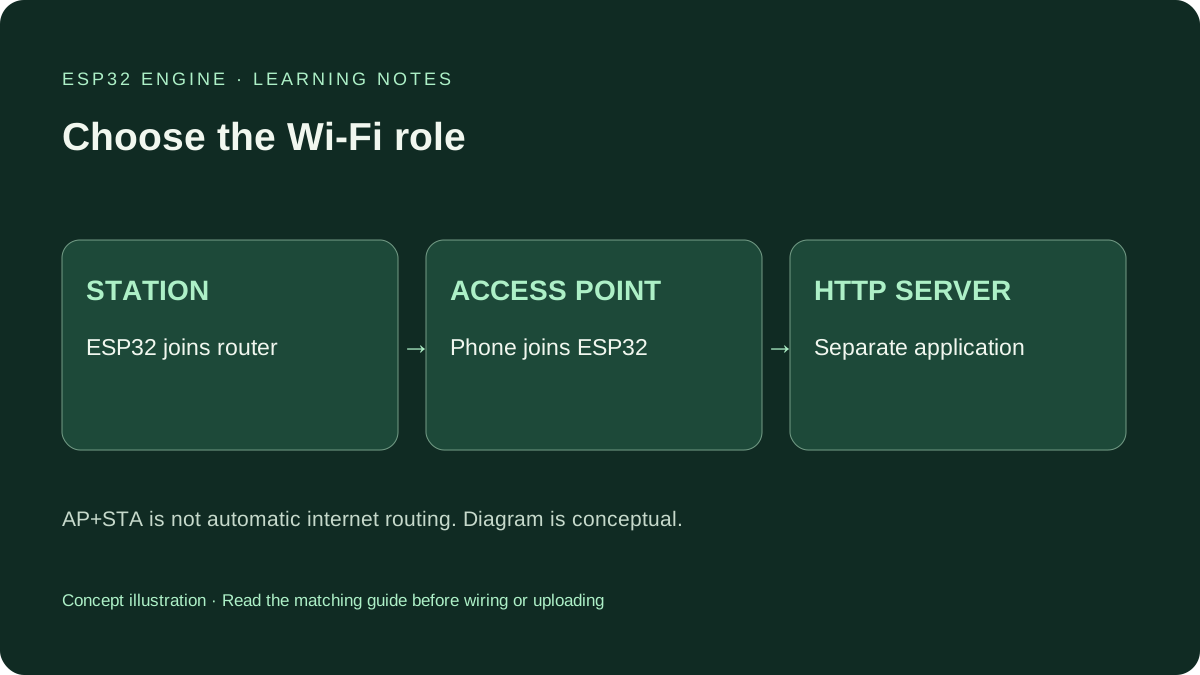
In station mode, ESP32 joins an existing access point, commonly a router. Your phone and board can be on that local network, subject to its policy. An assigned IP proves neither internet reachability nor a running web server.
In access-point mode, ESP32 advertises a network for a phone or computer to join. This suits a local setup or bench demonstration without a router. It does not automatically share internet access. Classic WROOM uses 2.4 GHz; check actual capabilities for other ESP32 families.
Compare connection paths
| Question | Station: WIFI_STA | Access point: WIFI_AP |
|---|---|---|
| Network advertiser | Existing router/access point | The ESP32 |
| Joining device | ESP32 joins the existing network | Phone/computer joins ESP32 |
| ESP32 address helper | WiFi.localIP() after IP assignment | WiFi.softAPIP() after startup |
| Internet expectation | Depends on routing and network policy | Not provided automatically |
| First exercise | Join a permitted network and print status | Create a local network and inspect its address |
Select one mode and upload
The full sketch defaults to AP mode, so its first path needs no home-router credentials. Replace the example AP passphrase with your own 8–63 character passphrase. Open Serial at 115200, read the network name and join it from your phone or computer.
For station mode, set START_AS_AP to false and replace the router placeholders with credentials for a network you may use. Do not publish real passwords in screenshots or source control. Station startup waits at most 20 seconds and disables automatic reconnect for this bounded demonstration. Correct the settings and reset to retry; it is not a full reconnect manager.
Wiring and matching Arduino code
Complete AP-or-station diagnostic sketch
USB only; no GPIO wiring. Default AP path needs no router. Choose your own AP passphrase before upload.
wifi_mode_demo.ino
#include <Arduino.h>
#include <WiFi.h>

constexpr bool START_AS_AP = true;
const char* AP_SSID = "ESP32-Mode-Lab";
const char* AP_PASSWORD = "CHANGE_ME_1234";
const char* ROUTER_SSID = "YOUR_2_4_GHZ_SSID";
const char* ROUTER_PASSWORD = "YOUR_ROUTER_PASSWORD";
unsigned long lastReport = 0;
bool apReady = false;

void setup() {
  Serial.begin(115200);
  delay(1000);
  if (START_AS_AP) {
    apReady = WiFi.mode(WIFI_AP) && WiFi.softAP(AP_SSID, AP_PASSWORD);
    if (!apReady) {
      Serial.println("AP start failed; check settings and reset.");
      return;
    }
    Serial.print("Join network: "); Serial.println(AP_SSID);
    Serial.print("AP address: "); Serial.println(WiFi.softAPIP());
  } else {
    if (!WiFi.mode(WIFI_STA)) {
      Serial.println("STA mode failed; reset after checking settings.");
      return;
    }
    WiFi.setAutoReconnect(false);
    WiFi.begin(ROUTER_SSID, ROUTER_PASSWORD);
    const unsigned long started = millis();
    while (WiFi.status() != WL_CONNECTED && millis() - started < 20000UL) {
      delay(100);
    }
    if (WiFi.status() == WL_CONNECTED) {
      Serial.print("Station address: "); Serial.println(WiFi.localIP());
    } else {
      WiFi.disconnect();
      Serial.println("STA timeout; check network and reset to retry.");
    }
  }
  Serial.println("Mode diagnostic only: no HTTP server is running.");
}

void loop() {
  const unsigned long now = millis();
  if (now - lastReport >= 5000UL) {
    lastReport = now;
    if (START_AS_AP) {
      Serial.print("AP started: "); Serial.println(apReady ? "yes" : "no");
    } else {
      Serial.print("Station connected: ");
      Serial.println(WiFi.status() == WL_CONNECTED ? "yes" : "no");
    }
  }
  delay(2);
}
The startup wait is deliberately bounded. The loop reports state, not retries, HTTP or internet sharing.
An IP address does not imply an HTTP server
AP mode should advertise ESP32-Mode-Lab and print the AP interface address. Station mode should print its station address or a timeout message. These are expected results, not captured hardware connection records. Reset once with the monitor open if startup output was missed.
This sketch starts no WebServer, route or HTTP listener. Typing its IP into a browser is therefore not a valid HTTP test, and a browser failure alone does not disprove the Wi-Fi connection. Use the separate complete local web-server guide when you want an actual page response.
AP+STA has two logical roles
WIFI_AP_STA combines AP and station roles. Their addresses serve different purposes; print both rather than using a remembered helper. On the classic single-radio design, coexistence has channel constraints tied to the station connection. It is not another independent radio adapter.
AP+STA alone does not build a router, NAT gateway, provisioning portal or secure configuration service. Those need additional networking and application design. Do not expose an unauthenticated local demonstration to the internet just to make a dashboard reachable.
Check the network layer before the application
For station mode, verify SSID, passphrase, 2.4 GHz support and client policy. Guest networks may isolate devices even under one SSID. Captive portals and enterprise authentication are not handled by this simple password-based sketch.
For AP mode, keep your phone on the ESP32 network when it warns there is no internet; some phones switch away. In a later HTTP lesson, use that example’s printed address and scheme. A remembered DHCP address or the wrong interface can send a request elsewhere. Follow a timeout with a configuration check rather than an endless blocking loop.
Draw the route before adding a service
Draw router, ESP32 and phone boxes. In station mode, show ESP32 joining the router’s network. In AP mode, show the phone joining ESP32. Label which ESP32 interface IP you would print.
Then choose the matching follow-up: station diagnostics for a router-connected sensor, or the AP-only HTTP guide for a nearby dashboard. Keep the first service read-only. A Wi-Fi password restricts network entry; it does not supply application authentication or encrypted HTTP.
Continue your learning path
Next steps
Choose the radio role first, verify the corresponding interface, then add an application service.
FAQ
Not automatically. A basic ESP32 access point creates a local network; internet routing requires additional functionality.
This diagnostic example starts no HTTP server. Follow the linked complete web-server guide for a browser response.
Technical references
- Espressif Arduino Wi-Fi API — AP and station roles; compare signatures with the pinned version.
- Wi-Fi AP API at 3.3.2 — AP startup and address methods.
- Wi-Fi station API at 3.3.2 — Station begin, disconnect, state and reconnect control.
- ESP-IDF 5.5 Wi-Fi guide — Shared-radio and coexistence channel constraints.