
Before you start
- Hardware
- Classic ESP32-WROOM DevKit and USB data cable. No external circuit.
- Software baseline
- Arduino IDE 2 and Arduino-ESP32 3.3.2 for the stated classic ESP32 examples. This is an API review baseline, not a latest-version claim.
- Before this lesson
- Complete the Serial-only first upload in the Arduino IDE setup guide. Check your exact board family and selected port.
- Your goal
- Schedule two periodic actions and accept a Serial command between them.
- Verification limits
- Documentation/API and local content/browser review only. No sketch compilation, board upload or physical hardware test was performed for this lesson.
Waiting is a design choice
delay(1000) is convenient for a simple LED or slow print demonstration. While the sketch task waits, later statements in that task do not run. On ESP32, that does not mean all background tasks or interrupts stop. The practical problem is that your own button or server handling placed after the delay waits too.
millis() reports elapsed milliseconds since startup. Reading it does not create a callback or new task. You compare the current value with a saved timestamp on repeated loop calls and do a short action when enough time has passed.
Choose the timing pattern
| Pattern | Useful for | Limitation |
|---|---|---|
| delay(interval) | Simple single-job demonstration | Later sketch work waits. |
| Elapsed-time check | Periodic readings, messages or UI work | The loop must return often enough. |
| Dedicated timing peripheral | Tighter timing requirements | Requires a chip-specific design. |
Run two schedules and a command
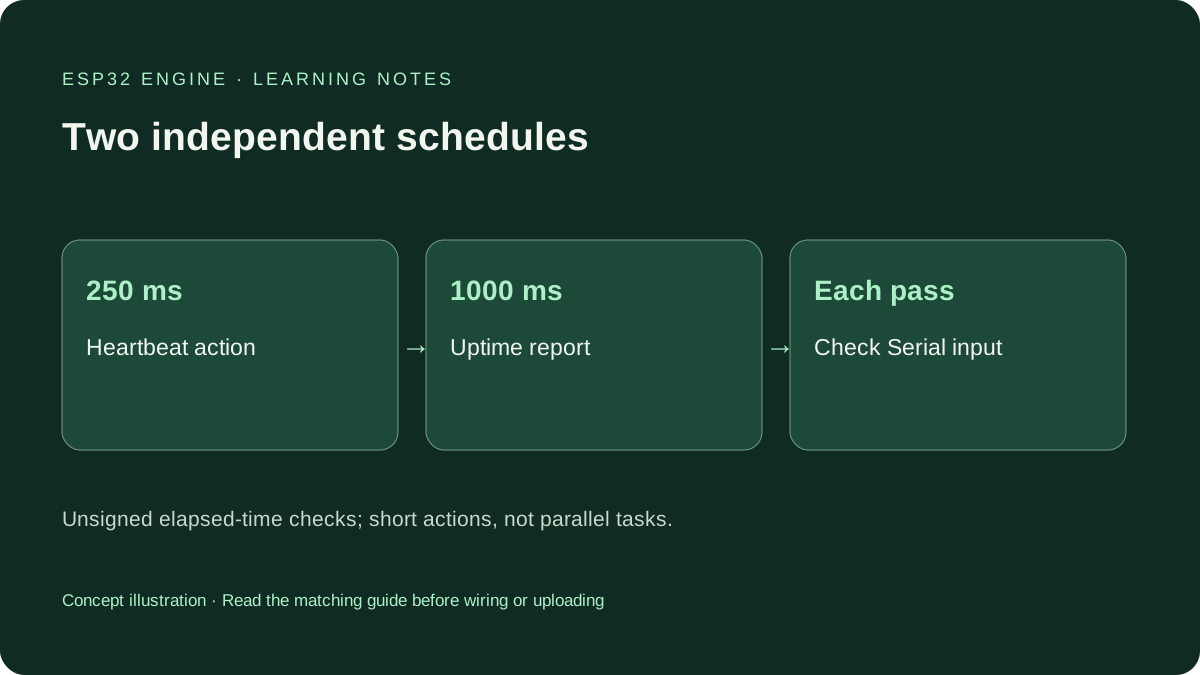
Upload the full timing_demo.ino sketch. Open Serial Monitor at 115200. The heartbeat counter is scheduled every 250 ms and the slower report every 1000 ms. Send ? at different moments: the sketch should acknowledge it between scheduled actions. Newline characters are ignored.
These are expected behaviors, not measured timing results. Serial transport and host buffering can group messages. Too much printing can itself slow the loop. The final delay(1) is a short deliberate yield, not the one-second wait the scheduler replaces.
Wiring and matching Arduino code
Complete two-schedule Serial example
USB only. Serial Monitor at 115200 baud; send ? for a response.
timing_demo.ino
#include <Arduino.h>

constexpr unsigned long HEARTBEAT_MS = 250UL;
constexpr unsigned long REPORT_MS = 1000UL;
unsigned long lastHeartbeat = 0;
unsigned long lastReport = 0;
unsigned long heartbeatCount = 0;

void setup() {
  Serial.begin(115200);
  const unsigned long start = millis();
  lastHeartbeat = start;
  lastReport = start;
}

void loop() {
  const unsigned long now = millis();
  if (now - lastHeartbeat >= HEARTBEAT_MS) {
    lastHeartbeat = now;
    ++heartbeatCount;
    Serial.print("heartbeat ");
    Serial.println(heartbeatCount);
  }
  if (now - lastReport >= REPORT_MS) {
    lastReport = now;
    Serial.print("uptime ms: ");
    Serial.println(now);
  }
  if (Serial.available() > 0) {
    const char command = static_cast<char>(Serial.read());
    if (command == '?') {
      Serial.println("Command received between scheduled actions");
    }
  }
  delay(1);
}
One loop services both schedules and the command; no additional user-created tasks.
Subtract matching unsigned timestamps
Each schedule stores its own previous timestamp. Compare now - previous with an interval using the same unsigned type. Avoid comparing now against previous + interval: the future timestamp can wrap. Use UL suffixes on the unsigned long timing constants.
The millisecond count wraps; it is not an ever-growing calendar. For a 32-bit millisecond value, a full wrap is about 49.7 days. Unsigned subtraction remains useful across a wrap when the real gap is less than that full range and the loop checks regularly. It cannot recover an unknown number of missed wraps or time powered off.
Work through rollover on paper
For a deliberately simplified 8-bit counter, previous = 250 and now = 4 produce an unsigned elapsed value of 10. Real millis() has a much larger range, but the modular-arithmetic idea is the same. Do not store actual millis() values in an 8-bit variable; this is only a paper example.
This sketch assigns previous = now after each action. It schedules relative to the time the action was serviced and skips missed events. previous += interval is another policy that can preserve a nominal cadence, but it needs a deliberate catch-up or skip strategy if work falls behind.
An elapsed-time check cannot shorten other work
A delay-free loop can still wait inside a sensor library, network request or large Serial write. Keep scheduled actions short and understand the calls they make. This example is neither parallel execution nor a universal sensor sampling rate. DHT11 still needs its documented slower reading interval.
These timestamps do not need volatile because only the sketch task accesses them. Interrupts or additional tasks introduce shared-state rules outside this example. Use an appropriate peripheral for precise waveforms instead of treating Serial print timing as proof of GPIO pulse accuracy.
Change one schedule independently
Set the heartbeat interval to 500UL and keep the report at 1000UL. Predict how many heartbeat messages should fit between reports, allowing for message ordering when both become due. Send ? again to check command handling.
Then inspect your Blink sketch and identify the output state and timestamp needed to replace its long waits. Keep its original wiring and safety assumptions. Running the example on your board is your own verification step.
Continue your learning path
Next steps
Keep actions short, use consistent unsigned timestamps and choose a missed-event policy deliberately.
FAQ
No. Your loop must check elapsed time and call the action. millis() returns a time count.
No. The example deliberately includes a short yield. The goal is to avoid long interval waits holding up other sketch work, not to promise zero latency.
Technical references
- Arduino-ESP32 3.3.2 timing implementation — Timing behavior in the reviewed core.
- Arduino millis reference — Unsigned millisecond count and overflow behavior.
- Arduino delay reference — Delay behavior and alternatives.
- Arduino-ESP32 3.3.2 sketch execution — Core calls setup and repeatedly services loop; reviewed version, not a hardware test.