
Before you start
- Hardware
- Classic ESP32-WROOM DevKit, USB data cable and computer. No external LED or sensor.
- Software baseline
- Arduino IDE 2 and Arduino-ESP32 3.3.2 for the stated classic ESP32 examples. This is an API review baseline, not a latest-version claim.
- Before this lesson
- Complete the Serial-only first upload in the Arduino IDE setup guide. Check your exact board family and selected port.
- Your goal
- Predict which message appears once after reset and which messages repeat.
- Verification limits
- Documentation/API and local content/browser review only. No sketch compilation, board upload or physical hardware test was performed for this lesson.
One start, then repeated work
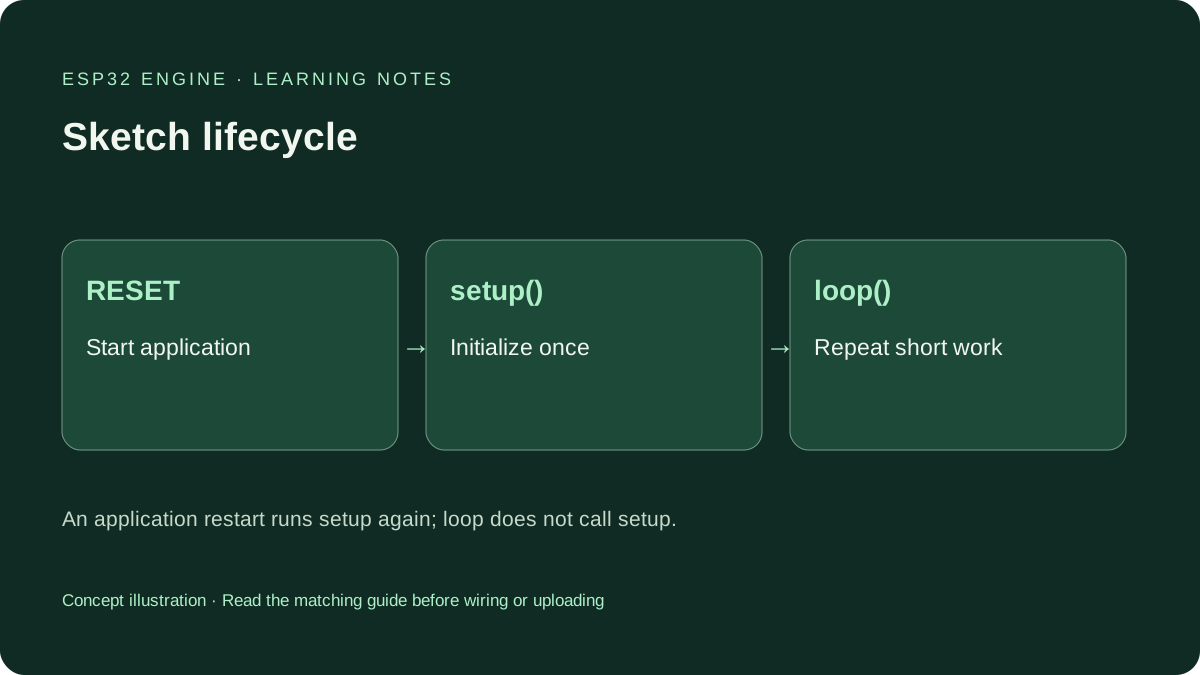
An Arduino sketch is C++ code with an entry structure supplied by the core. In the standard Arduino-ESP32 application, setup() is called at startup; after it returns, loop() is called repeatedly. You write those functions, not a second main().
Treat this as the sketch-level order, not a claim that the entire ESP32 runs only one task. Background system work can be scheduled separately. A return from setup() allows loop execution; it does not stop the board. Reset, power loss or a restart starts the application again.
Put each job in the right place
| Job | Place here | Reason |
|---|---|---|
| Start Serial | setup() | Initialize before printing. |
| Initialize the counter | Global declaration | Retain its value between loop calls. |
| Print the startup marker | setup() | Separate restarts from repeated work. |
| Increment and report the count | loop() | Do one small piece of work each pass. |
Upload the complete example
Save the entire example as setup_loop_demo.ino. Select the matching ESP32 board and port, then upload. Open Serial Monitor at 115200 baud. If you missed the first line, press the board’s EN/reset button after opening the monitor. No GPIO connection or assumed onboard LED is involved.
The startup wait gives a USB-to-UART monitor time to open, but it is not a guarantee for every board. A late-attached terminal can miss startup output. Use the classic WROOM workflow here; native USB variants need their documented settings.
Wiring and matching Arduino code
Complete Serial-only setup and loop example
USB only. No GPIO wiring. Set Serial Monitor to 115200 baud.
setup_loop_demo.ino
#include <Arduino.h>

unsigned long count = 0;

void setup() {
  Serial.begin(115200);
  delay(1000);
  Serial.println("setup: once after reset");
}

void loop() {
  ++count;
  Serial.print("loop count: ");
  Serial.println(count);
  delay(1000);
}
The sequence described below is expected behavior, not an uploaded test result.
Read the sequence rather than guessing
Expected sequence, not a captured hardware log: setup: once after reset appears before loop count: 1, loop count: 2 and later counts. The sketch waits one second after each count, so the repeat interval also includes execution and printing time. It is not a precision clock.
Pressing EN should begin a new sequence. If the startup marker repeats unexpectedly, distinguish an application reset from closing/reopening a port, whose control signals can reset some boards. Check cable and power with peripherals disconnected. Moving initialization into loop() would hide the distinction rather than fix a reset.
Keep state between loop calls
The global unsigned long count starts at zero once per application startup and remains available on later loop calls. An ordinary local counter initialized to zero inside loop() would recreate that initial value each time. A local static variable can retain state, but start with one clear global in this exercise.
Names are case-sensitive: setup and Setup are different identifiers. Use exactly void setup() and void loop(), with matching braces. An empty function is valid; omitting a required function is different from leaving its body empty. This counter eventually wraps, so it is not a permanent lifetime record.
Fix the smallest problem first
For a compiler error, check the first meaningful diagnostic, braces, spelling and semicolons. Do not paste a second setup() or loop() from another example into the same sketch. Combine the work into one pair of functions and use helper functions for clarity.
For a blank monitor, confirm port and baud rate, then reset once. A changing count without the startup line may mean the terminal opened late. A constant count of one can mean the variable is initialized inside loop(). Continuous restarts need power and reset diagnosis, not an arbitrarily larger delay.
Predict a change before making it
Write down what you expect if the startup println moves into loop(). Change only that statement, observe the result on your own board and then restore it. Next change the message while preserving the function names.
This sketch uses delay() deliberately to make the order easy to read. After the sequence is clear, use the next timing lesson to avoid a long wait holding up other sketch work.
Continue your learning path
Next steps
Explain the startup marker and changing count before adding hardware. Keep the working original sketch so you can compare one deliberate change at a time.
FAQ
No. Returning from loop() lets the core call loop() again. setup() runs again when the application restarts.
Not with the same signature in one sketch. Combine the work into one loop(), using helper functions when appropriate.
Technical references
- Arduino-ESP32 3.3.2 sketch execution — Core calls setup and repeatedly services loop; reviewed version, not a hardware test.
- Arduino language reference — Function structure, variable scope and timing references.