
Before you start
- Hardware
- Classic ESP32-WROOM DevKit, USB data cable and computer. No external sensor or output circuit for this exercise.
- Software baseline
- Arduino IDE 2 and Arduino-ESP32 3.3.2 for the stated classic ESP32 examples. This is an API review baseline, not a latest-version claim.
- Before this lesson
- Complete the first Serial-only upload. For the logic lessons, read the variables, decisions, loops and functions references first.
- Your goal
- Locate a meaningful file/line diagnostic and use a minimal complete sketch before changing hardware.
- Verification limits
- Documentation/API and local content/browser review only. No sketch compilation, board upload or physical hardware test was performed for this lesson.
Identify the failing stage
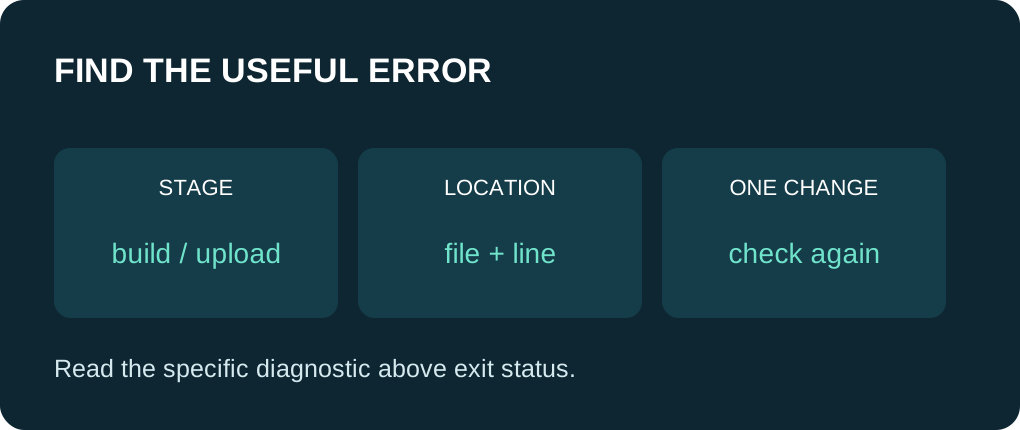
Verify builds the sketch without attempting a board upload. A Verify failure is a software/toolchain problem to investigate before COM-port or BOOT-button experiments. Upload adds a communication stage after building; a successful build does not prove that the board accepted the firmware or that the circuit works.
Use the correct board selection even for Verify because it determines the target and available core APIs. Preserve the exact failing sketch, dependency versions and full console text. A screenshot of only the final red notification usually omits the most useful detail.
Read a location and its message together
A diagnostic often contains a file path, line number, sometimes a column, and a message. Scroll above the final exit status to find a concrete cause. A parser can report the point where it became confused rather than the place the mistake began, so inspect the preceding line and nearby braces too.
Fix one specific cause and run Verify again on your computer before acting on later messages. One missing delimiter can produce several follow-on diagnostics. Paths can point to a library or generated sketch file as well as your main tab. Preserve context rather than assuming every highlighted library line is a library defect.
Map the symptom to one small check
| Illustrative diagnostic pattern | Inspect first | Avoid this detour |
|---|---|---|
| expected ; or a closing brace | Previous statement and matching braces. | Changing USB drivers for a syntax error. |
| identifier was not declared | Spelling, declaration order and scope. | Making every variable global without understanding why. |
| header: No such file or directory | Header spelling, library identity and dependency. | Installing unrelated packages with similar names. |
| redefinition of setup or loop | Other sketch tabs containing another definition. | Pasting a whole second sketch into the first. |
| undefined reference | Missing matching definition or required entry function. | Treating every linker error as a missing semicolon. |
| no matching function / no member | Argument types and the installed API version. | Assuming an older tutorial matches a different core release. |
Keep a known small starting point
The copyable sketch below defines both required entry functions and a helper before it is called. It has no external library, sensor or GPIO assumption. Expected startup text is “Minimal sketch reached setup” followed by “next count: 3”. This is a source walkthrough, not evidence of a Verify or upload performed here.
If this small sketch fails on your machine, inspect the selected board platform and installation first. If it builds there while your project fails, compare the project’s includes, helper signatures and extra tabs in small steps. A minimal example is a way to isolate a difference; it does not validate the original project by itself.
Check names and versions deliberately
A variable declared inside setup() is not visible as a normal local in loop(). Pass a value to a helper, return a result or deliberately design shared state instead of blindly moving declarations. Names such as setup and Setup differ in C++.
For a version mismatch, compare the exact API signature in the library/core documentation with the call site. Avoid an unrelated update or downgrade while also rewriting the code. If a different release is required, record that decision so another person can reproduce it. A successful build still needs separate runtime checks.
Collect a useful debugging record
On your own copy, add a comment identifying the chosen board, core version and IDE version. Use Auto Format to make brace structure visible. Read the corrected minimal sketch before deliberately trying one syntax change in a disposable copy; restore the working original after learning from the result. Do not publish a broken sketch as the main example.
When asking for help, include the complete minimal code, the first useful diagnostic with its surrounding lines, and dependency names/versions. Remove personal path details or credentials if present. State whether Verify failed, upload failed or the running program produced an unexpected result.
Use one complete example
Save this full sketch as compiler_baseline.ino, select your exact ESP32 board and port, and use Verify before Upload. Open Serial Monitor at 115200 baud after upload; press EN/reset if you missed startup text. No extra library is needed. The example uses no GPIO wiring. The stated results are predictions from source, not a recorded board run.
Wiring and matching Arduino code
Complete USB and Serial-only example
USB only; no GPIO wiring. Serial Monitor: 115200 baud.
compiler_baseline.ino
#include <Arduino.h>

int nextCount(int current) {
  return current + 1;
}

void setup() {
  Serial.begin(115200);
  delay(1000);
  const int count = 2;
  Serial.println("Minimal sketch reached setup");
  Serial.print("next count: ");
  Serial.println(nextCount(count));
}

void loop() {
  delay(10);
}
Expected behavior in this guide is a source walkthrough. No firmware compilation or physical board upload was performed for this lesson.
Continue your learning path
Next steps
Keep one known small sketch and change only one suspected cause before checking again.
FAQ
No. It summarizes failure; inspect the earlier specific diagnostic and its context.
No. Verify builds software for the selected target; upload and runtime behavior are separate checks.
Technical references
- Arduino compilation troubleshooting — Verify, console diagnostics and common failure categories.
- Arduino sketch build process — Preprocessing, dependency resolution, compilation and linking; architecture tools differ.
- Arduino variable scope — Declaration visibility and local names.
- Arduino multiple-library selection — A matching-library list alone does not establish a build failure.
- Arduino-ESP32 3.3.2 Print interface — Formatting API baseline; no firmware execution claim.