
Before you start
- Hardware
- Classic ESP32-WROOM DevKit, USB data cable and computer. No sensor, LED or other external circuit.
- Software baseline
- Arduino IDE 2 and Arduino-ESP32 3.3.2 for the stated classic ESP32 examples. This is an API review baseline, not a latest-version claim.
- Before this lesson
- Finish the Serial-only first upload and the setup()/loop() lesson. Open Serial Monitor at 115200 baud; use your exact board and port.
- Your goal
- Visit each valid array index and distinguish text length, buffer capacity and the null terminator.
- Verification limits
- Documentation/API and local content/browser review only. No sketch compilation, board upload or physical hardware test was performed for this lesson.
Group related values with one element type
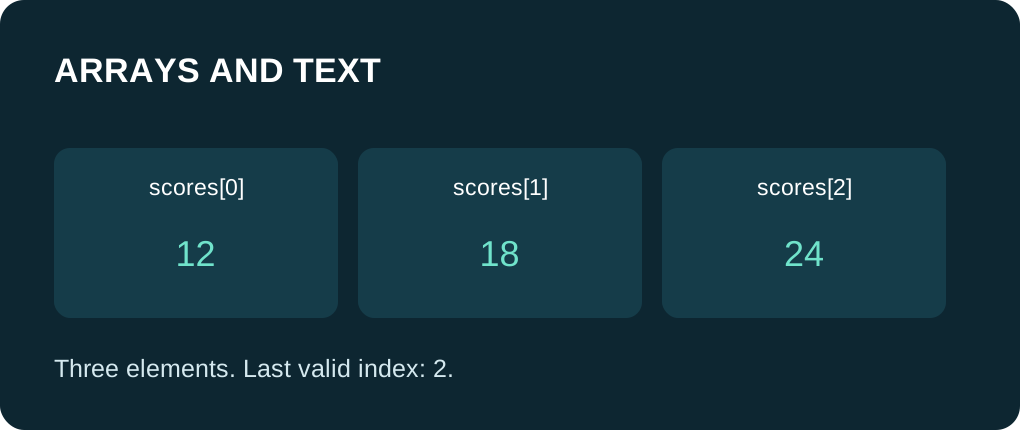
An array stores a fixed number of elements of one type. The example scores contains three illustrative integers. Valid indices are zero, one and two; index three is already outside this array. C++ does not automatically reject an out-of-bounds access at runtime. Both reads and writes outside the array are invalid and can cause unpredictable behavior.
The for loop uses i < SCORE_COUNT. Its upper bound is excluded. sizeof(scores) / sizeof(scores[0]) calculates the element count only while scores is an actual array in this scope. When an array is passed to an ordinary function parameter as a pointer, that expression no longer recovers its original length. Pass the count explicitly in such an interface.
Leave space for the end of text
A C-style string is a sequence of characters ending with the null character '\0'. It is different from the visible character '0'. char label[8] = "room" provides capacity for eight bytes, including the terminator. This four-character text occupies five bytes including its terminator; the buffer has room for longer text only up to its capacity.
strlen reports the bytes before the first null terminator. sizeof(label) reports this array’s total capacity in bytes. Calling strlen on a buffer without an accessible terminator can read outside valid memory. Do not remove the terminator as an experiment. For multi-byte UTF-8 text, byte counts are not the number of visible characters.
Check formatting before using the buffer
snprintf receives the output capacity, writes formatted text within that capacity and, when capacity is greater than zero, provides a terminator. Its return value describes the length needed excluding the terminator. A negative return is an error; a return greater than or equal to the capacity means the output was truncated. The example checks both cases before printing the result.
Capacity checks do not validate the meaning of a message or make every format argument safe. Keep format specifiers matched to argument types. Do not use unbounded copying into a small char buffer, and do not treat incoming network text as an unchecked format string.
Know when you are using a String object
| Representation | Length or capacity | Typical use |
|---|---|---|
| int scores[] | Element count from the actual array | A fixed collection of whole values. |
| char label[8] | sizeof capacity; strlen text bytes | A small bounded mutable text buffer. |
| String status | status.length() text bytes | Convenient owned text with object operations. |
Compare text content deliberately
String status = "ready" creates an Arduino String object. Its == operator can compare its text with a literal. A plain char array does not gain that String comparison behavior: use strcmp(label, "room") == 0 to compare null-terminated C strings, with <cstring> included. Comparing C-string pointers with == compares addresses, not general text content.
String can allocate memory as its content grows. It is convenient for small controlled messages, but long-running code should bound incoming text and avoid uncontrolled growth or repeated temporary concatenations. A fixed char buffer makes capacity explicit; it still needs correct bounds. Neither representation is automatically safe for unlimited input.
Trace the contents and sizes
Expected source walkthrough: indices 0, 1 and 2 print values 12, 18 and 24; label length is 4 and its buffer capacity is 8. The formatted line is room:12, status length is 5, the label comparison is 1 and the String comparison is 1. This is a prediction, not captured device output.
Practice: add a fourth score and verify that the calculated count changes without manually extending the loop. Change the label to "desk", retaining its terminator and capacity. On paper, predict what a smaller output buffer would require the truncation branch to do; keep the error check instead of ignoring it. Do not deliberately access a fourth element when the array still has only three.
Run one complete sketch
Save the complete example as arrays_text_demo.ino. Keep only this sketch in its folder, select your board and port, and upload. Open Serial Monitor at 115200 baud, then press EN/reset if the initial output was missed. The program prints its demonstration once in setup(); the empty-working loop yields with delay(10). No GPIO wiring or extra library is required.
Wiring and matching Arduino code
Complete USB and Serial-only example
USB only. No GPIO wiring. Serial Monitor: 115200 baud.
arrays_text_demo.ino
#include <Arduino.h>
#include <cstdio>
#include <cstring>

const int scores[] = {12, 18, 24};
constexpr size_t SCORE_COUNT = sizeof(scores) / sizeof(scores[0]);

void setup() {
  Serial.begin(115200);
  delay(1000);
  for (size_t i = 0; i < SCORE_COUNT; ++i) {
    Serial.print("index "); Serial.print(i);
    Serial.print(": "); Serial.println(scores[i]);
  }

  char label[8] = "room";
  Serial.print("label length: "); Serial.println(std::strlen(label));
  Serial.print("label capacity: "); Serial.println(sizeof(label));
  char line[24];
  const int needed = std::snprintf(line, sizeof(line), "%s:%d", label, scores[0]);
  if (needed < 0) {
    Serial.println("format error");
  } else if (static_cast<size_t>(needed) >= sizeof(line)) {
    Serial.println("output truncated");
  } else {
    Serial.println(line);
  }

  String status = "ready";
  Serial.print("status length: "); Serial.println(status.length());
  Serial.print("label matches: "); Serial.println(std::strcmp(label, "room") == 0);
  Serial.print("status matches: "); Serial.println(status == "ready");
}

void loop() {
  delay(10);
}
Expected results below are a source walkthrough, not a captured hardware log. No firmware compilation or board upload was performed for this lesson.
Continue your learning path
Next steps
Keep indices inside the array, reserve the terminator and check text capacity before using a result.
FAQ
No. The valid indices are 0, 1 and 2.
No. strlen counts text bytes before the terminator; sizeof on the actual array gives its total storage capacity.
Technical references
- Arduino arrays — Zero-based array indexing and bounds.
- Arduino char-array strings — Null termination and character versus text literals.
- Arduino String object — The separate Arduino text object.
- Arduino-ESP32 3.3.2 String API — length and text comparison signatures for the reviewed core.
- Newlib snprintf reference — Bounded formatted output and return-value contract.
- Arduino-ESP32 3.3.2 Print API — Serial formatting overloads in the reviewed API baseline.