
Before you start
- Board and software
- Low-voltage bench setup as specified below. ESP32 is optional for passive exercises. Coded examples require classic ESP32-WROOM-32/32E DevKit, unused exposed pins, Arduino IDE 2.x and Arduino-ESP32 3.3.2 (review baseline, not a latest-release claim). Other families need their own pin map.
- Supported hardware
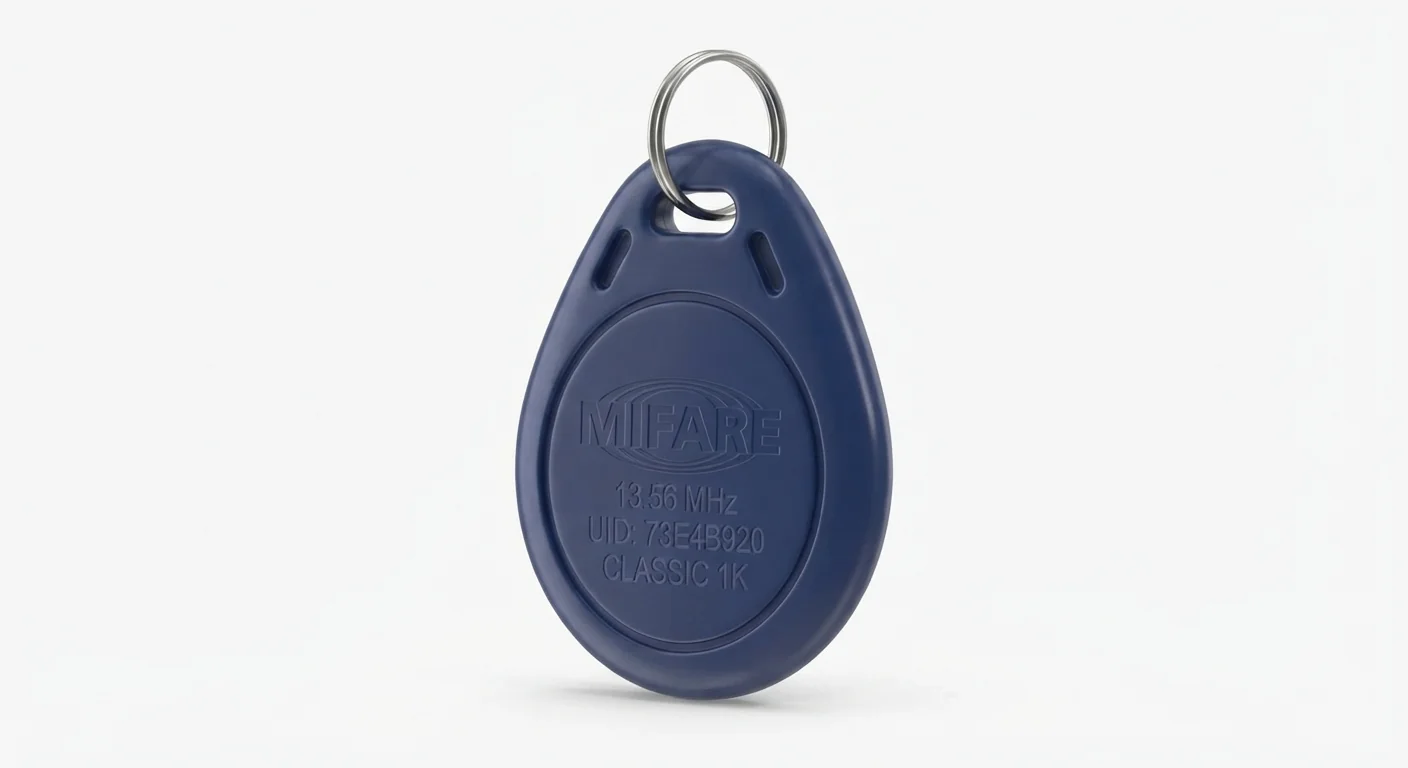
- Approved illustration marked MIFARE13.56MHz/Classic1K; authenticity, memory and exact IC unverified. Use an actual documented ISO14443A/MIFARE Classic-compatible tag for the existing MFRC522 example.
- Prerequisites and parts
- Documented compatible fob and the existing3.3 V MFRC522 reader setup. Follow its complete SPI wiring/sketch rather than wiring the passive fob to GPIO.
- Libraries
- No firmware or library required for this exercise. Arduino-ESP32 3.3.2 is the site review baseline, not a dependency of this passive setup.
- Expected result
- The existing reader guide reports tag communication/UID when a compatible fob enters its field; no security or authenticity claim.
- Verification status
- Documentation and source review only. Not compiled or tested on hardware. The approved product-style illustration identifies a family, not a verified physical pin layout or manufacturer-authenticated board. Follow the logical diagram and documentation for your actual part.
Overview
A passive RFID fob receives energy from the reader field and communicates wirelessly. It has no VCC pin to connect. Frequency alone does not establish protocol: a125 kHz tag, ISO15693 tag or every NFC product is not interchangeable with this example.
The visible Classic1K label supports the approved family mapping but cannot authenticate its chip. The MFRC522 tutorial qualifies supported13.56 MHz ISO14443A/MIFARE-type communication. Reading a UID does not prove ownership, uniqueness or secure authorization.
Technical Specifications
Arduino library: No firmware or library required for this exercise
| Specification | Value | Why it matters |
|---|---|---|
| Illustrated label | 13.56 MHz / Classic1K | Exact IC/authenticity/capacity not verified. |
| Compatibility | Documented ISO14443A / supported MIFARE | Frequency alone is insufficient. |
| Security | UID demonstration only | Do not build a trusted lock from UID matching. |
Pinout
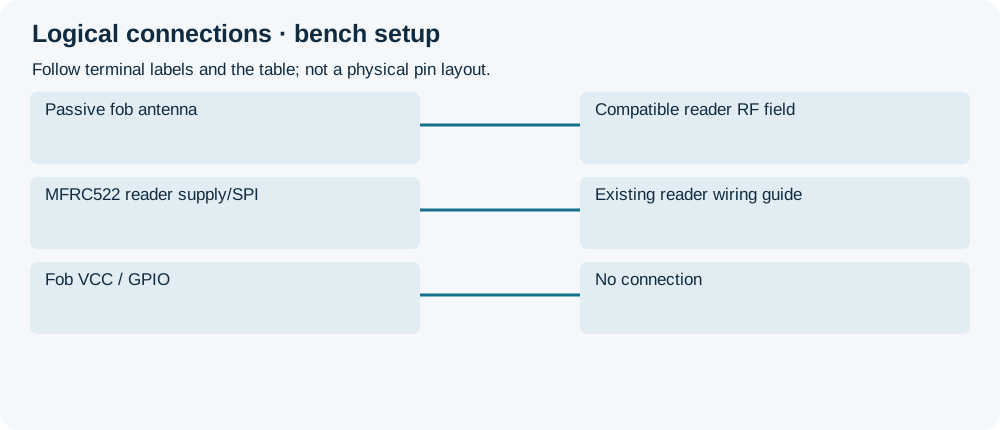
- Passive fob antenna Connection Compatible reader RF field Wireless; no GPIO wire.
- MFRC522 reader supply/SPI Connection Existing reader wiring guide Use documented3.3 V circuit.
- Fob VCC / GPIO Connection No connection No exposed powered interface assumed.
Wiring Diagram
Passive fob ↔ compatible13.56 MHz reader field; reader wiring stays in its existing complete guide.
| Component terminal | ESP32 / circuit connection | Purpose and qualification |
|---|---|---|
| Passive fob antenna | Compatible reader RF field | Wireless; no GPIO wire. |
| MFRC522 reader supply/SPI | Existing reader wiring guide | Use documented3.3 V circuit. |
| Fob VCC / GPIO | No connection | No exposed powered interface assumed. |
Open wiring diagram at full size (new tab)
-
1
Build the existing reader circuit/sketch with its qualified hardware.
-
2
Present a documented compatible fob close to antenna; inspect serial output.
-
3
Check compatibility/orientation and reader diagnostics before concluding failure.
Expected Output
The reader sketch should report a compatible tag at practical close range. No response can be compatibility, reader wiring or distance/orientation; it does not by itself identify a faulty fob.
How it works
Reader and passive tag couple through their antennas. Use the existing complete MFRC522 example for first detection. Keep this passive-part page focused on compatibility and limitations rather than duplicating its SPI code. Do not write unknown card blocks or keys just to test presence.
Troubleshooting
| Problem | Possible cause | Solution |
|---|---|---|
| No detection | Incompatible protocol/frequency, wiring or field coupling. | Verify actual tag specification and existing reader setup; try close orientation without promising range. |
| UID differs from expectation | Different tag or UID representation/type. | Compare library output carefully; do not infer authenticity from UID. |
| Phone cannot read it | Phone/protocol support differs. | Use the documented compatible reader;13.56 MHz does not promise all phone support. |
Where you use it
- RFID reader learning and tag detection
- Comparing documented compatible tags without modifying memory
FAQ
No. Only its separate reader has power and GPIO connections.
No. This example demonstrates identification data, not secure authentication.
Technical references
- NXP contactless identification — 13.56 MHz TypeA/MIFARE identification distinctions.
- MFRC522 library1.4.12 — Existing reader example compatibility and security limitations.