
Before you start
- Hardware
- Adafruit Feather ESP32-S3 4 MB Flash / 2 MB PSRAM, native USB data cable and computer. Not the 8 MB/no-PSRAM, TFT, Reverse TFT or generic WROOM variants.
- Software
- CircuitPython 9.2.8 en_US UF2 for the stated 4 MB Flash / 2 MB PSRAM Feather; reviewed version, not latest. Match the exact board ID and firmware link below. Existing working TinyUF2 bootloader required. Only built-in time/os/sys modules.
- Prerequisite
- Identify the exact board and use a known USB data cable. Arduino examples follow the Serial-only IDE first-upload guide; CircuitPython uses its separate firmware workflow.
- Expected result
- After installing the matching UF2, CIRCUITPY mounts. Saving code.py prints firmware/board details and a changing counter on the USB Serial console.
- Review limits
- Documentation review and automated content/browser checks only. Examples have not been compiled, uploaded or tested on physical hardware.
Pick the exact firmware before flashing
Back up any existing files first; replacing firmware can destroy the previous filesystem/application. Use the 9.2.8 en_US UF2 for adafruit_feather_esp32s3_4mbflash_2mbpsram from the official download link below. The flash/PSRAM sizes are part of the board identity, not interchangeable download choices. This pinned 9.x workflow is not advice to use an arbitrary current 10.x image: the manufacturer documents additional bootloader/partition steps for 10.x on the 4 MB board.
Install through the existing UF2 bootloader
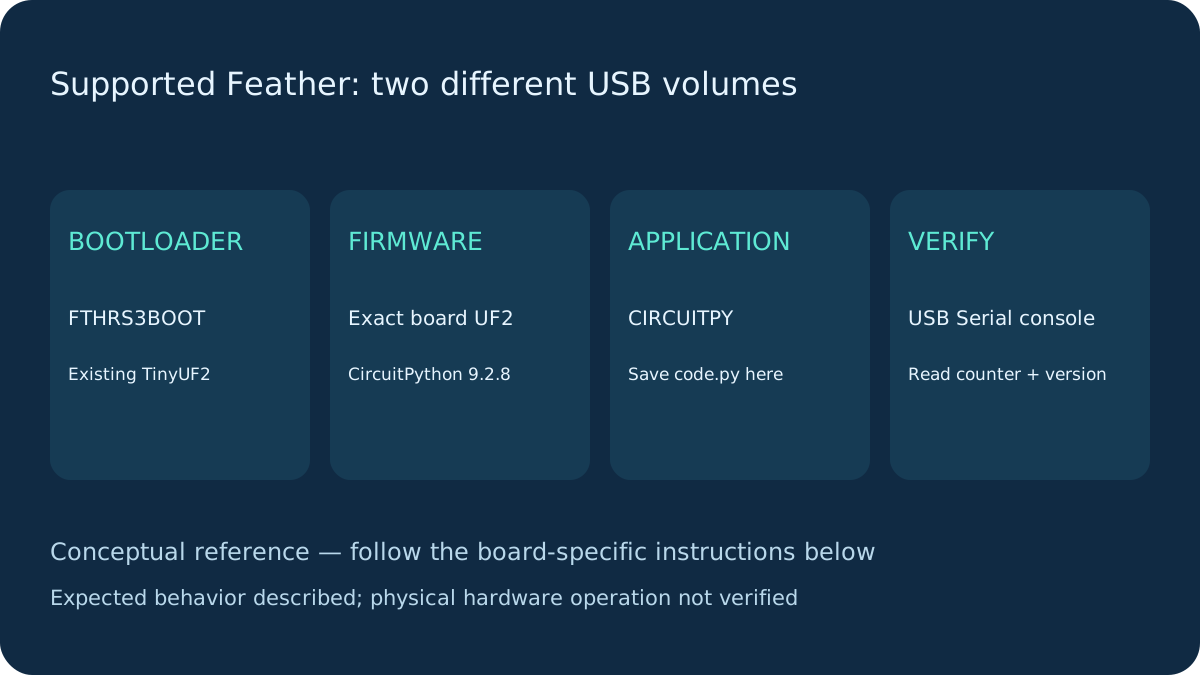
With a data cable, tap Reset and tap again during the purple status-light interval. The expected bootloader volume is FTHRS3BOOT. Copy the matching UF2 there; after reboot the application volume should be CIRCUITPY. These are different volumes with different jobs.
If FTHRS3BOOT is absent, first check cable, direct USB connection and Reset timing. A ROM bootloader serial port is not a UF2 filesystem. For missing/replaced TinyUF2 use the exact board’s manufacturer Factory Reset/bootloader-repair instructions; that recovery can erase files. Do not flash a different board’s bootloader or invent a generic drag-and-drop procedure for every ESP32.
Save code.py and open the USB console
Open CIRCUITPY and save the complete program below as code.py in its root, not code.py.txt. Use a plain-text editor. Open the board’s USB Serial console with a CircuitPython-capable editor or terminal; 115200 is a common terminal setting for this USB CDC console. If you missed startup text, press Ctrl-D to reload from the REPL. Ctrl-C interrupts the program; Ctrl-D starts it again. Saving code.py normally triggers auto-reload.
No external library bundle or LED pin assumption is needed for this first program. For future third-party drivers select the 9.x .mpy bundle matching CircuitPython 9.2.8 and install only required files under lib/.
CircuitPython code and USB connection
Serial-only CircuitPython first program
Native USB data cable to the stated Feather. No GPIO or LED wiring required.
code.py
import os
import sys
import time

print("Implementation:", sys.implementation.name)
print("Firmware:", os.uname().release)
print("Board:", os.uname().machine)
counter = 0
while True:
    print("Counter:", counter)
    counter += 1
    time.sleep(1)
Check the result and diagnose missing storage
Expected output includes the firmware release, board machine name and an increasing counter about once per second. sys.implementation identifies CircuitPython; the release should match the pinned install. No successful board execution is claimed here.
No output: verify the selected USB console and file extension; inspect the traceback instead of deleting files blindly. BOOT drive only: firmware may not have installed or matched the board. CIRCUITPY absent: check cable, USB port, safe-mode guidance and whether boot.py disabled USB storage. Arduino flashing can replace this firmware/USB behavior; reinstall through the documented recovery route. Eject the drive before unplugging to reduce filesystem corruption.
Why this board can expose CIRCUITPY
This S3 Feather routes native USB and has a supported CircuitPython build. Classic ESP32 has no native USB peripheral; its typical USB-UART bridge cannot become a USB mass-storage drive by installing Python firmware. Supported classic boards may use Serial or web workflows instead. Keep supply/GPIO at the board’s documented levels; this setup needs only USB and makes no universal claim about other ESP32 boards.
Next steps
Use the stated board and firmware assumptions. Compare actual observations with Expected result before extending the example.
Technical references
- Adafruit Feather installation — Exact variants and UF2/USB workflow.
- Manufacturer recovery and 4 MB upgrades — Bootloader recovery; consult exact variant before erasing.
- Board build at 9.2.8 — 4 MB flash / 2 MB PSRAM board support.
- Exact 9.2.8 UF2 — Availability verified by HTTP HEAD; not installed on a board.
- CircuitPython 9.2.x os API — uname used in the first program.